
Construction training software has to do two jobs at once: train workers before site exposure and prove that training happened. In 2024, 1,034 U.S. construction workers died, and 389 of those deaths involved falls, slips, and trips. If I were picking a tool, I’d focus on one thing first: can it train field crews on a phone and keep records ready for an OSHA review?
Here’s the short version:
- ABLEMKR fits teams that want training status tied to hiring and dispatch
- SafetyCulture fits crews that want training, inspections, and corrective actions in one app
- Vector Solutions fits larger firms that need OSHA 10/30 card training and central records
- 360training fits teams that want self-paced OSHA Outreach courses with simple admin
- HSI fits companies that want training tied to worker qualification controls
- ClickSafety fits crews that need OSHA courses, specialty safety topics, and mobile access
- GoContractor fits projects that need pre-arrival onboarding and site orientation
- aQuiRe fits heavy civil crews working in low-signal areas
- Bastion LMS fits construction teams that want LMS-style onboarding and certificate tracking
- SAP Litmos fits larger contractors that want a general LMS with compliance workflows
What I’d check before choosing:
- OSHA topic coverage for fall protection, excavation, confined spaces, PPE, and hazard communication
- Phone and tablet access, especially for workers who never sit at a desk
- Certificate tracking with dates, IDs, and expiration alerts
- Support for subcontractors and multi-site crews
- Onboarding links to site access, HR, or dispatch
Construction Safety Training Video // Over 40 Topics
sbb-itb-aa28329
Quick Comparison
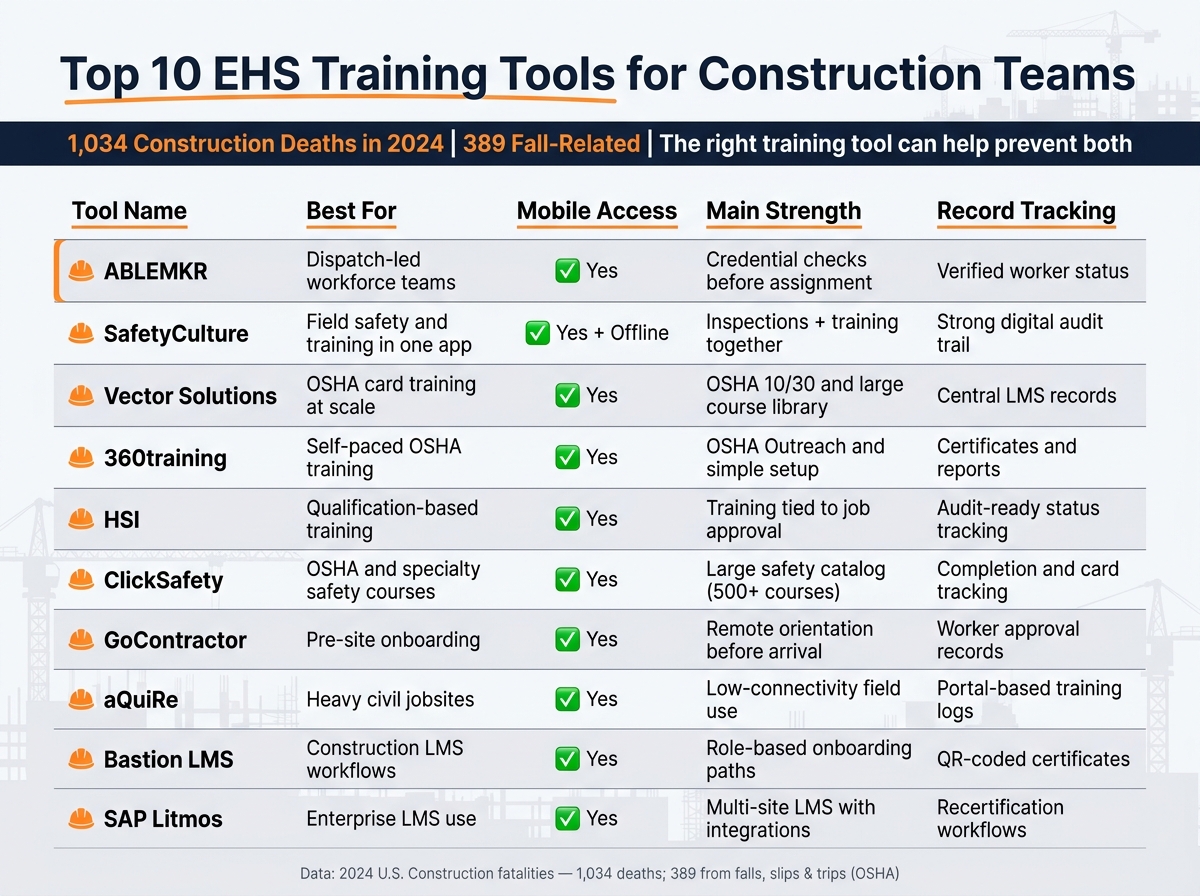
Top 10 EHS Training Tools for Construction Teams: Side-by-Side Comparison
| Tool | Best for | Mobile access | Main strength | Record tracking |
|---|---|---|---|---|
| ABLEMKR | Dispatch-led workforce teams | Yes | Credential checks before assignment | Verified worker status |
| SafetyCulture | Field safety and training in one app | Yes, with offline use | Inspections + training together | Strong digital audit trail |
| Vector Solutions | OSHA card training at scale | Yes | OSHA 10/30 and large course library | Central LMS records |
| 360training | Self-paced OSHA training | Yes | OSHA Outreach and simple setup | Certificates and reports |
| HSI | Qualification-based training | Yes | Training tied to job approval | Audit-ready status tracking |
| ClickSafety | OSHA and specialty safety courses | Yes | Large safety catalog | Completion and card tracking |
| GoContractor | Pre-site onboarding | Yes | Remote orientation before arrival | Worker approval records |
| aQuiRe | Heavy civil jobsites | Yes | Low-connectivity field use | Portal-based training logs |
| Bastion LMS | Construction LMS workflows | Yes | Role-based onboarding paths | QR-coded certificates |
| SAP Litmos | Enterprise LMS use | Yes | Multi-site LMS with integrations | Recertification workflows |
If I had to boil the article down to one idea, it’s this: the right tool depends less on feature count and more on how your crews get hired, trained, cleared, and sent to work.
What Construction Teams Need From an EHS Training Tool
A good EHS training platform needs to do three jobs well: deliver training, keep clean records, and help crews stay in line with site rules.
OSHA-aligned content comes first. The course library should cover the topics construction teams deal with every day, including fall protection, scaffolding, electrical safety, excavation, confined spaces, and hazard communication.
Multilingual support matters. If workers can’t fully understand the training before they step onto a site, that creates risk right away.
Mobile access often decides whether training happens at all. Crews should be able to finish orientation on a phone or tablet before site entry. That’s a big deal on spread-out jobs or remote sites. A mobile-first platform that logs completion on its own makes the process much easier.
Certificate tracking and audit-ready records aren’t optional. OSHA guidance says each record should include the worker’s name, course title, date, provider, and certificate ID. Those records should be kept for at least five years. Tools that send expiration alerts and show compliance status in one dashboard can save a lot of admin time. It also helps when training connects straight into onboarding, with document uploads, site-specific orientations, and access controls that stop entry until training is done.
Use this checklist to size up each platform.
| Capability | What to look for |
|---|---|
| OSHA content | Courses covering fall protection, excavation, confined spaces, hazard communication |
| Multilingual support | Training in multiple languages |
| Mobile access | Smartphone or tablet delivery; offline or low-connectivity support |
| Certificate tracking | Automated expiration alerts; audit-ready records |
| Onboarding workflows | Document uploads; training gates tied to site access |
These are the baseline requirements for the tools below. Each one stands out based on how well it handles these core needs.
1. ABLEMKR
ABLEMKR connects compliance checks directly to hiring and dispatch. In plain terms, only pre-vetted workers with the right credentials can get sent to the jobsite.
It works best when training proof has to be cleared before dispatch. That makes it a strong fit for crews that need compliance built into deployment, not handled later.
OSHA/Construction Compliance Coverage
The platform filters workers by verified credentials before dispatch. Contractors can require OSHA and site-specific credentials, and the system only shows workers who already hold those verified qualifications.
That setup matters on busy jobs. Instead of sorting through people by hand, teams can start with workers who already meet the job’s training rules.
Training Records and Audit Readiness
Each worker profile shows verified safety status before assignment. Contractors can check those records before choosing a crew member, which cuts manual screening and helps onboarding move faster.
For audit prep, that means training records are easier to review when needed, instead of being scattered across emails, PDFs, or spreadsheets.
Onboarding/Workforce Management Integration
ABLEMKR keeps hiring, onboarding, and compliance checks in one mobile flow. That helps crews get onto urgent projects without losing sight of training status.
Its core strength is simple: it turns credential checks into part of dispatch itself.
2. SafetyCulture
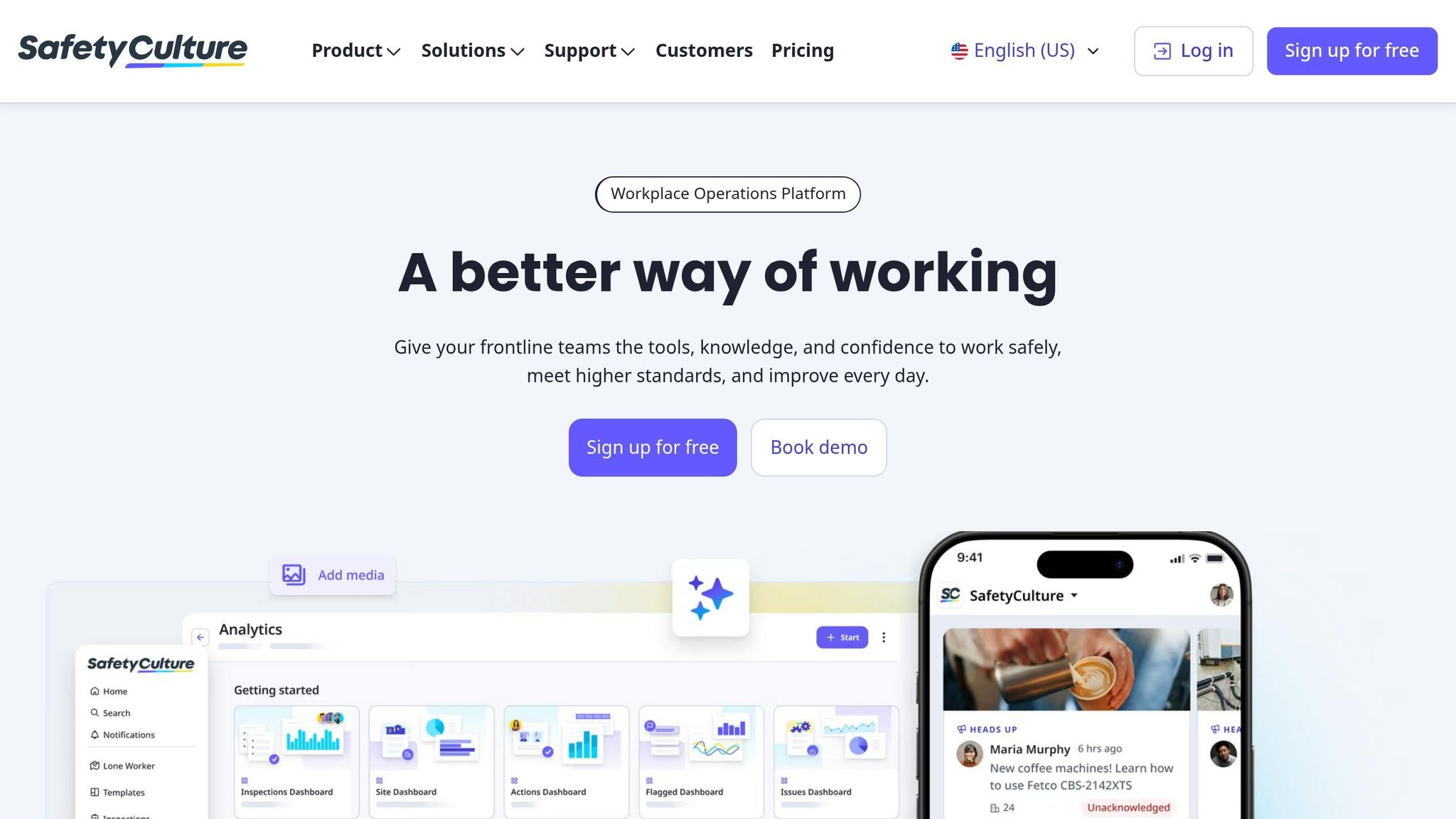
If ABLEMKR is more about pre-dispatch compliance, SafetyCulture stands out once crews are already on the job. It’s a mobile-first safety and training platform that grew out of its former iAuditor inspection roots. The big draw is simple: inspections, corrective actions, and training all sit inside the same app.
OSHA/Construction Compliance Coverage
SafetyCulture includes a library of more than 1,500 pre-built construction safety checklists mapped to specific OSHA standards. Safety teams can tailor those checklists to fit OSHA 29 CFR 1926 rules, including fall protection, lockout/tagout, and hazard communication.
Mobile Field Access and Offline Support
This matters most on remote jobsites, where signal can be spotty or nonexistent. Workers can download lessons while they’re connected, finish training offline, and then have their progress sync on its own when service comes back.
Training Records, Certifications, and Audit Readiness
Every completed inspection, training module, and corrective action is logged automatically. That creates a digital audit trail that can help during OSHA inspections, client audits, or incident investigations.
The Credentials feature also tracks expiration dates and renewals, which helps keep expired credentials off-site.
On pricing, SafetyCulture starts at $0 for teams with up to 10 users, while the Premium plan starts at $24 per user per month when billed annually.
Onboarding/Workforce Management Integration
SafetyCulture supports role-based onboarding by grouping site orientations, EHS policies, and role-specific training into a step-by-step workflow tied to site access. Teams can assign courses by role, location, or contractor, and new users can be auto-provisioned to speed up onboarding.
For field crews that want inspections, training, and corrective actions in one mobile system, SafetyCulture covers that well.
3. Vector Solutions
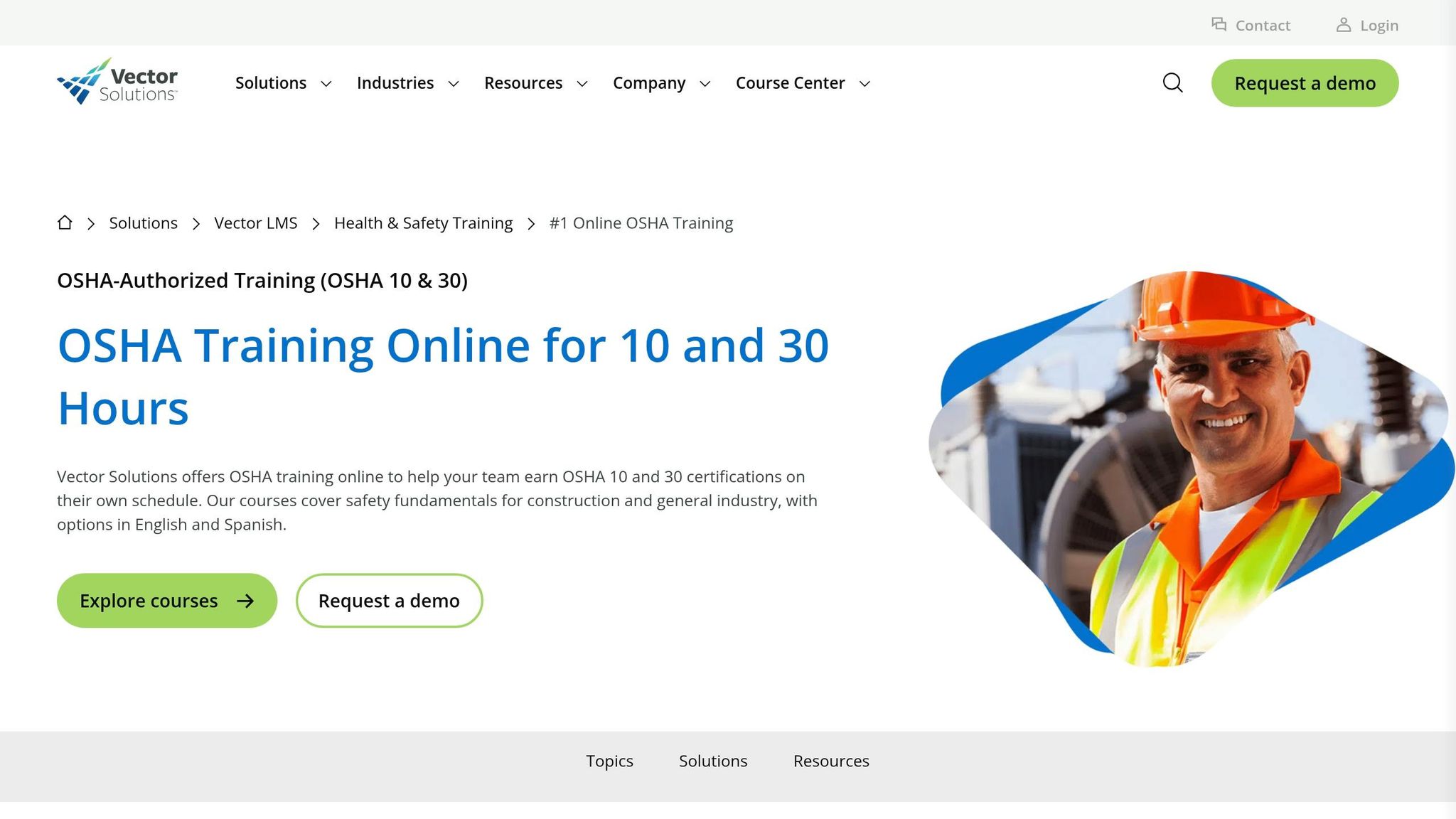
For crews that need formal OSHA card training, Vector Solutions leans into structured online courses and centralized recordkeeping. Through its RedVector brand, it offers OSHA-authorized Outreach training. Workers who complete the OSHA 10-Hour or 30-Hour Construction courses earn a DOL OSHA card, which many jobsites require for entry.
OSHA/Construction Compliance Coverage
This is where Vector Solutions stands out: standardized training for larger teams. That matters when general contractors or subs need the same course set across many workers and jobsites.
Its library includes 400+ interactive EHS courses tied to OSHA, EPA, and DOT standards. Topics include:
- Focus Four hazards
- PPE
- Scaffolding
- Ladders
- Confined spaces
- Electrical hazards
- Hazard communication
All of that is built for crews that need carded training before they can even step on site.
Training Records, Certifications, and Audit Readiness
When a worker finishes a course, the system creates worker-level records. The LMS then tracks completions, certifications, and renewal dates in one place, which makes it easier to stay organized when someone asks for proof.
Mobile Field Access and Flexible Scheduling
Courses are self-paced and available 24/7, which helps when crews work different shifts or move between jobs. The training also uses microlearning modules and 3D animations. For example, OSHA 10-Hour Construction lessons range from 15 minutes to 1.5 hours.
Vector Solutions fits best for general contractors, multi-site firms, and specialty contractors that need standardized OSHA card training plus centralized records. Pricing isn’t listed in public and usually requires a custom quote.
4. 360training
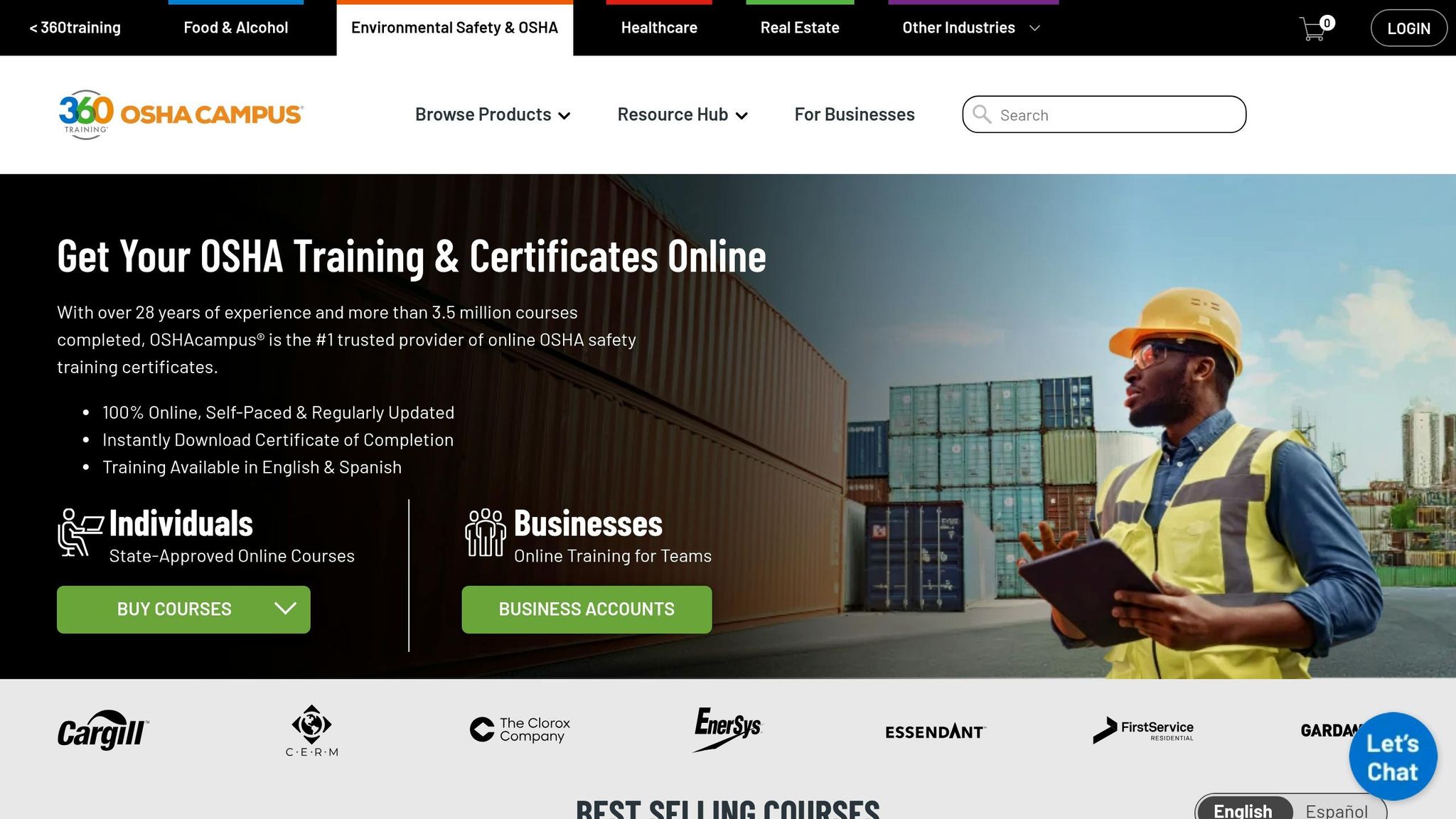
360training, branded as OSHAcampus, offers OSHA-authorized online outreach training for construction crews. The courses are online, self-paced, and mobile-friendly. For teams that need OSHA cards and clean records without piling on admin work, that setup is a good fit.
OSHA/Construction Compliance Coverage
The platform covers OSHA 29 CFR 1926 topics, including Focus Four hazards, PPE, fall protection, confined spaces, and hazard communication. It also offers both the OSHA 10-Hour and 30-Hour Construction courses in English and Spanish.
Training Records, Certifications, and Audit Readiness
Once training is done, the next job is proving it. When a learner finishes a course, 360training issues an instant certificate and ships the DOL wallet card to the learner’s U.S. address, usually within two weeks. Cards can also be checked through OSHA’s Outreach Training Program Verification portal.
For managers and safety leads, the platform includes centralized dashboards, role-based access, and more than 50 training performance, utilization, and registration reports. Teams can build training plans, assign deadlines by crew or role, and automate reminders while tracking enrollments, completions, scores, and expirations.
That matters on busy jobsites. Safety teams can export completion summaries by project and confirm that workers assigned to high-risk tasks have the right certifications before they mobilize to site.
Onboarding/Workforce Management Integration
360training integrates with HR systems such as ADP Workforce Now to sync user data, streamline enrollments, and centralize compliance reporting. Managers can bundle courses into onboarding packages and tie deadlines to start or mobilization dates.
In plain terms, training data can flow back into HR records before access badges are issued or workers are assigned to high-risk tasks. That helps cut the back-and-forth that often slows down onboarding.
360training fits teams that need scalable OSHA card training with low admin overhead. Courses are self-paced over a 6-month access window. That makes the platform easier to compare on speed, recordkeeping, and onboarding support.
5. HSI
HSI focuses on OSHA-authorized training and tighter qualification tracking for field crews.
HSI (formerly Summit Training Source) is an OSHA-authorized online outreach provider on OSHA’s official roster for both Construction 10-hour and 30-hour courses. That matters for crews that need recognized OSHA credentials before they can get on site.
OSHA/Construction Compliance Coverage
HSI offers OSHA-authorized online training for construction teams, including OSHA 10 and OSHA 30 Construction courses, along with topic-based modules like Hazard Communication, Lockout/Tagout, PPE, slips, trips, falls, and heat stress. It also offers these courses in English and Spanish, and its OSHA 30 option can meet NYC voice-proctoring rules.
Beyond OSHA outreach training, HSI’s library includes more than 5,000 accredited courses for role-specific training across high-risk jobs.
Training Records, Certifications, and Audit Readiness
Workers get a temporary certificate first, and the DOL OSHA card arrives within 6–9 weeks. HSI’s LMS keeps training history, completion dates, and certification status in one place, then turns that data into audit-ready reports.
Courses must be finished within 180 days and include quizzes plus a final exam. The OSHA 30 Construction course costs $150 per learner.
Onboarding/Workforce Management Integration
HSI’s Competency Management System combines onboarding, qualification, and compliance tracking in one system. That setup helps companies place new hires into the right OSHA course and related safety modules based on job role.
It also helps with a common field problem: making sure only people with current certifications are cleared for high-risk work. Completion data can feed back into qualification rules, so training records don’t just sit in a file – they affect who is approved for the task. This is where HSI stands out most for teams that need training records tied straight to qualification controls.
6. ClickSafety
ClickSafety has offered online safety training since 1999 and was one of the first OSHA-authorized providers of online OSHA 10- and 30-hour Construction courses. For crews that need OSHA-aligned training and records ready for review, that long track record matters.
OSHA and Construction Compliance Coverage
The catalog includes 500+ online safety and health courses, with 55+ in Spanish. Along with OSHA Outreach, ClickSafety covers Focus Four hazards, fall protection, silica, confined spaces, HAZWOPER 40-Hour, NFPA 70E, EM 385-1-1, ladder safety, PPE, and hazard communication (GHS).
That range makes it easier to set up role-based training paths. For example, a laborer might take OSHA 10-Hour plus fall protection, while a foreman on a federal job might need OSHA 30-Hour plus EM 385-1-1.
Pricing is pretty clear:
- OSHA 10-Hour Construction usually costs $79 to $89 per worker.
- OSHA 30-Hour Construction is about $189 per worker.
- Specialized courses like NFPA 70E can start at $140.00.
- The NYC SST 40-Hour Complete Worker Safety Pack is around $391.00.
Mobile Field Access
All courses are 100% online and self-paced, with 24/7 access from laptops, tablets, and smartphones. That gives new hires a way to start OSHA 10 before their first day on site. It also lets field workers knock out shorter modules from a jobsite trailer when work slows down.
The result is simple: training can keep moving without holding up proof of compliance.
Training Records, Certifications, and Audit Readiness
When someone completes an OSHA outreach course through ClickSafety, they receive an official DOL OSHA wallet card. Many general contractors and project owners ask for that card before site access or onboarding, so this isn’t just a nice extra. It’s often part of getting through the gate.
ClickSafety also includes admin tools that help safety managers track completion records and wallet card status for OSHA inspections and client audits. If you’ve ever had to pull training proof at the last minute, you know how big a deal that can be.
One feature that stands out is the Knowledge Assessment program. It sends 60 seconds of targeted microlearning daily by email or text. It’s a simple way to keep safety topics top of mind between formal training sessions.
For teams that need compliance tied more closely to onboarding and dispatch, the next tool adds that layer.
7. GoContractor
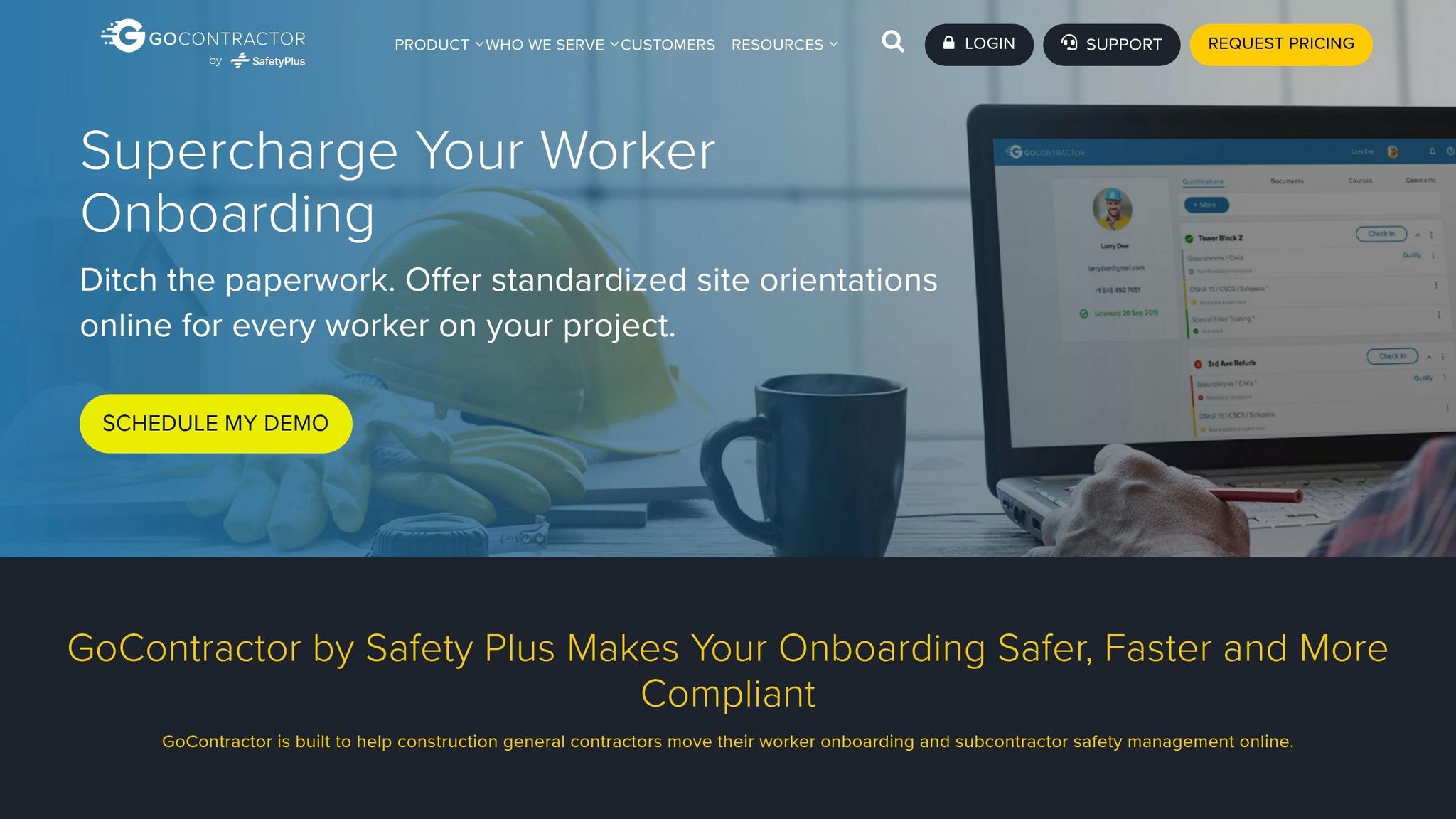
GoContractor is built for pre-arrival safety compliance. Workers can finish digital registration, site-specific orientations, document uploads, and remote approvals before day one. That makes it a strong fit for projects where training has to be done before someone ever gets to the gate.
Onboarding/Workforce Management Integration
Instead of running orientation in a site trailer, GoContractor moves the whole process online. Teams often use it on large, multi-contractor jobs where workers need approval before they arrive on-site.
It also connects with Procore and access control systems, so a worker’s approval status can decide whether they’re cleared to check in at the site gate.
OSHA/Construction Compliance Coverage
Workers can upload OSHA cards and other required documents through the platform. From there, GoContractor tracks expiration dates, sends renewal alerts, and supports custom orientations by trade, role, or site phase with a custom course builder.
Those records then carry straight into mobile check-in and approval, which cuts down on manual follow-up.
Mobile Field Access and Low-Connectivity Support
The GoContractor Connect app for iOS and Android lets workers complete orientations, take quizzes, and upload documents from their phones. That matters on busy job sites, where people often need to finish tasks without sitting at a desk.
Its multilingual training tools include translation into over 29 languages with Amazon Polly. Text-to-speech also helps workers who need audio guidance instead of reading through each step.
Training Records, Certifications, and Audit Readiness
That remote workflow feeds right into each worker’s verification record. Every worker gets a QR-coded digital profile that shows training, certifications, and site clearance.
Records stay centralized and searchable, which makes audits and inspections a lot easier to deal with.
8. aQuiRe
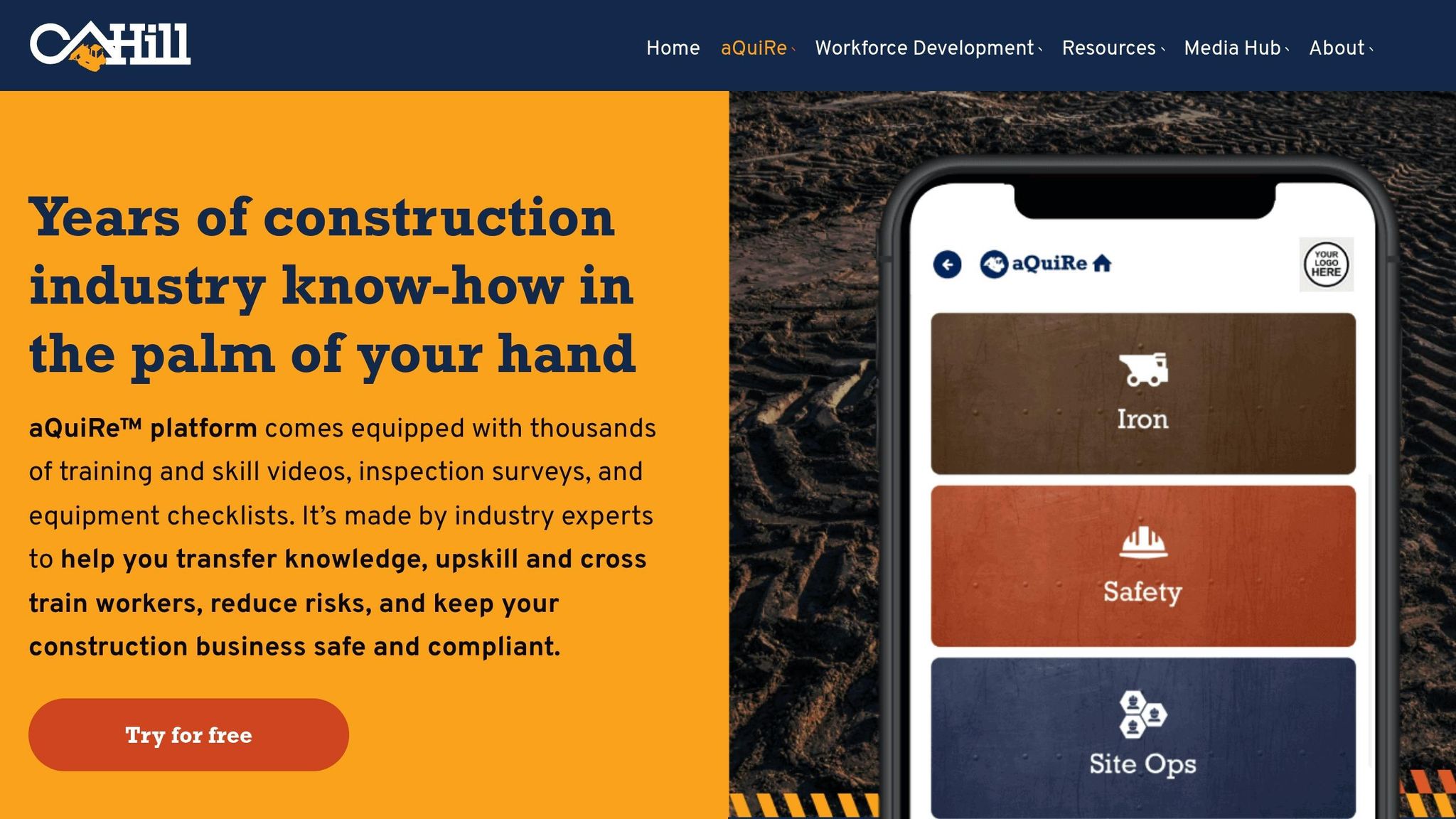
aQuiRe is built for crews in heavy civil settings where internet access can be spotty and the work itself comes with serious risk. Developed by CAHill TECH, it’s a construction safety training and compliance platform made for heavy civil, road, and bridge contractors. In plain English, it’s geared toward the kind of crews who need training tools that work out on the jobsite, not just back at a desk.
OSHA/Construction Compliance Coverage
The platform includes 300+ construction and safety courses across Site Ops, Iron, and Safety. These modules cover topics like hazard recognition, PPE, fall protection, and equipment operation.
Safety managers can assign training by job role, which matters more than it might sound at first. A laborer, an equipment operator, and a foreman don’t face the same risks, so they shouldn’t all get the exact same training. aQuiRe lets teams match each module to the worker’s exposure on site.
Mobile Field Access and Low-Connectivity Support
In the field, workers can scan QR codes to open assigned modules on a phone or tablet. That keeps access simple. No hunting through menus, no extra steps.
aQuiRe also works in low-connectivity jobsite conditions. That’s a big deal for road, bridge, and heavy civil crews working in places where signal strength can drop off fast.
Training Records, Certifications, and Audit Readiness
Training records, inspections, checklists, and JSAs can be logged in the Business Portal. The platform also tracks certifications and flags lapsed training, which can help during an OSHA or MSHA record review.
That means safety teams have a clearer view of who completed training, when they completed it, and what the training covered. When records are spread across paper forms, texts, and spreadsheets, that job gets messy fast. This setup keeps it in one place.
Onboarding/Workforce Management Integration
New hires can be assigned baseline onboarding paths using pre-set module bundles before they step onto the job. That gives companies a simple way to standardize early training without building every path from scratch.
Pricing starts at about $5,000 per year for an organization-wide license.
For teams that need a broader LMS layer after this, the next option shifts into a more general-purpose platform.
9. Bastion LMS
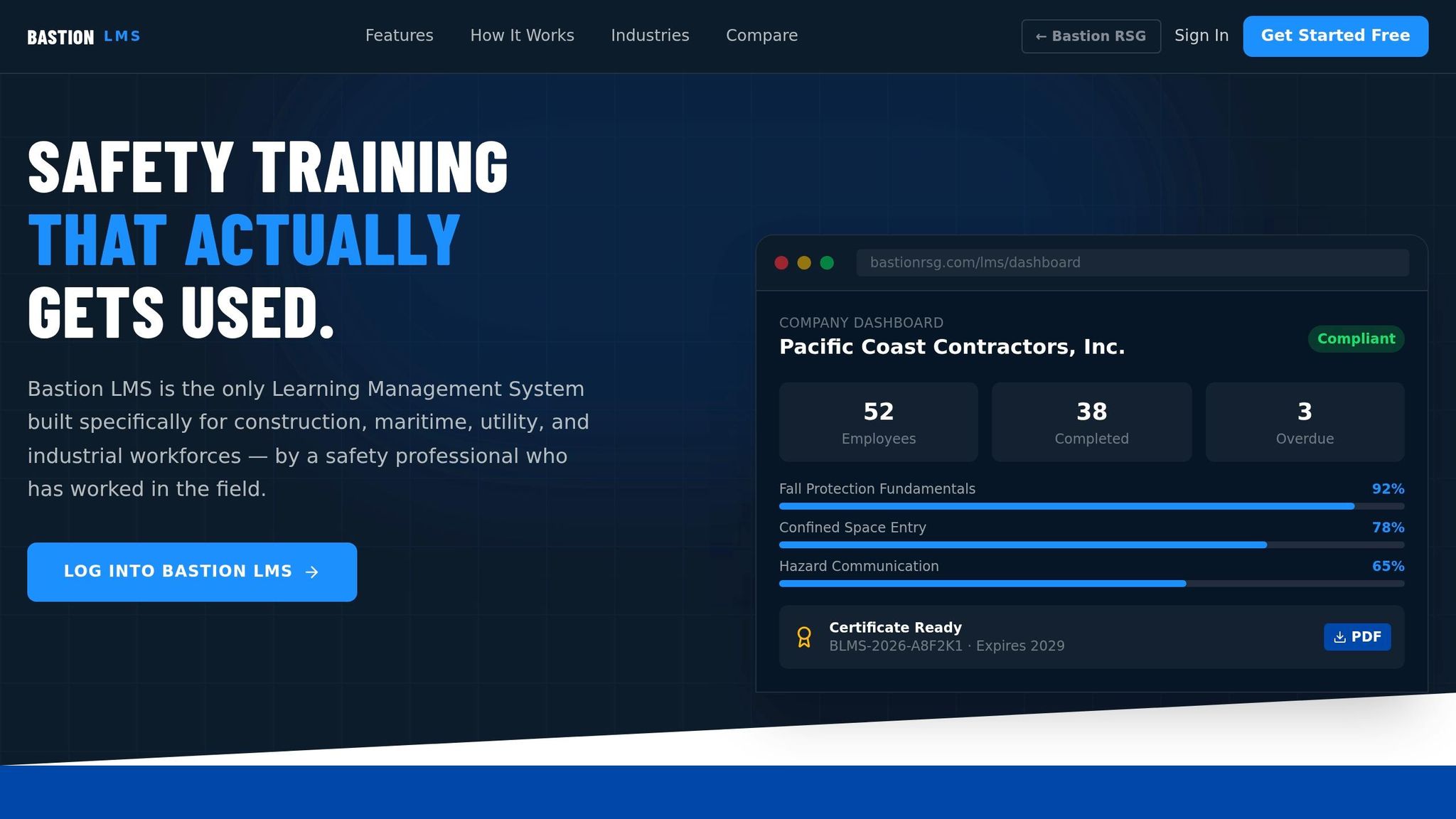
Bastion LMS is built for construction teams that need safety training, recordkeeping, and role-based onboarding in one place. Where it stands out is its focus on construction work and its audit-ready training records.
OSHA/Construction Compliance Coverage
Bastion includes a pre-built course library that covers core construction hazards, and the material is written for people working in the field. If the out-of-the-box courses don’t fit your crew, safety managers can edit existing modules or build their own with videos, PDFs, text lessons, and quizzes.
It also offers OSHA 10- and 30-Hour Construction courses for workers and supervisors who need baseline OSHA credentials.
Training Records, Certifications, and Audit Readiness
Once a worker finishes a course, Bastion can automatically issue a certificate. Those certificates are available as PDFs, and they include QR-code verification. That setup makes it easier to check records without digging through folders or chasing paperwork.
The platform also sends automatic gap alerts at 30, 60, and 90 days. On top of that, dashboards show course completion, overdue training, and certifications that are close to expiring.
Onboarding/Workforce Management Integration
For onboarding, safety managers can bulk upload workers by CSV and assign training by crew, department, or job title. Bastion isn’t a payroll system or an HRIS, but it fits well as the compliance part of a larger workforce setup.
Pricing is quote-based. Bastion lists one industrial construction curriculum at C$36.46 per training hour for 28 hours, or about C$1,009.15 per learner. If you’re buying in the U.S., you’ll need to ask for a USD quote.
For teams that want a broader, general-purpose LMS, the next option is SAP Litmos.
10. SAP Litmos
SAP Litmos is a solid fit for contractors that want a general LMS with construction compliance built in. It’s a cloud-based LMS aimed at larger contractors that need OSHA training, subcontractor tracking, and multi-site compliance in one place.
OSHA/Construction Compliance Coverage
Litmos works with HSI (Summit Training Source) to offer OSHA 10- and 30-hour Outreach courses inside the platform, with automatic enforcement of OSHA-required time limits, exam thresholds, and wallet card delivery. In plain English, foremen and equipment operators can complete authorized OSHA training online without jumping between systems.
Training Records, Certifications, and Audit Readiness
The platform keeps certifications, licenses, and site-specific requirements together in one system, with renewal reminders, mandatory course flags, and recertification workflows. If a safety manager is getting ready for an OSHA inspection or a client audit, having that documentation in one spot can save a lot of hassle.
Onboarding/Workforce Management Integration
For onboarding, Litmos lets you sort workers into groups by project, site, or subcontractor and auto-assign role-based learning paths for OSHA basics, site hazards, and equipment certifications. It also connects with HRIS and workforce systems through SSO and APIs, so new workers can be set up and assigned the right curriculum from day one. That helps keep training lined up with project mobilization and site access.
Pricing
Pricing is billed per active user and changes by plan and content bundle. Litmos also offers more than 2,500 prepackaged courses.
Side-by-Side Comparison of All 10 Tools
No single platform fits every crew. After the individual reviews, this table gives you a fast side-by-side scan. You can compare all 10 tools based on training delivery, mobile access, compliance tracking, and onboarding.
| Tool | Primary Fit | OSHA/Construction Focus | Mobile Capability | Compliance Tracking Depth | Onboarding/Workforce Integration |
|---|---|---|---|---|---|
| ABLEMKR | Construction and energy deployment | Construction and energy; certification-based matching | Mobile-first; location-based matching | Real-time worker status and certifications | Hiring, credentialing, onboarding, and payroll in one workflow |
| SafetyCulture | Field safety operations and mobile training | Construction-focused; OSHA-aligned content | Mobile-first; offline access | Mobile field safety workflow | Integrations and subcontractor document capture |
| Vector Solutions | Construction LMS and OSHA course delivery | OSHA card training | Mobile-compatible | Centralized records | LMS-focused with HR integrations |
| 360training | Self-paced OSHA Outreach training | OSHA-authorized; 180-day completion window | Mobile-friendly | Basic – completions and certificates | Course delivery focus |
| HSI | All-in-one EHS and workforce training platform | OSHA 10/30 and MSHA content | Mobile app for EHS and LMS workflows | Advanced – certifications, expiration tracking, audit-ready reports | Built-in EHS and LMS workflows; multi-site support |
| ClickSafety | OSHA course delivery for construction | OSHA 10/30 online; Spanish-language courses | Mobile-compatible | Completion records and certificate tracking | Course-first platform |
| GoContractor | Subcontractor onboarding and pre-arrival training | Construction-focused; virtual orientation | Smartphones, tablets, and laptops | Document collection, approvals, training records | Pre-arrival onboarding; document collection |
| aQuiRe | Worker management and pre-employment training | Training modules assigned before employment | Public mobile details are limited | Basic – training assignment and completion | Worker management focus |
| Bastion LMS | LMS-style compliance training | General LMS; limited public construction detail | Standard LMS access | Basic to moderate – course and certification tracking | Limited public detail |
| SAP Litmos | Enterprise LMS and compliance training | General LMS with compliance training capabilities | Standard LMS access | Basic to moderate – course tracking | General LMS administration |
Use this table to narrow your shortlist before you choose based on crew size, site conditions, and audit pressure.
How to Pick the Right Platform for Your Crews
Before you compare platforms, get clear on the problem you need to fix. That sounds obvious, but it saves a lot of wasted time. Use four filters: use case, pricing, geography, and data flow.
Start with the use case. Different crews need different setups.
- Pick a course-first platform for OSHA 10/30 cards
- Pick a mobile-first platform for short jobsite refreshers
- Pick a pre-arrival workflow for subcontractor onboarding before site entry
- Pick a deployment-linked system when compliance needs to control dispatch
Once the use case is clear, look at pricing. The best pricing model depends on how your crews work. Match it to your crew pattern: per-course for one-time certifications, per-user for ongoing training, and enterprise contracts for multi-site operations.
Geography matters too, especially if your teams work across state lines. Local differences can change what works best. For multi-state crews, look for configurable training paths, state-level reporting, multilingual content, and offline mobile access.
The last filter is data flow into day-to-day work. Pick the platform that connects training records to scheduling, payroll, and site access. That shifts compliance from a manual check to an automatic gate.
Conclusion
No EHS training tool fits every crew. The best choice isn’t the one with the longest feature list. It’s the one that matches how your teams work day to day.
A good platform brings together OSHA-aligned training, audit-ready records, mobile access, and workflows that make sense in the field. That’s why fit matters more than feature count.
Training only works when it reaches the right workers at the right time. For high-mobility construction and energy crews, ABLEMKR stands out because it connects certifications, safety training, availability, and geo-location in one workflow. If your team depends on OSHA cards, check native or integrated delivery first.
The right platform keeps crews safer, records cleaner, and onboarding faster, without slowing the job.
FAQs
Which EHS training tool is best for mobile field crews?
The best EHS training tools for mobile construction crews focus on three things: offline access, automated certification tracking, and integration with workforce deployment.
ABLEMKR stands out because it connects training data directly to job-site deployment. That helps teams make sure only workers with current, verified credentials are assigned to a site.
Its mobile-first setup also makes life easier in the field. Supervisors can check certifications and safety compliance on-site, even in remote areas with limited connectivity.
What records should a construction company keep for OSHA training?
Construction companies should keep centralized records for all required safety training. That includes:
- OSHA 10- and 30-hour cards
- Site-specific orientations
- Trade licenses and specialized training, such as fall protection, confined space entry, and equipment operator certifications
- OSHA 300, 300A, and 301 incident logs
Hold onto safety training records for at least five years. A digital system can make this much easier. It helps keep records accurate, easy to pull up on-site, and ready for an audit when someone asks for them.
How do I choose the right EHS training platform for my jobsites?
Choose a platform that fits your jobsite needs, workforce size, and compliance rules. Focus on mobile access, cloud-based recordkeeping, automated alerts for expiring certifications, and real-time data syncing.
It also helps to think about your main goal. Do you need craft-based training? Or do you need stronger compliance and deployment support? ABLEMKR can help simplify certification tracking and connect pre-vetted, qualified workers with projects, which cuts down on manual admin work.


