
Cloud platforms are transforming construction project management by solving common challenges like miscommunication, scattered documentation, and missed deadlines. Here’s a quick overview of the most impactful features driving efficiency and cost control in the U.S. construction industry:
- Real-Time Updates & Data Sync: Ensures all stakeholders have instant access to the latest project information, reducing errors and delays.
- Central Document Storage: A single, organized repository for all project files, with version control, permission-based access, and audit trails.
- Task Assignment & Workflow Tracking: Centralized task management for clear accountability and real-time updates on progress.
- Mobile Access: Field teams can access and update project details on the go, even offline, bridging communication gaps between job sites and offices.
- Third-Party Tool Integration: Seamlessly connects with specialized construction tools like BIM, scheduling software, and accounting systems for unified workflows.
- Budget Tracking & Cost Management: Provides real-time financial insights, automates expense tracking, and improves cost forecasting.
- Data Security & Compliance: Protects sensitive information with encryption, access controls, and automated compliance tracking.
These features are helping construction companies improve collaboration, stay on budget, and meet deadlines more consistently. Companies like Skanska and Turner have already seen success by adopting these tools, achieving faster project timelines and better cost control. If you’re looking to modernize your construction workflows, these capabilities are essential.
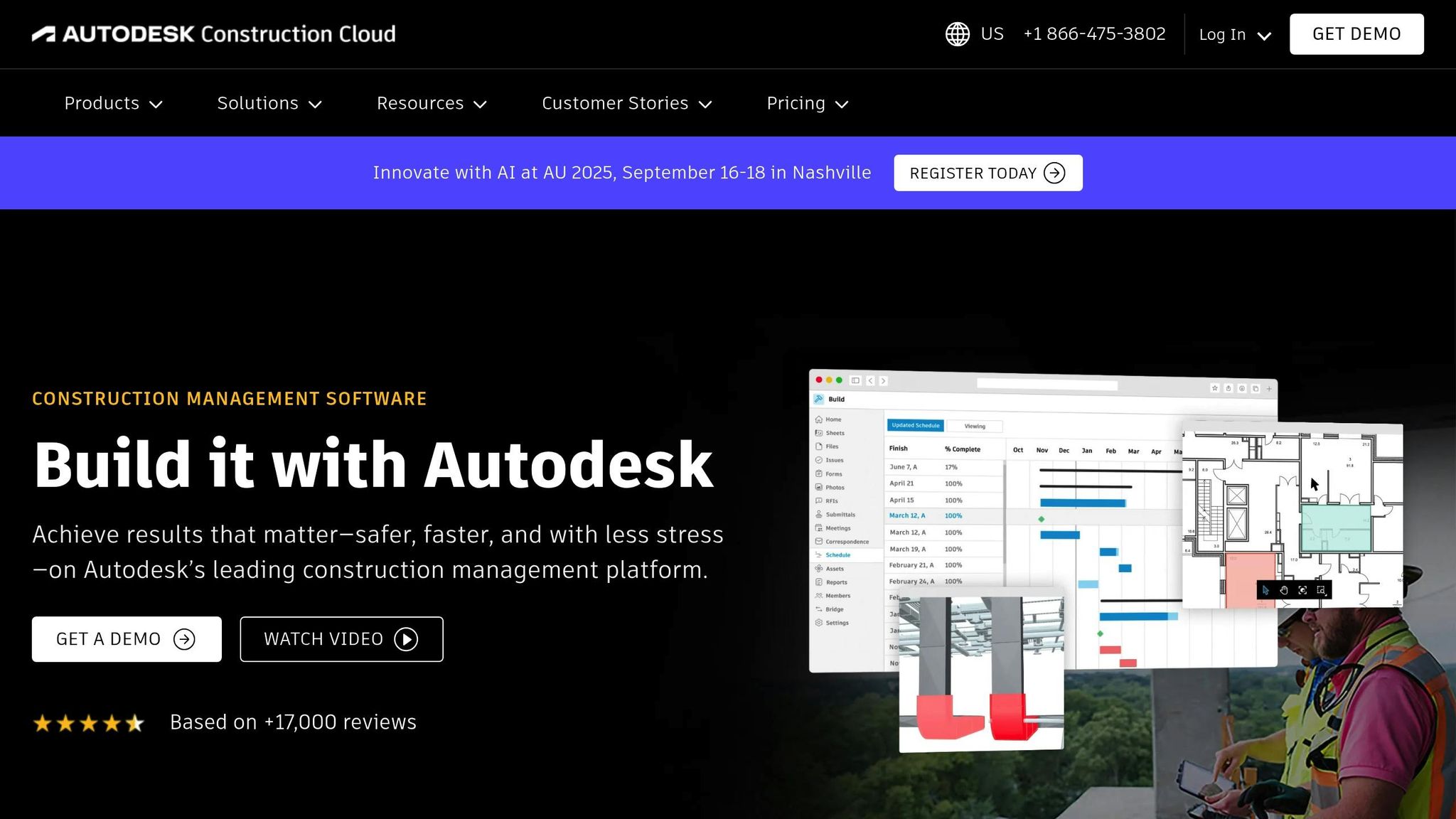
Autodesk Construction Cloud Explained (II)
1. Real-Time Updates and Data Sync
Real-time data synchronization ensures that everyone involved in a project – whether in the field or the office – has instant access to the latest information. This immediate access speeds up decision-making and reduces errors, as all stakeholders are working from the same up-to-date data. It creates a streamlined flow of information that strengthens collaboration across all roles.
Real-Time Collaboration and Synchronization
Traditional construction workflows often suffer from information silos, where critical updates don’t reach the right people in time. Real-time updates eliminate these silos, and the results are clear: 78% of construction professionals report improved productivity, with cost overruns reduced by 31% and project delays cut by 23%.
Various types of construction data can now be shared in real time, including:
- Project progress and costs: Updates on budgets, safety issues, resource usage, and design changes.
- Digital assets: Items like 3D models, RFIs (Requests for Information), schedules, labor hours, and material costs.
- Site-specific details: Equipment status and current site conditions.
For example, if a blueprint is revised or materials are used differently than planned, those changes are instantly visible to everyone involved. This immediate communication helps teams spot budget discrepancies early and make adjustments to workflows or resource allocation as needed.
But real-time updates don’t just stop at sharing data – they also integrate with advanced tools to make project management even more efficient.
Integration with Construction-Specific Tools
Cloud platforms that sync data in real time often connect with specialized tools to optimize workflows. Take the roofing industry as an example: AI-powered forecasting tools can analyze historical weather patterns to predict delays caused by rain or extreme temperatures. With this insight, managers can adjust schedules proactively to ensure both safety and efficiency.
These platforms also use streaming-first integrations to handle large data volumes with minimal delays. When paired with devices like tablets and smartphones, on-site teams can fully leverage the benefits of real-time updates.
By establishing a single source of truth, real-time data improves communication and transparency. Clients, for instance, can view up-to-date project statuses and financial reports, which builds trust throughout the project lifecycle. Additionally, continuous monitoring of labor productivity, material usage, and equipment performance allows teams to make immediate adjustments, boosting efficiency and reducing waste.
Of course, implementing real-time updates isn’t without its challenges. Issues like inconsistent internet access, complex data migration, and resistance to new technologies can arise. However, leading companies have successfully tackled these hurdles by integrating cloud platforms into their global operations.
2. Central Document Storage and Management
Construction projects generate a massive amount of documents. Without proper organization, these critical files can end up scattered across emails, local drives, and even physical filing cabinets, leading to delays and errors. Central document storage addresses this issue by creating a single, well-organized repository where all project files are stored and easily accessible to authorized team members. This setup lays the groundwork for smooth digital collaboration throughout every stage of a project.
Document and Data Management Capabilities
Modern cloud platforms come equipped with powerful document management tools. For instance, version control ensures that everyone on the team is working from the most current drawings and specifications. This prevents costly mistakes, like someone building from outdated plans. When an architect updates a blueprint, the system saves the new version automatically while keeping a complete history of previous changes.
Permission-based access is another critical feature, allowing project managers to control who can view, edit, or share sensitive documents. For example, senior engineers might have full access, while subcontractors are limited to view-only permissions for specific files. This level of control protects confidential information while ensuring team members have the access they need.
Additionally, audit trails keep track of every action taken on documents, creating a detailed record of who accessed what and when. This is especially useful for resolving disputes or passing inspections, as it provides clear documentation of compliance activities and decision-making processes. Advanced search tools further enhance efficiency, allowing teams to quickly find specific files using keywords, dates, or project phases.
Real-Time Collaboration and Synchronization
Cloud platforms enable real-time collaboration, letting team members edit and comment on documents simultaneously. For example, if a structural engineer notices an issue in the plans, they can immediately flag it for the architect. This kind of instant communication helps prevent costly rework down the line.
Real-time synchronization ensures that everyone is always working from the latest version of a document. This eliminates the confusion that arises when multiple versions of the same file are floating around, keeping workflows aligned and efficient.
Integration with Construction-Specific Tools
Top cloud platforms integrate seamlessly with specialized construction software, creating a unified workflow. For example, linking with tools like BIM (Building Information Modeling), scheduling software, and project management systems enables document updates to flow automatically between applications.
Mobile integration is another game-changer. Field teams can instantly access updated plans, upload photos of completed work, and flag issues – all without needing to return to the office. This keeps projects moving forward without unnecessary delays.
Security and Compliance Features
Construction documents often include sensitive details, such as proprietary designs or financial information, making security a critical concern. Cloud platforms address this with data encryption, multi-factor authentication, and regular security updates. These measures ensure that only authorized personnel can access confidential files, whether they’re working from a job site or an office.
Compliance is another major factor in U.S. construction. Centralized document management makes it easy to keep permits, safety protocols, and inspection reports organized and up to date. This simplifies audits, reduces the risk of non-compliance penalties, and allows teams to respond quickly to regulatory inquiries from OSHA or local authorities.
Companies that adopt cloud-based document management often see faster project timelines by improving communication and centralizing data access. Teams can share updates and resolve issues instantly, leading to significant productivity gains.
For businesses that need to manage both documentation and workforce coordination, platforms like ABLEMKR provide an added layer of support. They ensure that verified workers have access to the necessary project documents and compliance records, promoting transparency and efficiency across the board.
3. Task Assignment and Workflow Tracking
Assigning tasks clearly is essential for keeping construction projects on track. Without proper management and workflow tracking, teams can face confusion, missed deadlines, and duplicate efforts. Cloud platforms tackle these problems by centralizing task management, giving teams a clear view of project progress and individual responsibilities.
Just as centralized document storage keeps information organized, effective task tracking aligns field and office operations. Modern cloud platforms allow teams to assign tasks, set deadlines, prioritize work, and monitor progress in real time. This approach helps ensure accountability and avoids oversights, especially in complex projects with many moving parts.
Real-Time Collaboration and Synchronization
Cloud-based task management tools enable teams to see updates as they happen. For example, when a field supervisor marks a foundation inspection as complete, the entire team is instantly notified, minimizing delays for the next steps.
Features like instant notifications and comment threads make it easy to flag and address issues before they escalate. For instance, if an electrician notices plumbing work is running behind schedule, they can alert the project manager through the platform. This allows for quick adjustments to schedules and resources, keeping the project moving smoothly.
Integration with Construction-Specific Tools
The best task management platforms integrate seamlessly with other construction tools, eliminating data silos and creating a unified workflow. Many platforms connect with software like BIM, scheduling tools, and invoicing systems to automate tasks and keep data synchronized. When a task is updated in one system, connected applications automatically reflect the change, reducing manual work and ensuring consistency.
AI-powered tools are also becoming part of the mix, helping architects and engineers automate complex workflows and make better decisions. These systems provide actionable insights that can lead to improved project outcomes.
For example, in Q3 2023, Victory Woodworks, Inc. used Procore‘s Correspondence tool to speed up issue resolution. By linking critical documents – like plans, specs, and photos – directly to RFIs, the company streamlined its approval process. Project Manager Matthew Slaughter described the benefits:
"With Procore’s Correspondence tool, we can elevate key communications outside of email and place them in their own, more formal system of record. This enables us to get the attention and response we need when issues or delays threaten to impact the project".
These integrations not only simplify workflows but also enhance security and compliance in task management.
Security and Compliance Features
Task management platforms ensure secure, role-based access while maintaining transparency. Role-based permissions allow team members to see only the tasks and information relevant to their roles. For example, subcontractors might access only their assigned tasks and related documents, while project managers oversee the entire workflow.
These platforms also help with compliance by linking tasks to regulatory requirements. Safety inspections, permit approvals, and quality control checkpoints can be integrated into workflows with automatic reminders and documentation prompts. This ensures that critical compliance activities are not overlooked.
For companies juggling task assignments and workforce coordination, platforms like ABLEMKR offer verified worker access to tasks and deadlines. This transparency keeps projects on schedule and supports adherence to safety and quality standards.
Efficient task management, combined with integrations and secure systems, plays a key role in meeting project deadlines and maintaining smooth operations.
4. Mobile Access for Field Teams
Field teams often need quick access to project details, whether they’re at a construction site, traveling, or working remotely. Mobile access has changed the game by putting essential project data directly into workers’ hands via smartphones and tablets. This eliminates delays and miscommunication that can happen when teams rely on office updates or outdated paper documents.
Construction sites are fast-paced environments where conditions can change in an instant. Mobile-enabled cloud platforms help bridge the gap between field crews and office management. When supervisors can update project statuses, upload photos, and flag issues in real time, it leads to better coordination and faster decision-making. This constant connectivity fosters smoother collaboration and more efficient document management.
Real-Time Collaboration and Synchronization
Mobile access ensures instant communication between field teams and office staff, so everyone has the most up-to-date information. For example, if a site supervisor updates a schedule or flags a delay using their mobile device, project managers and stakeholders are immediately notified.
Field workers can share photos, update task progress, and address issues as they arise. Imagine an electrician on-site discovering that plumbing work is behind schedule – they can instantly notify the project manager through the mobile platform. This allows for quick adjustments to resources and timelines, avoiding unnecessary downtime.
The Lindum Group saw major improvements after adopting a cloud collaboration platform with mobile access. Their teams could share updates and resolve issues in real time, which shortened project timelines and boosted productivity. This seamless communication directly contributed to faster project completions and better work quality.
Document and Data Management Capabilities
Mobile platforms give field teams centralized access to crucial project documents like blueprints, permits, safety guidelines, and specifications. This means no more lugging around stacks of paper or worrying about outdated versions. Workers can view, annotate, and share documents directly from their devices, keeping information flow efficient and accurate.
Even without internet connectivity, mobile platforms allow teams to access the latest versions of documents offline. For instance, if architects update blueprints or engineers adjust specifications, field teams can see the changes immediately, reducing errors and cutting down on costly rework.
Offline access is especially useful for remote construction sites with spotty internet. Teams can download necessary documents, work offline, and sync updates automatically once they’re back online. This ensures that progress continues uninterrupted, no matter the location.
Integration with Construction-Specific Tools
Mobile cloud platforms can integrate with specialized construction tools, creating workflows that eliminate data silos. From real-time equipment tracking to submitting safety reports and managing deliveries, field teams can handle it all on their mobile devices. This reduces manual data entry and ensures consistency across project systems.
For example, ABLEMKR offers mobile workforce management tools that help construction companies find, hire, and oversee workers – both skilled and unskilled. Its app features verified worker profiles and transparent project costs, streamlining coordination between field teams and office staff.
Security and Compliance Features
Mobile platforms are built with data security in mind, using encryption and role-based access to protect sensitive project information. User authentication ensures that team members can only access or edit data relevant to their roles, striking a balance between security and usability.
Compliance with industry regulations is also baked into these platforms. Audit trails track who accessed or modified documents, providing a clear record for accountability and regulatory needs. Regular security updates keep the platforms aligned with evolving standards and guard against potential threats.
Field teams can also access and update safety protocols, report incidents, and conduct inspections in real time. This ensures compliance with OSHA regulations and keeps safety information current. By having these tools on hand, teams can avoid safety violations and prevent project delays.
Mobile access has become a cornerstone of modern construction workflows, keeping field teams connected to essential data and office operations. This seamless communication and information flow are critical for successful project execution.
sbb-itb-aa28329
5. Third-Party Tool Integration
In addition to offering real-time updates and mobile accessibility, third-party integrations take construction project workflows to the next level. Construction projects rely on a variety of specialized tools and systems, and getting them to work together efficiently can be a challenge. Cloud platforms that connect with third-party applications create a unified system where data moves effortlessly between different software tools. This not only eliminates manual data entry but also minimizes errors when transferring information between disconnected systems.
By integrating with third-party tools, teams can stick to their preferred workflows while linking their favorite applications, saving both time and resources.
Integration with Construction-Specific Tools
Construction-focused platforms provide essential features like estimating, progress billing, inventory tracking, and purchase order management – capabilities often missing from general project management apps. Take Procore, for example. With a 4.7/5 rating from over 39,000 reviews on G2, Procore highlights the importance of integration. It connects seamlessly with accounting software, CAD tools, and other construction-specific applications, creating a streamlined workflow. These integrations are crucial for accurate project tracking and maintaining financial oversight.
Document and Data Management Capabilities
Integrated platforms simplify document management by ensuring that updates to blueprints or project files are automatically synchronized. For instance, when changes are made in CAD software, integrated cloud platforms can instantly update connected applications, ensuring everyone has access to the latest information. ABLEMKR is a great example – it combines workforce management with project documentation, allowing construction companies to match verified worker profiles with specific project needs. This not only ensures transparent project costs but also helps coordinate teams working on the same project.
Real-Time Collaboration and Synchronization
Third-party integrations also enable real-time synchronization across multiple platforms. Updates made in one system are instantly reflected in others. For example, if a project manager updates a schedule in their preferred scheduling software, those changes automatically sync with communication platforms, mobile apps, and dashboards. This level of integration reinforces a single source of truth across all project activities, much like real-time updates and mobile functionality.
Security and Compliance Features
Secure APIs and encrypted data transfers protect sensitive information shared between systems. Role-based access ensures that only authorized users can view specific data, while shared compliance tracking across platforms keeps projects aligned with regulatory requirements. For instance, safety reports from field apps can automatically update compliance dashboards, and financial integrations ensure accurate documentation of project expenses. This interconnected approach creates a complete audit trail for all project activities.
The success of third-party integration depends on choosing a cloud platform that not only supports the tools your team already uses but also offers flexibility for future needs. Seamless integration lays the foundation for a connected digital infrastructure, which is essential for modern construction projects.
6. Budget Tracking and Cost Management
Keeping a close eye on your budget is key to avoiding overspending. Cloud platforms take the guesswork out of financial tracking by centralizing data and offering real-time cost insights – something spreadsheets just can’t match. This instant access to financial updates allows teams to act quickly and make smart decisions on the fly.
Real-Time Collaboration and Synchronization
Cloud platforms make it easy for everyone involved in a project to stay on the same page financially. When field teams submit expense reports or purchase orders, these updates sync instantly, giving managers a clear, up-to-date picture of expenses. This level of synchronization ensures that decisions – whether it’s approving a change order or reallocating resources – are based on current spending trends.
Gabriel Gutierrez, Financial Controller at Dolan Concrete, highlights the time-saving potential:
"Procore saves me at least two hours every week. Now, all that’s taken care of for me in a few clicks. We’re talking about a total of 30 seconds."
Integration with Construction-Specific Tools
One standout feature of cloud platforms is their ability to integrate with tools tailored for construction projects. These integrations ensure budgets are automatically updated, keeping financial and operational data aligned. For example, if a purchase order is approved in the field, it immediately reflects in the project’s budget tracking system and feeds into accounting processes.
Cloud-based tools offer a range of features like cost estimation, budget tracking, purchase order management, and real-time reporting. Unlike standalone accounting software that primarily handles costs after they’ve been incurred, budgeting tools help manage finances throughout the entire project lifecycle.
ABLEMKR is a great example of this in action. The platform combines workforce management with transparent cost tracking. When companies hire verified workers through ABLEMKR, labor costs are automatically integrated into project budgets. This ensures clear visibility into staffing expenses and supports accurate financial management.
Document and Data Management Capabilities
Centralizing financial documents and data makes managing costs much easier. Platforms provide audit trails that track every decision and approval, storing change orders, invoices, purchase orders, and budget revisions in one place. With version control and automated workflows, teams can streamline approval processes for various spending thresholds.
Security and Compliance Features
Protecting financial data is non-negotiable. Cloud platforms come equipped with enterprise-grade security, including role-based access controls, encrypted data transmission, and compliance tracking. These features not only safeguard sensitive information but also ensure accurate records for audits and regulatory requirements.
Autodesk Construction Cloud highlights the benefits of this approach:
"Increase transparency and improve construction cost control by centralizing and managing construction project costs on a single platform in the cloud."
If you’re considering implementing cloud-based budget tracking, start small with a pilot project. Involve key stakeholders early in the process and provide thorough training to help your team feel confident using the system.
7. Data Security and Regulatory Compliance
In addition to features like real-time data synchronization and centralized storage, ensuring data security and regulatory compliance is fundamental to protecting the integrity of construction projects. These projects often involve vast amounts of sensitive information – blueprints, financial records, employee details, and client contracts. With cybercrime expected to cost the global economy $10.5 trillion annually by 2025, safeguarding this data isn’t just important – it’s essential. Here’s how modern platforms are tackling these challenges while meeting industry regulations.
Security and Compliance Features
Today’s cloud platforms are designed with security measures tailored to the unique needs of construction. Features like Role-Based Access Control (RBAC) and Multi-Factor Authentication (MFA) ensure only authorized personnel can access critical project data.
Encryption plays a key role in protecting information. Data is secured both at rest and during transmission using end-to-end encryption, ensuring that whether it’s stored on servers or shared between field teams and the office, it remains protected.
It’s worth noting that 75% of organizations now view public clouds as more secure than on-premises systems. This confidence stems from the advanced security infrastructure cloud providers can afford to implement and maintain.
Platforms like ABLEMKR also streamline compliance by offering automated audit trails. These track employee access to sensitive data, ensuring accountability and simplifying workforce management. Such measures extend to document control and project-wide synchronization, safeguarding every aspect of construction workflows.
Document and Data Management Capabilities
Security and document management go hand in hand. Cloud platforms provide centralized systems that maintain detailed audit trails for all document actions. This accountability can prove invaluable during inspections or legal disputes.
Version control ensures teams work with up-to-date documents while maintaining a complete record of changes. Automated backups add another layer of protection, reducing the risk of data loss.
The stakes are high: the global average cost of a data breach hit $4.88 million in 2024, up 10% from 2023. For construction companies, a breach could mean more than financial losses – it could lead to project delays and strained client relationships. Secure, real-time collaboration helps prevent these issues while keeping teams connected.
Real-Time Collaboration and Synchronization
Security doesn’t have to come at the expense of collaboration. Advanced cloud platforms enable teams to share and synchronize updates in real time, all while maintaining encryption and access controls. Whether it’s uploading site photos, progress reports, or safety documents, these updates are instantly and securely synced across all stakeholders.
Internal security measures are just as critical as external protections, especially considering that 83% of data leaks originate within companies. Secure collaboration tools help mitigate this risk, allowing teams to communicate and share files without compromising data integrity.
Construction projects also face diverse regulatory requirements depending on location and type. Cloud platforms simplify compliance by offering built-in frameworks tailored to industry-specific needs.
| Regulation Type | Impact on Construction Data | Cloud Platform Support |
|---|---|---|
| OSHA Regulations | Safety record-keeping, incident reporting | Automated compliance documentation, audit trails |
| EPA Requirements | Environmental data management, reporting | Centralized records, automated reporting |
| Building Codes | Project documentation, quality control | Version-controlled blueprints, inspection records |
| Financial Regulations | Audit preparedness, financial records | Encrypted data, comprehensive audit trails |
By integrating these compliance tools, cloud platforms help construction companies navigate complex regulations while avoiding costly penalties. As Infrascale points out:
"Construction data protection ensures compliance, safeguards critical information, and supports business continuity during unforeseen disasters."
Cloud platforms also offer continuous monitoring and automated compliance reporting, making it easier to demonstrate adherence to regulatory standards. Regular security audits and penetration tests identify vulnerabilities early, preventing potential issues. These services are typically included, giving construction companies access to top-tier security expertise without needing in-house specialists.
As Fortinet highlights:
"Cloud data protection is the future of data security, and organizations adopting the right tools and measures is crucial to maintaining business continuity."
The combination of strong security and comprehensive compliance support makes cloud platforms indispensable for modern construction teams. By centralizing these processes, companies can focus on delivering successful projects while knowing their data is secure and regulations are met.
Feature Comparison Table
When deciding between modern cloud platforms and traditional methods, it’s clear that cloud solutions bring significant advantages in efficiency, security, and cost management. These differences are especially valuable for industries like construction, where seamless workflows and real-time updates can make or break a project.
Here’s a detailed comparison of key features to help you understand the benefits of cloud platforms over legacy systems:
| Feature | Cloud Platform Benefits | Traditional Method Limitations | Key Advantage |
|---|---|---|---|
| Real-Time Updates | Instant synchronization across devices, immediate notifications, and live project tracking | Manual updates, delayed communication, and outdated data | 78% of construction professionals say real-time data boosts productivity |
| Document Management | Centralized storage, version control, and easy access from anywhere | Paper files, misplaced documents, and version confusion | Prevents document loss and ensures teams use the latest information |
| Task Management | Automated tracking, instant assignments, and clear accountability | Manual scheduling, unclear roles, and slow progress updates | Strengthens accountability and simplifies coordination |
| Mobile Access | Real-time updates from the field, including photo uploads and offline access | Office-based updates, delayed field reporting, and communication gaps | Enables instant updates between field and office |
| Integration Capabilities | Connects with existing tools, automates data transfer, and unifies workflows | Isolated systems, manual data entry, and redundant work | Reduces errors and streamlines operations |
| Budget Tracking | Real-time cost monitoring, alerts for budget issues, and automated financial reports | Manual calculations, delayed reports, and poor cost tracking | Improves financial control and identifies overruns faster |
| Security & Compliance | Encryption, multi-factor authentication, regular backups, and disaster recovery plans | Vulnerable physical documents, manual compliance checks, and limited controls | Offers stronger data protection and easier regulatory adherence |
Cloud platforms clearly outshine traditional methods by eliminating inefficiencies and reducing risks. For instance, real-time updates not only improve transparency but also enhance problem-solving and overall project efficiency. Plus, instant reporting and tracking of safety issues ensure jobsite standards are maintained.
Security is another major advantage. Construction projects handle sensitive data, from blueprints to contracts, making robust protection essential. Cloud platforms provide advanced encryption and secure access controls that physical systems simply can’t match.
Cost is another area where cloud solutions excel. Traditional systems often required hefty upfront investments in hardware and ongoing maintenance. In contrast, cloud platforms operate on scalable subscription models, allowing companies to adjust costs based on project needs.
To fully unlock these benefits, construction teams should equip their staff with user-friendly tools like smartphones or tablets and provide proper training. While transitioning to cloud-based workflows may require some effort, the resulting improvements in operations, collaboration, and cost savings are well worth it. For teams looking to stay competitive, adopting cloud technology isn’t just an upgrade – it’s a necessity.
Conclusion
From real-time updates to enhanced data security, these seven features are reshaping construction project management, signaling a major shift in how projects are conceptualized, planned, and executed across the U.S. construction industry.
Avahi’s research highlights that cloud computing in construction is more than just storing data online – it’s a game-changer for project workflows. Companies adopting collaborative digital tools report an 8–9% boost in productivity and a 6–7% reduction in costs. For those operating at a higher level of digital maturity, these numbers climb to 14–15% productivity gains and 4–6% cost savings. These aren’t just theoretical figures – industry leaders have already proven these benefits in action.
Take Skanska and Turner, for example. These companies have successfully integrated cloud platforms into their operations, showcasing the real-world advantages of these tools.
The ability to access transparent, real-time data has streamlined project outcomes significantly. Construction firms using cloud-based tools report a 15% reduction in project timelines thanks to improved coordination. Meanwhile, mobile-enabled platforms have driven operational efficiency up by 35%.
Beyond immediate efficiencies, these digital tools also improve financial predictability. Companies incorporating AI into cloud platforms achieve 34% more accurate cost forecasting and experience 28% fewer project delays. This level of precision allows firms to bid more competitively while safeguarding profit margins.
To start reaping these benefits, focus on areas like document management and scheduling. Pair this with targeted training to ensure smooth adoption. A thorough, well-planned implementation can lead to better project outcomes and a stronger competitive position in an industry that’s rapidly going digital.
The construction sector is at a crossroads. Cloud platforms with these seven features are no longer optional – they’re becoming essential for teams aiming to deliver projects on time, within budget, and with the transparency that today’s clients expect.
FAQs
How do cloud platforms help construction teams work better together?
Cloud platforms bring a new level of collaboration to construction projects by supporting real-time communication and data sharing. Teams can quickly access the latest documents, provide feedback through comments or chat features, and get notifications to keep everyone in sync. This helps cut down on delays, reduces mistakes, and ensures that all team members stay aligned from start to finish.
In addition, these platforms simplify workflows by offering centralized tools for task management, progress tracking, and document storage. Since everything is accessible on any device, construction teams can operate more efficiently, ensuring smoother project execution and improved outcomes.
How do cloud platforms keep construction data secure?
Cloud platforms employ a variety of advanced security measures to safeguard sensitive construction data. These include data encryption – both while stored and during transmission – ensuring that information remains secure. They also use role-based access control (RBAC) to restrict access to authorized personnel and multi-factor authentication for an extra layer of protection.
To strengthen data security further, platforms regularly perform security audits and adhere to industry standards like AES-256 encryption and TLS protocols. Many also conduct ongoing vulnerability assessments to identify potential risks and enforce strict physical security measures at their data centers, protecting against cyber threats and unauthorized access.
How do third-party tool integrations improve construction workflows?
Integrating third-party tools into construction workflows can make a big difference. By automating repetitive tasks, reducing manual errors, and speeding up data sharing, these tools simplify operations and help projects run more smoothly.
They also improve teamwork by syncing schedules, tasks, and resources, giving everyone a clearer picture of what’s happening. Plus, by eliminating data silos, these tools cut costs and boost productivity, making construction projects run more efficiently from start to finish.


