
Hybrid teams are transforming construction. Remote planners and on-site crews can now collaborate effectively using digital tools, real-time updates, and structured workflows. This approach improves communication, reduces delays, and keeps projects on budget.
Key challenges include:
- Communication gaps across time zones
- Outdated or incompatible tools causing errors
- Lack of mutual understanding between remote and field teams
Here’s how to address these issues:
- Use workforce management platforms like ABLEMKR for real-time tracking, verified worker profiles, and cost transparency.
- Establish clear communication systems with tools like video conferencing, instant messaging, and shared digital boards.
- Implement cloud-based task and document management for real-time updates and version control.
- Create standardized workflows and handoff procedures to ensure accountability and reduce rework.
- Train teams on new tools and best practices while gathering feedback to improve processes.
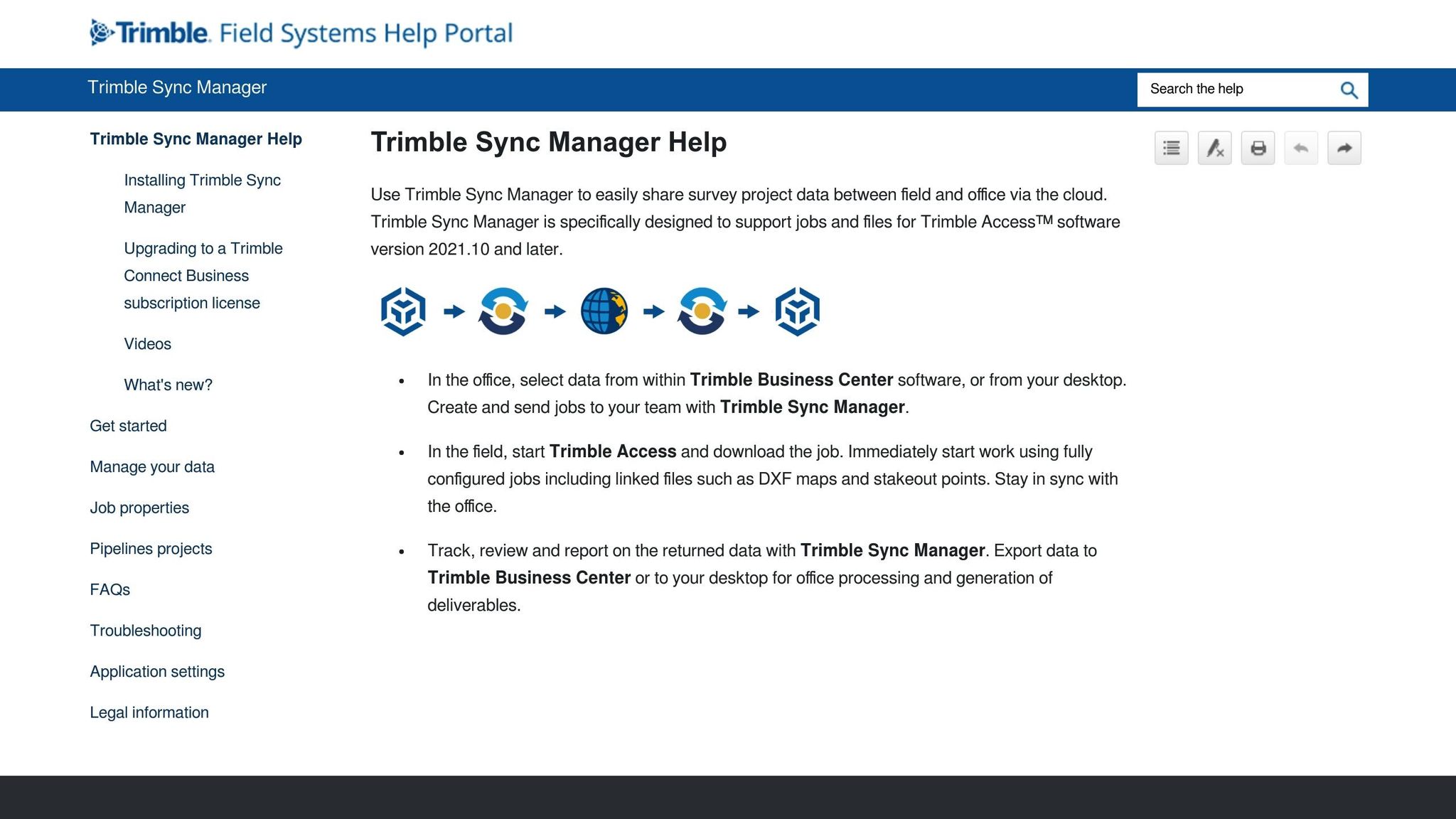
Webinar: Utilizing Trimble Sync Manager for Remote Operations
Setting Up Clear Communication Systems
Clear and effective communication is the backbone of any successful hybrid construction team. Without structured systems and the right tools, even the most experienced remote and on-site workers can find themselves out of sync. The goal is to establish consistent communication channels that ensure everyone stays informed, aligned, and able to respond quickly to changing project demands.
Construction projects operate at a rapid pace. Decisions made in the morning can shift the trajectory of work by the afternoon. Similarly, unexpected site conditions or issues require immediate and accurate communication with remote planners to make the necessary adjustments.
The solution lies in matching the right tools to the type of information being shared. For instance, urgent safety alerts need to be delivered instantly, while more complex updates – like design changes – demand structured documentation and follow-up discussions. By tailoring communication methods to the message, teams can stay connected and efficient.
Picking the Right Communication Tools
Choosing and using the right communication tools is critical to keeping hybrid teams on the same page. The best construction teams combine tools for real-time updates with platforms designed for detailed, structured communication. This approach ensures that urgent messages don’t get buried and important updates are shared effectively.
- Video conferencing platforms like Microsoft Teams and Zoom are ideal for daily check-ins and discussions that benefit from visual interaction. These tools allow remote engineers to view site conditions through mobile cameras, while field supervisors can review shared plans in real time.
- Instant messaging apps integrated with project management systems are perfect for quick communication. Workers can share photos, ask questions, and get immediate responses without juggling multiple apps.
- Shared digital boards act as centralized hubs for project updates. Teams can track progress, upcoming milestones, and schedule changes – especially useful for weather-related adjustments.
- Daily summary reports provide a bridge between real-time updates and formal documentation. Field supervisors can compile these reports at the end of the day, giving remote teams a clear picture of progress and any issues by the next morning.
Planning Meetings Across Time Zones
Coordinating across time zones can be tricky. For instance, a project involving remote teams in California and on-site crews in New York faces a three-hour time difference, which can slow decision-making if not handled carefully.
Rotating meeting times and using asynchronous updates can help bridge these gaps. Instead of always scheduling meetings at 9:00 AM Eastern (6:00 AM for West Coast teams), alternate meeting times to accommodate both zones. For example, hold Tuesday meetings at 11:00 AM Eastern and Thursday meetings at 8:00 AM Eastern.
For routine updates that don’t require immediate discussion, video updates are a great option. Field supervisors can record site conditions and progress, allowing remote teams to review them at the start of their workday.
When urgent decisions arise, having clear escalation protocols in place is essential. Assign specific team members to handle emergency calls outside regular hours to prevent delays.
Meeting recordings and detailed notes ensure that anyone unable to attend live sessions stays informed. Many teams also use standardized meeting templates to cover key topics consistently – like safety updates, project progress, resource needs, and upcoming priorities.
Teaching Teams Communication Best Practices
Adopting new tools and systems requires proper training. Construction teams often include members with varying levels of comfort with technology, so hands-on onboarding is critical to ensure everyone gets up to speed.
Short, practical training sessions, along with monthly refreshers, can make a big difference. Remote and on-site team members can practice using new platforms together during video calls, ensuring everyone understands both the tools and the processes. These sessions should also clarify when to use specific communication methods.
Establishing clear communication protocols is equally important. For example, safety issues might always require immediate phone calls, while material requests are logged in the project management system, and general updates are shared via daily summaries.
Regular feedback loops can help identify and address communication breakdowns before they escalate. Weekly reviews where team members discuss what worked and what didn’t can refine and improve protocols over time.
Finally, designating communication champions within each team segment can help maintain standards. These individuals serve as go-to resources for technical questions, assist new members in adopting effective practices, and act as liaisons between remote and on-site teams. By understanding and addressing the unique communication needs of both groups, they help ensure smoother collaboration.
Setting Up Integrated Task and Document Management
Managing tasks and documents effectively for both remote and on-site construction teams requires systems that seamlessly integrate and keep everyone aligned. Picture this: field crews are busy installing electrical systems while engineers, working remotely, are finalizing HVAC designs. For projects like these, synchronized task management and document control aren’t just conveniences – they’re necessities for keeping things on track.
The real challenge? Ensuring both teams have real-time access to up-to-date information while maintaining clear accountability for their tasks. Relying on outdated methods often leads to silos, miscommunication, and delays. Today’s construction teams need tools that automatically sync updates, track progress, and maintain version control, ensuring everyone is on the same page.
Integrated systems like these go hand-in-hand with strong communication, enabling team members to act on the latest project details. Achieving this level of coordination means adopting the right blend of cloud-based platforms, mobile tools, and project management software.
Using Cloud-Based Collaboration Tools
Cloud-based tools are game-changers for construction teams, offering a centralized hub for all project documents. Instead of dealing with outdated blueprints or multiple conflicting versions of files, teams can rely on a single source of truth that updates automatically across devices and locations.
These platforms allow multiple users to edit documents in real time, ensuring on-site teams always have accurate, up-to-date information. No more outdated notes or miscommunications – changes are reflected instantly, keeping everyone aligned.
Another key feature is automatic version control. Every change is tracked with timestamps and user information, creating a complete revision history. If there’s ever a question about when or why a change was made, teams can easily look back. This audit trail is particularly useful for meeting compliance requirements and maintaining quality standards.
Cloud systems also make file organization easier. By establishing standardized folder structures, teams can quickly locate specific documents. For instance, electrical plans can be sorted by floor level and system type, while safety documents might follow a chronological order. When everyone sticks to the same system, finding critical information becomes effortless.
Security is another priority. Access permissions allow project managers to control who can view, comment on, or edit documents. For example, field supervisors might have view-only access to drawings, while editing is restricted to licensed engineers. This balance ensures collaboration without compromising sensitive information.
Mobile Apps for Real-Time Reporting
For on-site teams, tools need to work where they do – in the field. Mobile apps are ideal for capturing updates, photos, and reports directly from job sites, keeping remote managers in the loop without delays.
These apps are built with construction workflows in mind. Workers can take photos of completed tasks, add notes, and submit reports that include timestamps and location data. This creates a detailed record of progress that remote teams can review and act on immediately.
Many apps also work offline, a crucial feature for sites with poor connectivity. Workers can still fill out reports and capture data, which syncs automatically once they’re back online. This ensures reporting continues uninterrupted, no matter the conditions.
Another advantage? Integration with project management systems. When a field worker submits a report through the app, it can automatically update the task’s status in the main platform. This eliminates the need for duplicate data entry and ensures that everyone – both on-site and remote – has the latest updates.
To maintain consistency, teams can use standardized reporting templates within these apps. Structured forms ensure that all necessary details are captured, reducing guesswork and making compliance documentation easier to manage.
Project Management Tools for Task Tracking
Project management platforms are the backbone of task coordination, helping teams track progress, manage resources, and stay organized – whether they’re in the office or on-site.
One major advantage is managing task dependencies. For example, if framing can’t begin until concrete curing is complete, the system can automatically notify the framing crew once the concrete team marks their work as done. This kind of automated coordination keeps projects moving without unnecessary delays.
These platforms also offer real-time progress tracking. Instead of waiting for weekly updates, managers can monitor task completion rates, spot bottlenecks, and address issues as they arise. Visual dashboards make it easy to identify trends and areas that need attention.
Milestone management is another key feature. Whether it’s preparing for permit inspections or coordinating material deliveries, the system can send reminders and assign tasks to ensure deadlines are met. This keeps everyone focused on the bigger picture while staying on top of day-to-day details.
Budget tracking is often integrated as well, allowing teams to monitor costs in real time. As tasks are completed and materials are used, the system updates cost projections and flags potential budget overruns. This financial oversight helps managers make informed decisions throughout the project.
Lastly, many platforms include automated reporting tools. Instead of manually compiling updates, project managers can set up the system to generate and send reports to clients, executives, or regulatory agencies. This saves time while ensuring stakeholders are always informed about project progress.
Creating Workflow and Handoff Procedures
Strong communication and streamlined task management lay the groundwork for successful collaboration between remote and on-site teams. But to truly synchronize efforts, you need effective workflow and handoff procedures. Imagine this: a remote engineer updates structural drawings, and the on-site crew starting their shift the next morning must know exactly what changed and how it impacts their tasks. Without a clear handoff process, vital details can slip through the cracks, leading to delays, extra work, and frustration.
To avoid this, workflows need to clearly outline what information must be shared and how progress should be documented. For instance, Turner Construction applied this approach during their Metropolitan Healthcare Complex project in Denver. By standardizing documentation and using virtual collaboration tools, they reduced communication delays by 30% and cut rework costs by 15%.
Handoff procedures should do more than just relay updates – they should ensure accountability. Consistent documentation and regular feedback loops keep projects on course, even when team members are spread across different locations and time zones. The first step? Establish workflows that define every detail of the handoff process.
Setting Up Standard Documentation Practices
Consistent documentation is the backbone of any successful handoff. Without it, reports can become incomplete, and important details may be missed. The solution lies in creating clear templates and guidelines that everyone, whether in the field or working remotely, follows.
Progress reports should always include the same core details: completed tasks, materials used, challenges encountered, and next steps. This consistency eliminates guesswork and reduces the need for follow-up clarifications.
Task lists, too, should go beyond basic to-do items. They need to include priority levels, dependencies, and clear completion criteria. For example, instead of writing "Install electrical conduit", specify: "Install 2-inch EMT conduit on Level 3, Zones A–C, per drawing E-301 Rev. 3; requires completed framing inspection." This level of detail ensures incoming crews know exactly what’s required and what prerequisites need to be met.
Issue logs are another essential tool for maintaining momentum. When problems arise, teams should document what happened, its impact on other tasks, proposed solutions, and who is responsible for resolving it. Using cloud-based systems allows for real-time updates, so remote and on-site teams can track issues without waiting for scheduled meetings.
Version control is equally critical when multiple teams are working on the same documents. Tracking changes with timestamps and user details creates a clear audit trail, preventing outdated information from being used and ensuring accountability for decisions.
Finally, standardized naming conventions for files and folders save time and reduce confusion. Organizing drawings by discipline, level, and revision date makes retrieving the right file a quick and straightforward process.
Building Feedback Loops for Ongoing Improvement
Once workflows and documentation standards are in place, it’s important to refine them over time. Even well-designed procedures benefit from adjustments based on real-world challenges. Feedback loops ensure that workflows and handoff processes evolve to meet project demands and resolve issues before they escalate.
Weekly check-ins between remote and on-site team leaders are a great opportunity to address bottlenecks and communication gaps. These meetings should go beyond just reviewing project status – they should focus on evaluating how well handoff procedures are working and identifying areas for improvement.
Digital tools, like surveys or feedback forms, can gather input from all team members, not just those who speak up during meetings. Acting quickly on this feedback shows its value and leads to meaningful changes.
Tracking specific metrics is essential for assessing the effectiveness of these processes. Metrics like the frequency of incomplete handoffs, time spent clarifying unclear information, and the number of tasks requiring rework due to communication issues can provide valuable insights. For example, Turner Construction reported a 25% improvement in decision-making speed after refining their handoff procedures, offering measurable proof of success.
Regular reviews of workflows and templates should be scheduled quarterly or whenever a project enters a new phase. These reviews help teams evaluate whether current procedures still fit the project’s needs, address new challenges, and incorporate lessons learned from past handoffs. The goal is to create flexible systems that adapt to the realities of the project.
Cross-training between remote and on-site team members can also enhance understanding and improve processes. When engineers spend time on job sites and field supervisors join remote planning sessions, both groups gain valuable insights into each other’s challenges, leading to more practical improvements.
Platforms like ABLEMKR can support these feedback loops by offering transparent workforce tracking and verified worker profiles. This ensures the right people are involved in each transition, making it easier to pinpoint communication breakdowns and implement targeted fixes.
sbb-itb-aa28329
Using Advanced Workforce Management Platforms
Building on the importance of clear communication and integrated task systems, advanced workforce platforms are reshaping how teams work together. These tools enhance workflows and handoffs by offering smarter workforce allocation, real-time visibility, and adaptable staffing to meet evolving project needs.
These platforms bridge the gap between planning and execution, equipping project managers with tools to make informed decisions about team composition, resource allocation, and budget management. For construction companies managing hybrid teams, these data-driven solutions streamline coordination and ensure transparency, keeping everyone on the same page.
The best platforms go beyond basic scheduling or job boards. They integrate features like verified worker profiles, real-time tracking, and flexible staffing options to create a unified workforce management system. By incorporating worker verification processes, these tools simplify team assignments and improve efficiency.
Using Verified Worker Profiles for Better Team Assignments
When managing both remote and on-site teams, matching the right skills to the right tasks is critical. Verified worker profiles eliminate uncertainty by providing detailed credentials and certifications for every team member.
For example, ABLEMKR’s system includes skill verification, past project experience, and performance ratings, enabling project managers to make smarter team-building decisions. This feature is especially valuable for remote team members who need to collaborate with on-site workers they’ve never met. A remote project engineer can review profiles to understand the expertise available on-site, while on-site supervisors can assess the qualifications of remote collaborators.
The platform also automates job matching by analyzing project requirements and worker profiles to create optimal teams. This reduces the time spent on manual screening and ensures that both remote and on-site roles are filled by skilled workers.
As workers complete assignments, their profiles are updated with performance data, creating a feedback loop that refines the matching process over time. With accurate team assignments in place, real-time tracking adds an extra layer of project control.
Real-Time Workforce Tracking and Cost Transparency
Managing teams across locations and time zones requires visibility into workforce activities. Real-time tracking gives project managers the tools to coordinate efforts and make quick adjustments as needed.
ABLEMKR’s workforce tracking system provides transparency for both remote planners and on-site supervisors. Remote teams can monitor on-site progress in real time, reducing delays caused by periodic reporting.
The platform also addresses a common challenge in construction: understanding labor costs. Detailed post-project cost breakdowns allow managers to make informed decisions about resource allocation without waiting for accounting reports. Real-time invoicing ensures that cost updates are immediately visible to all stakeholders. For instance, if an on-site supervisor approves overtime or adds workers for urgent tasks, remote team members can instantly see the financial impact. This level of transparency fosters better coordination between field decisions and overall budgets.
By combining tracking and cost transparency, these tools encourage accountability and collaboration. Both remote and on-site teams can see how their actions affect timelines and budgets, promoting more informed decision-making.
Flexible Scheduling and On-Demand Staffing
Construction projects rarely stick to a perfect schedule, so flexible staffing solutions are essential to keep remote and on-site teams aligned. The ability to quickly adjust workforce levels and skill sets helps teams adapt to changing conditions without losing momentum.
ABLEMKR’s flexible scheduling feature allows project managers to scale staffing up or down based on project needs. When priorities shift, on-site supervisors can access additional skilled workers through on-demand staffing for both fieldwork and office roles.
This flexibility is particularly useful when working across time zones. Remote team members can schedule workers for upcoming shifts, ensuring smooth on-site operations even when remote support isn’t immediately available. The platform’s mobile app makes it easy to adjust schedules from anywhere.
ABLEMKR also simplifies the administrative side of flexible staffing with its W2 employment structure and workers’ compensation coverage. Project managers don’t need to worry about employment arrangements or insurance when bringing in extra workers, making it easier to respond to project demands.
On-demand staffing extends beyond general labor to include specialized roles like administrative support or technical experts. This ensures that hybrid construction teams always have access to the resources they need, no matter the challenge or project demand. By keeping the right people in the right roles, these tools strengthen collaboration and maintain project momentum.
Conclusion and Key Takeaways
Bringing remote and on-site teams into sync requires a well-rounded strategy that connects people, workflows, and data. The methods discussed in this guide aim to reshape how hybrid construction teams collaborate, turning common coordination hurdles into opportunities. This alignment delivers clear benefits across project timelines, budgets, and overall quality.
Benefits of Effective Team Synchronization
When remote and on-site teams are in sync, the advantages go far beyond smoother communication. Project delays decrease as information flows freely, breaking down silos. Remote planners can adapt plans in real time based on field updates, while on-site supervisors gain instant access to updated drawings, specifications, and resource allocations.
Integrated systems also provide real-time cost visibility, helping managers keep track of labor, materials, and schedules. With this transparency, teams can make timely adjustments to stay on budget and avoid unnecessary expenses.
Quality naturally improves when teams share information efficiently. Remote quality control experts can review field photos and reports as they come in, catching potential issues early and avoiding costly mistakes. On-site workers benefit from immediate access to technical expertise, even when specialists aren’t physically present.
Additionally, the workforce becomes more agile and collaborative. Stronger relationships form between team members, even across physical distances, leading to better teamwork and lower turnover. Workers feel more connected to the project’s goals, boosting engagement and performance. These outcomes lay the groundwork for even greater team success.
Next Steps for Construction Teams
To build on these benefits, start by evaluating your current coordination challenges. Pinpoint where synchronization between remote and on-site teams is breaking down – whether it’s delayed updates, unclear task assignments, or difficulty reaching the right people at the right time.
Consider adopting a comprehensive workforce management platform like ABLEMKR to tackle these issues. Instead of juggling separate tools for communication, scheduling, and team management, an all-in-one platform creates the unified system hybrid teams need to thrive.
Begin with a pilot project to test new tools and processes before rolling them out on a larger scale. This phased approach allows you to fine-tune workflows, train staff, and demonstrate measurable improvements in areas like communication speed, project timelines, and cost tracking.
As the construction industry moves toward more flexible, tech-driven work models, companies that excel at syncing their teams now will gain a competitive edge. They’ll attract top talent, secure more bids, and deliver better results. The solutions are available – the challenge lies in applying them consistently and effectively across all projects.
FAQs
How can construction teams manage communication effectively across time zones?
Managing Communication Across Time Zones
Construction teams working across different time zones face unique challenges, but a few strategies can make communication smoother. Start by setting clear working hours for everyone involved and pinpointing overlapping times when team members can connect in real-time. Tools like time zone converters or calendar apps with built-in time zone features are great for avoiding scheduling headaches.
For times when real-time communication isn’t possible, asynchronous communication is key. This includes using tools like email, shared task boards, or messaging platforms, and establishing clear guidelines for response times. That way, work can keep moving forward, even when some team members are offline. To keep everything organized, rely on collaboration tools that centralize updates and tasks, ensuring everyone stays on the same page no matter where they are.
What are the main advantages of using cloud-based collaboration tools for hybrid construction teams?
Cloud-based collaboration tools bring a lot to the table for hybrid construction teams by enabling real-time communication and instant updates. This means both remote and on-site workers can stay on the same page, no matter where they are, making coordination smoother and more efficient. With these tools, team members can access essential project data anytime, from anywhere, which helps keep workflows running smoothly and cuts down on delays.
Another big win with cloud platforms is how they boost accuracy and efficiency. By centralizing all project information, they reduce errors and improve the overall quality of the work. These platforms also make it easier to manage tasks and maintain transparency, so tracking progress and staying on schedule becomes much simpler. For hybrid construction teams, integrating these tools is a smart way to work more effectively and keep up with the unique challenges of these types of projects.
How does a workforce management platform like ABLEMKR help streamline communication and coordination between remote and on-site construction teams?
Workforce management platforms such as ABLEMKR streamline team operations by bringing everything into one central hub. These tools make it easy to stay connected, offering real-time updates and enabling smooth communication between remote and on-site teams. They also help track worker availability and schedules, ensuring the right people are where they need to be when they need to be there. Features like verified worker profiles and workforce tracking add an extra layer of reliability to the process.
On top of that, ABLEMKR integrates with project management tools, making it simpler to oversee progress, assign tasks, and avoid delays. The result? Improved efficiency, fewer miscommunications, and projects that stay on track, even when spread across multiple locations.


