
Certified payroll ensures contractors on government-funded projects follow labor laws by documenting worker wages, hours, and benefits. It’s a mandatory process for compliance with prevailing wage laws like the Davis-Bacon Act, which requires paying workers at least the local prevailing wage. Non-compliance can lead to penalties, withheld payments, or debarment from federal contracts.
Key points include:
- What it is: Weekly payroll reports (e.g., Form WH-347) submitted to confirm compliance.
- Why it matters: Protects workers’ rights and shields businesses from legal and financial risks.
- Requirements: Detailed tracking of hours, wages, and benefits; timely submissions; and record retention for three years.
- Challenges: Worker misclassification, outdated wage data, and subcontractor errors.
- Solutions: Automated payroll systems simplify reporting, reduce errors, and maintain audit-ready records.
Certified payroll isn’t just paperwork – it’s a critical compliance tool for government projects.
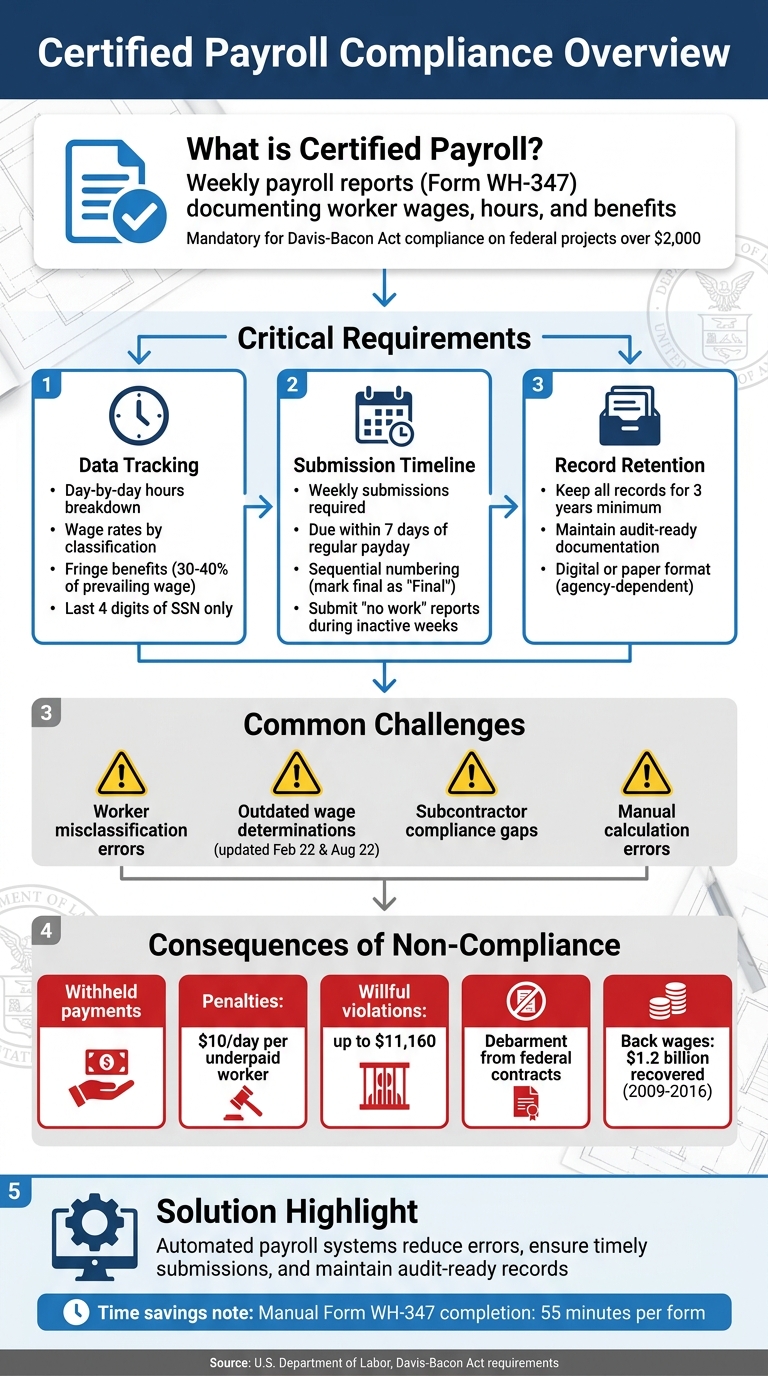
Certified Payroll Compliance: Key Requirements and Process Flow
What Is a Certified Payroll? Requirements & Mistakes to Avoid
sbb-itb-aa28329
Required Elements for Certified Payroll Reporting
Submitting certified payroll information each week requires careful attention to detail. Missing even minor elements can lead to audits or delayed payments.
Form WH-347: What You Need to Know
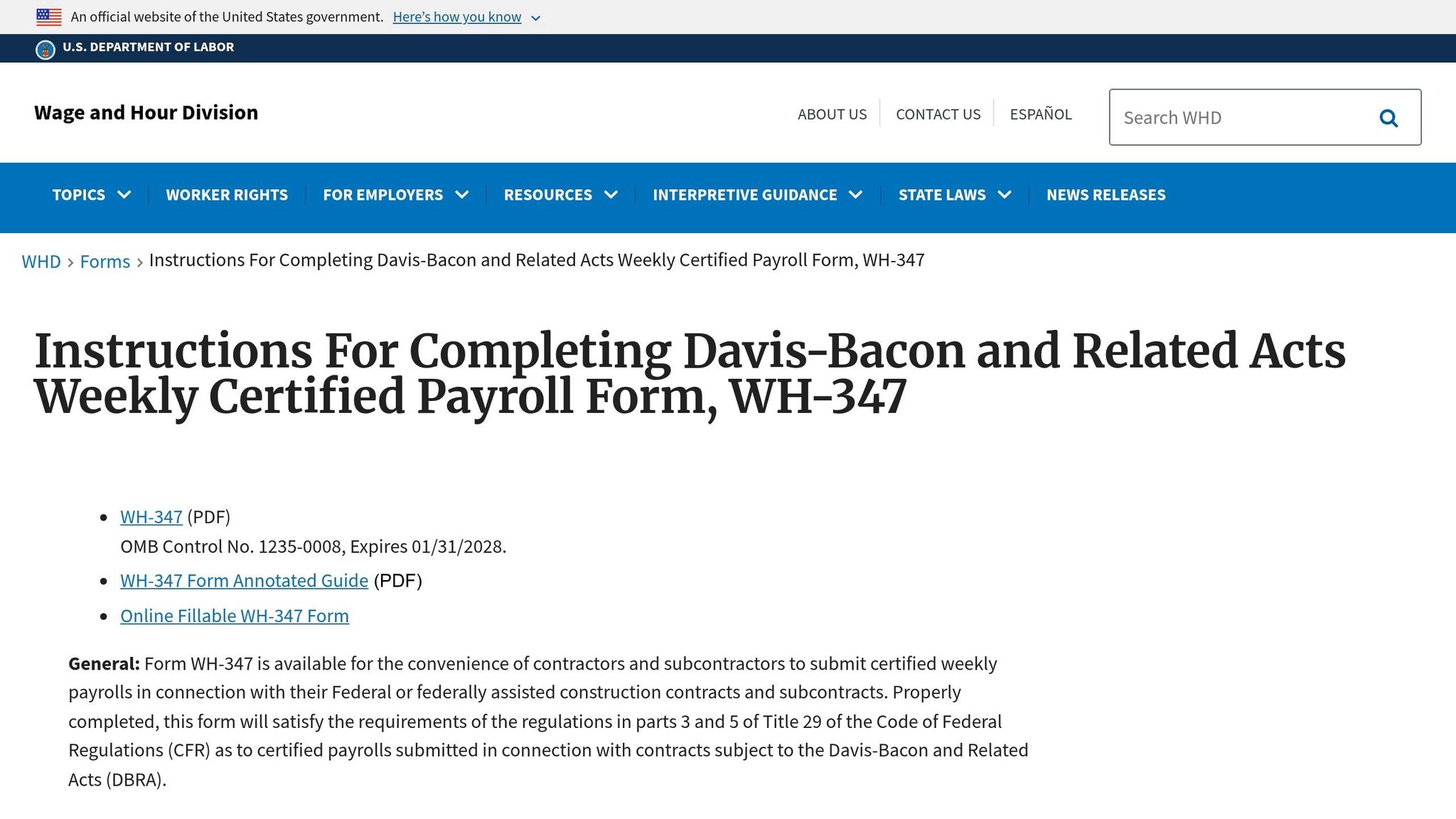
Although using the Department of Labor‘s Form WH-347 isn’t mandatory, the data it collects is essential for Davis-Bacon compliance. Many contractors prefer WH-347 or an approved equivalent because it ensures all required information is captured.
The form has two key sections: Page 1, which includes worker payroll data, and Page 2, the Statement of Compliance. The latter must be signed by an authorized official to certify adherence to prevailing wage laws.
"Page 2 of the WH-347 is the Statement of Compliance. It requires a signature and date from an authorized officer of the company. An unsigned report is the same as no report." – BlueWave HR Team
For privacy, only include the last four digits of each worker’s Social Security number. Completing a single WH-347 form takes approximately 55 minutes, according to the U.S. Department of Labor.
Tracking Hours, Wages, and Fringe Benefits
Accurate tracking of daily hours is non-negotiable. Reports must include a day-by-day breakdown of hours worked, covering both straight time and overtime. If an employee works under multiple job classifications, each role and its corresponding hours must be listed separately.
Wage reporting is divided into three parts:
- Column 6A: Record the actual hourly rate paid (excluding cash paid in lieu of benefits).
- Column 6B: Enter the total hourly credit for bona fide benefit plans, such as health insurance or retirement contributions.
- Column 6C: Include any cash paid in place of benefits.
Fringe benefits often account for 30% to 40% of the prevailing wage. Proper documentation is critical, especially for "unfunded" benefit plans where benefits are paid directly rather than through a third party. Such plans require prior approval from the Department of Labor.
"The contractor’s obligation to pay fringe benefits may be met through the contractor’s contributions to or reasonably anticipated costs of bona fide benefit plans, funds, or programs, or by paying workers cash in lieu of fringe benefits." – U.S. Department of Labor
When calculating overtime, base the 1.5x rate on the hourly wage alone, excluding fringe benefits.
Deadlines and Submission Guidelines
Certified payroll reports must be submitted weekly, no later than seven days after the regular payment date for the pay period. This applies to every week that work is performed under the contract.
Number the reports sequentially, starting with "1", and mark the final submission as "Final". If no work occurs during a specific week, submit a "no work performed" report to maintain compliance and continuity.
After the project concludes, retain all certified payroll records and supporting documents for at least three years. Confirm the preferred submission format with the contracting agency – some may require paper submissions, while others use platforms like LCPtracker or Elation Systems. Missing deadlines can result in withheld payments until all reports are up to date.
These strict requirements highlight the value of automated payroll systems in simplifying compliance efforts.
How Certified Payroll Systems Make Compliance Easier
Handling certified payroll manually can lead to compliance issues. Automated systems simplify the process by managing the intricate calculations and validations that often result in errors.
Automated Reporting Processes
Manual reporting can be tedious and error-prone, but automated systems streamline the process by integrating payroll with tools like time tracking and accounting software. Certified payroll software connects with platforms such as Sage, ADP, or QuickBooks, creating a seamless workflow. Instead of manually transferring data, the software automatically fills out required forms with validated payroll information. This eliminates the need for reformatting or transcription, reducing errors significantly.
These systems also use project-specific wage tables to ensure accuracy. For instance, if a carpenter works on a project in Cook County, the software applies the correct prevailing wage for that location. Additionally, when workers perform multiple trades in a single day, the system adjusts pay rates automatically to account for split classifications.
Fringe benefits are another area where automation shines. The software calculates the split between cash payments and bona fide benefit plans, ensuring compliance with Department of Labor standards. It even determines hourly credits on an annualized basis.
Reducing Errors Through Automation
One of the standout features of certified payroll systems is their ability to validate data in real time. Instead of discovering errors after payroll is processed, the software flags potential issues during time entry. For example, if a worker is misclassified – using a general title like "technician" instead of a specific one like "cement mason" – the system alerts users immediately, preventing underpayment violations.
"Certified payroll failures rarely originate in the reporting form itself. They typically stem from labor data issues earlier in the workflow." – Max Kroll, hh2
Overtime calculations are another common pitfall. Manual methods might incorrectly apply the 1.5× multiplier to the prevailing wage minimum instead of the worker’s actual base rate. Such mistakes can lead to penalties of $10 per day per underpaid worker, or up to $11,160 for willful violations. Automated systems also ensure that all deductions are properly documented with clear labels, avoiding vague terms like "misc" or "other", which could raise red flags during audits.
Maintaining Audit-Ready Records
Automated systems make audit preparation much simpler by ensuring accurate and error-free data entry. They maintain a comprehensive audit trail with timestamped records for every wage rate change, classification adjustment, and fringe benefit allocation. This allows contractors to generate required documentation quickly during Department of Labor inspections.
"Digital recordkeeping improves audit readiness by aligning payroll calculations, certified reporting, and job cost data within the same structured system." – Max Kroll, hh2
Federal regulations require certified payroll records to be retained for at least three years after a project is completed. Automated systems provide centralized digital storage, eliminating the need for bulky physical files. Reports generated from validated data ensure consistency across records, avoiding discrepancies between payroll registers and submitted forms.
Field supervisors can also record hours and classifications directly on mobile devices, creating accurate records that sync with the payroll system in real time. This integration between the field and office ensures that reported data aligns with actual job site activity – an essential factor when agencies verify worker classifications during inspections. These digital tools strengthen the compliance framework, making audits far less stressful.
Common Certified Payroll Challenges and How to Solve Them
Contractors often encounter recurring compliance hurdles in certified payroll. Tackling these issues head-on can help avoid costly violations and delays.
Worker Misclassification Issues
One of the most frequent and expensive mistakes in certified payroll is misclassifying workers based on their job functions. For instance, categorizing someone as a "technician" while they perform cement masonry tasks can lead to underpayment violations. Workers must always be classified according to the specific trade tasks they perform, not just their company job title.
If a worker handles multiple roles in a single day, you’ll need to track hours by classification or, alternatively, pay the highest applicable rate for the entire shift. While paying the highest rate might seem excessive, it simplifies record-keeping and reduces the risk of errors.
"The word ‘certified’ matters. When you sign the Statement of Compliance at the bottom of the report, you are certifying under penalty of perjury that the information is accurate and that every worker was paid at least the prevailing wage for their classification." – Projul
Automated payroll systems can help by flagging misclassification errors in real time. However, fixing these mistakes isn’t enough – you also need to stay updated on wage determinations to remain fully compliant.
Staying Current with Wage Determinations
Federal wage determinations are updated twice a year, on February 22 and August 22. These updates take effect 10 days after release, so it’s crucial to monitor Sam.gov regularly to ensure your payroll reflects the latest rates. For projects with both federal and state funding, compare the wage determinations and pay whichever rate is higher.
To avoid surprises, lock in wage determinations during the bidding process, ensuring all worker classifications are covered. Using outdated wage data can lead to back wage payments to cover the difference, along with potential penalties.
Automated alerts can be a game-changer, notifying you immediately when wage determinations are updated. Staying accurate not only ensures compliance but also holds subcontractors accountable for meeting the same standards.
Managing Subcontractor Compliance
Prime contractors are ultimately responsible for every worker on a project, including those hired by subcontractors. Between 2009 and 2016, the Department of Labor recovered over $1.2 billion in back wages from non-compliant contractors. Even one subcontractor’s mistake can delay payments for the entire project.
To minimize risks, include certified payroll submission requirements in all subcontract agreements. Withhold progress payments until you’ve received accurate reports. A centralized submission process – where subcontractors send reports to you for review before forwarding them to the relevant government agency – can help streamline compliance. Additionally, use a calendar system to track report deadlines, as they’re usually due within seven days of the regular payday.
Digital tools like those offered by ABLEMKR can simplify this process by centralizing subcontractor submissions and tracking deadlines effectively.
ABLEMKR: Supporting Compliance Through Workforce Management

Managing certified payroll compliance across multiple job sites and subcontractors can quickly become overwhelming with just spreadsheets and manual processes. ABLEMKR’s workforce management platform simplifies this by embedding compliance directly into payroll workflows and keeping audit-ready records at your fingertips.
Automated Payroll and Compliance Tracking
ABLEMKR takes the headache out of fringe benefit calculations, which typically account for 30-40% of total prevailing wage obligations. Whether it’s benefit plans or cash payments, the platform automates the process, eliminating errors from manual calculations. By integrating worker classification and wage calculations, it ensures every employee is paid the correct prevailing wage for their specific role.
One standout feature is its ability to automatically generate Form WH-347, the federal standard for certified payroll submissions. This form needs to be submitted weekly, even during project pauses. With ABLEMKR, you can count on timely and accurate form generation, streamlining compliance management across your operations.
Real-Time Visibility into Workforce Operations
The platform goes beyond automation by offering real-time visibility into workforce activities. Managers and compliance officers can access up-to-the-minute data on labor costs and compliance status, ensuring continuous oversight. Workers can log their time directly from remote job sites, replacing outdated punch clocks that don’t fit the demands of construction work.
When employees switch roles during the day – say, from laborer to equipment operator – ABLEMKR updates their classification instantly to apply the correct prevailing wage. This real-time data feeds directly into the payroll system, creating a seamless compliance loop from job site to payroll.
Integration with Certified Payroll Systems
ABLEMKR’s real-time insights also enhance its integrated workflows for certified payroll reporting. The platform streamlines reporting across multiple subcontractors by centralizing submissions and tracking weekly deadlines. It ensures that worker certifications, safety training records, and classification data are seamlessly included in payroll reports.
For contractors juggling multiple subcontractors, this centralized system reduces the risk of payment delays caused by reporting errors. By consolidating payroll workflows and ensuring every submission meets compliance standards, ABLEMKR helps keep projects running smoothly and audit-ready at all times.
Conclusion
Certified payroll plays a crucial role in ensuring compliance with prevailing wage laws, particularly for contractors working on federally funded projects over $2,000. It serves as the enforcement tool for the Davis-Bacon Act, ensuring workers receive the wages and benefits they are entitled to by law. Beyond protecting workers, these systems shield businesses from risks like withheld payments, debarment, and financial penalties that could hinder future opportunities.
The move from manual spreadsheets to automated systems has revolutionized compliance management. As Max Kroll from hh2 explains:
"Certified payroll compliance isn’t just a reporting obligation. It’s a test of how well labor data moves from the field through payroll and into the accounting system."
By automating processes like fringe benefit calculations and accurately matching worker classifications to their tasks, contractors can avoid costly issues like back wage assessments. This shift also paves the way for advanced solutions like ABLEMKR.
ABLEMKR goes beyond compliance by embedding it into workforce management, creating audit-ready records and turning what could be a challenge into a strategic advantage. Industry experts highlight the importance of this approach, noting its impact on project outcomes:
"Prevailing wage certified payroll is not a paperwork exercise. It is an operational discipline that directly determines whether public-works projects remain profitable, defensible, and repeatable for your business." – Prevailing Wage Consulting, LLC
FAQs
Do I need certified payroll on every public project?
Certified payroll is mandatory for all public projects that receive federal or state funding and exceed $2,000. This weekly report ensures compliance with prevailing wage laws by verifying that workers are being paid correctly based on legal requirements.
What’s the fastest way to fix a certified payroll mistake?
To address a certified payroll mistake efficiently, start by pinpointing the specific error – this could be related to worker classification, hours worked, or wage rates. Once identified, update the payroll records to reflect the correct information. Then, submit an amended report to the relevant authorities without delay. Acting quickly helps ensure compliance with prevailing wage laws, reduces the risk of penalties, and keeps everything on track.
How do I handle prevailing wage when a worker has two classifications in a day?
When a worker performs tasks under two different classifications in a single day, you must report their hours separately for each classification on the certified payroll. Clearly document the hours worked under each classification, applying the appropriate prevailing wage rate for each. This ensures compliance with both federal and state prevailing wage laws while guaranteeing accurate wage calculations for the worker.


