
- ABLEMKR: Tracks worker certifications with automated reminders and mobile access, tailored for construction and energy industries.
- Expiration Reminder: AI-driven platform that automates document management and sends alerts for expiring certifications.
- SafetyCulture: Mobile-first tool for organizing safety records, inspections, and OSHA compliance across job sites.
- Benchmark Gensuite: Cloud-based solution ideal for multi-site operations, offering alerts, audits, and compliance tracking.
- VelocityEHS: Integrates training, compliance, and reporting with AI-powered automation to reduce administrative workload.
These tools help businesses prevent OSHA violations, reduce workplace injuries, and save money by automating certification tracking and compliance tasks.
Quick Comparison:
| Tool | Key Features | Industries Focused On | Mobile Access | Reporting Tools |
|---|---|---|---|---|
| ABLEMKR | Automated tracking, reminders | Construction, Energy | Yes | Yes |
| Expiration Reminder | AI-driven document management | General | Yes | Yes |
| SafetyCulture | Mobile inspections, safety records | Construction, Energy | Yes | Yes |
| Benchmark Gensuite | Multi-site compliance tracking | General, Large Operations | Yes | Yes |
| VelocityEHS | AI automation, OSHA reporting | General | Yes | Yes |
Investing in one of these tools can save time, reduce risks, and ensure your workforce stays compliant with OSHA standards.
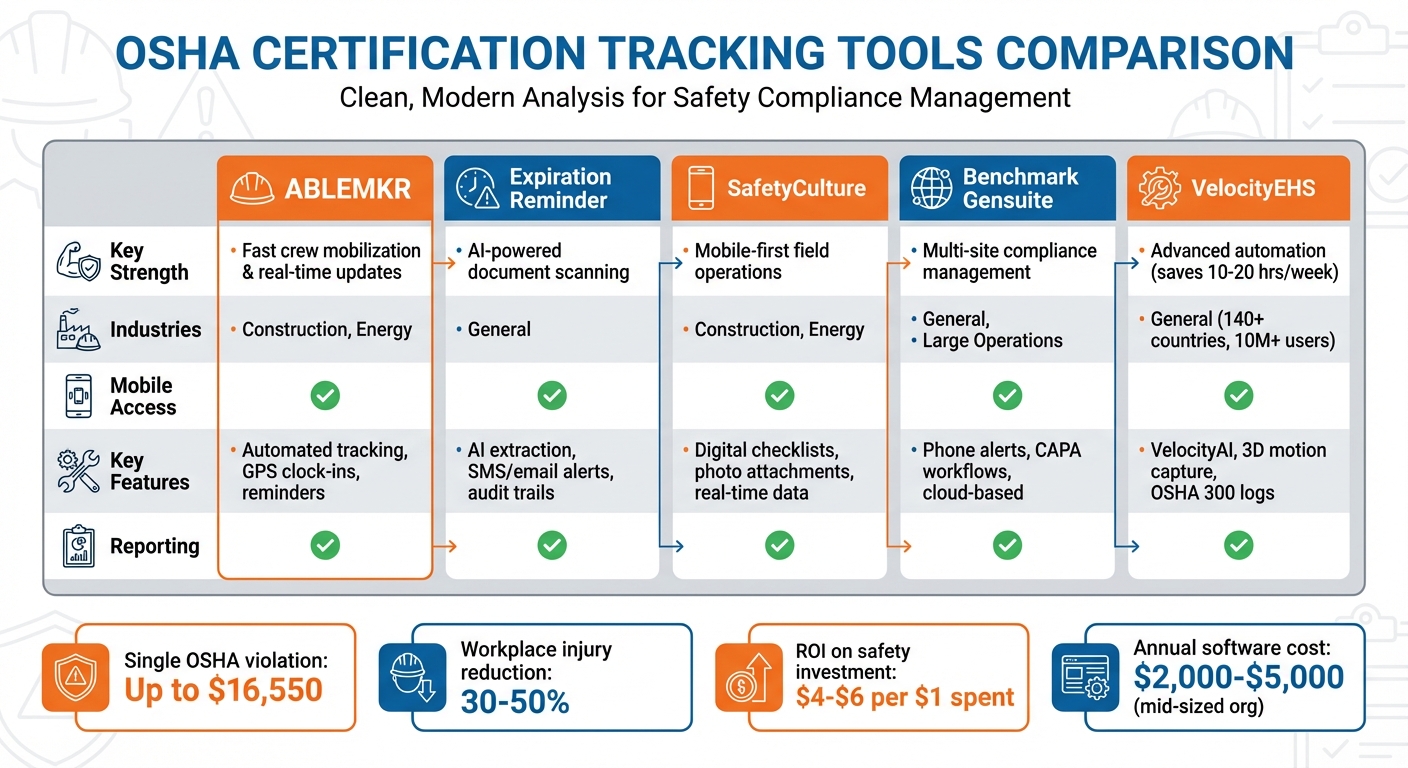
OSHA Certification Tracking Tools Comparison Chart
1. ABLEMKR

Automated Certification Tracking and Reminders
ABLEMKR simplifies the process of managing worker credentials, such as OSHA certifications and trade licenses, by automating their verification before workers are added to your team. It keeps digital records of certifications and highlights upcoming expiration dates for a wide range of industry-required credentials. This gives safety managers a clear, real-time view of which certifications are up to date and which need renewal, ensuring smooth operations both in the office and on-site.
Mobile Accessibility for On-the-Go Use
With ABLEMKR, site supervisors can conveniently use their mobile devices to confirm required PPE and certifications while on-site. Whether it’s a remote pipeline repair or a scheduled mining project, the platform collects real-time data and validates GPS clock-ins. This eliminates the hassle and errors often tied to paper timesheets and helps ensure certifications are current, reducing risks to both safety and project schedules.
Tailored Support for Construction and Energy Industries
ABLEMKR’s features are designed to meet the specific needs of industries like construction and energy. For construction, it tracks compliance with OSHA 10/30-Hour training, NCCER certifications, and state-issued trade licenses, such as those needed by journeyman electricians or plumbers. In energy and industrial sectors – including refineries, chemical plants, and oil fields – it supports credentials like H2S Safety, TWIC, Confined Space Entry, and SafeLandUSA orientations. Mining operations also benefit, with compliance tracking for MSHA Part 46 (surface mining) and Part 48 (underground mining) requirements.
sbb-itb-aa28329
2. Expiration Reminder
Automated Certification Tracking and Reminders
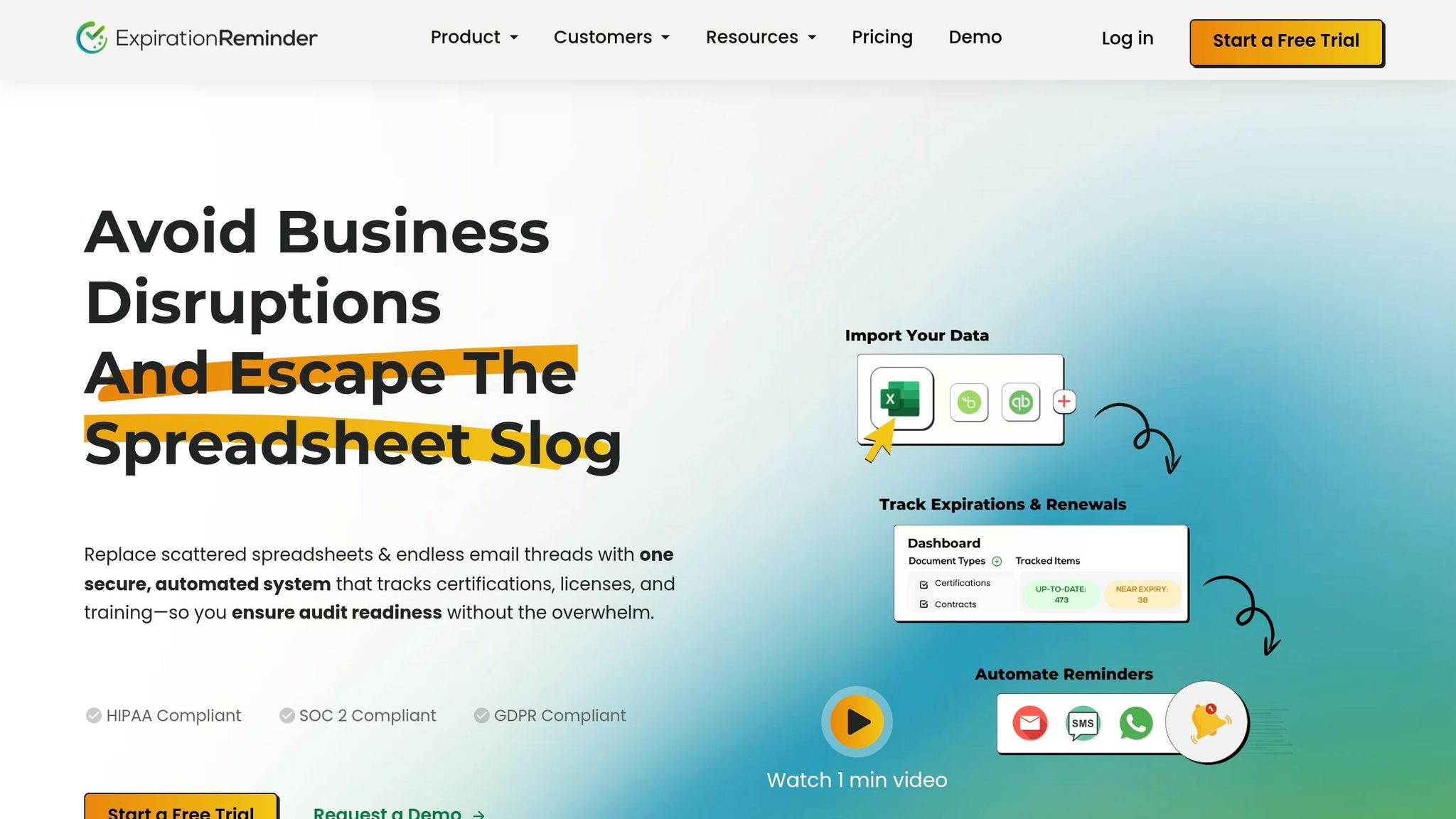
Expiration Reminder uses AI to pull expiration dates directly from uploaded certifications, cutting out the hassle and errors of manual data entry. It acts as a central hub for tracking critical documents like OSHA 10/30 certifications, safety training records, equipment inspections, permits, and vendor Certificates of Insurance (COIs). To keep everyone on track, the system sends automatic reminders via email and SMS to employees and managers. These reminders can be customized, with common intervals set at 90, 60, 30, and 7 days before a certification or document expires, giving plenty of time for renewals. Plus, the system works just as smoothly on mobile, making it perfect for managing tasks on the go.
Mobile Accessibility for On-the-Go Use
In industries where real-time updates are a must, mobile access is a game-changer. Managers can use mobile devices during on-site walkthroughs to capture photos and GPS data in real time. Field workers also benefit from SMS notifications about expiring certifications and can access Safety Data Sheets, safety policies, and equipment manuals right from their phones. For sectors like construction and energy, this platform is especially useful – it tracks subcontractor credentials and site-specific safety orientations across multiple job sites. Workers can even upload their certifications through mobile devices, where the system extracts the necessary data instantly.
OSHA Compliance and Reporting Features
Beyond tracking and reminders, Expiration Reminder helps ensure compliance with OSHA standards through detailed reporting tools. It keeps thorough audit trails of all training and inspections, making it easy to generate reports that are ready for audits and can help avoid costly OSHA penalties. Jessica Nardone, Content Specialist at Expiration Reminder, emphasizes the importance of such tools:
"The question isn’t whether compliance software provides value; it’s whether you can afford the risk of continuing without it."
The benefits of systematic safety management are clear: organizations that adopt these practices often see workplace injuries drop by 30% to 50%. On top of that, every $1 spent on safety training typically brings a return of $4 to $6.
3. SafetyCulture
Mobile Accessibility for On-the-Go Use
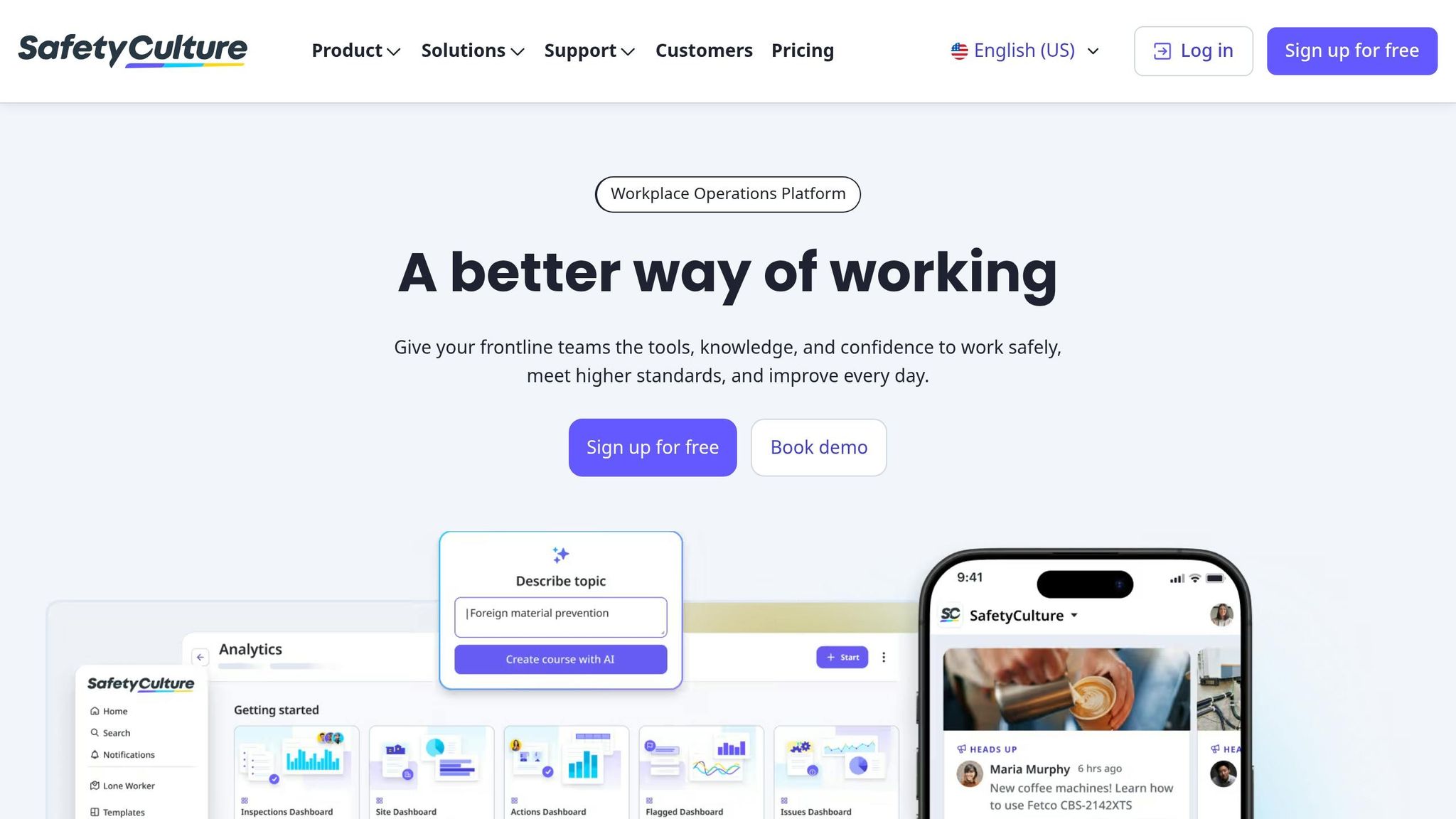
SafetyCulture streamlines the inspection process by digitizing checklists, allowing teams to collect real-time data during walkthroughs. Users can attach photos directly to reports, offering instant visual verification right from the job site. This mobile-first approach ensures supervisors can address safety concerns immediately, cutting out the delays caused by traditional paperwork.
OSHA Compliance and Reporting Features
The platform simplifies compliance by organizing safety training and certification records in one place. It tracks credentials like OSHA 10/30-hour courses, forklift licenses, first aid/CPR certifications, and crane operator credentials (CCO/NCCCO). To prevent lapses, it sends automated reminders 90, 60, 30, and 7 days before certifications expire. These features make it especially effective for managing safety on constantly changing job sites.
Industry-Specific Support (e.g., Construction, Energy)
SafetyCulture goes beyond general compliance by addressing specific industry needs. For example, it helps construction companies tackle common OSHA standards, such as fall protection, scaffolding, ladder safety, and respiratory protection. Its mobile-focused design ensures on-site teams have immediate access to critical safety documentation and inspection tools, making it an ideal fit for industries like construction and energy.
4. Benchmark Gensuite
Automated Certification Tracking and Alerts
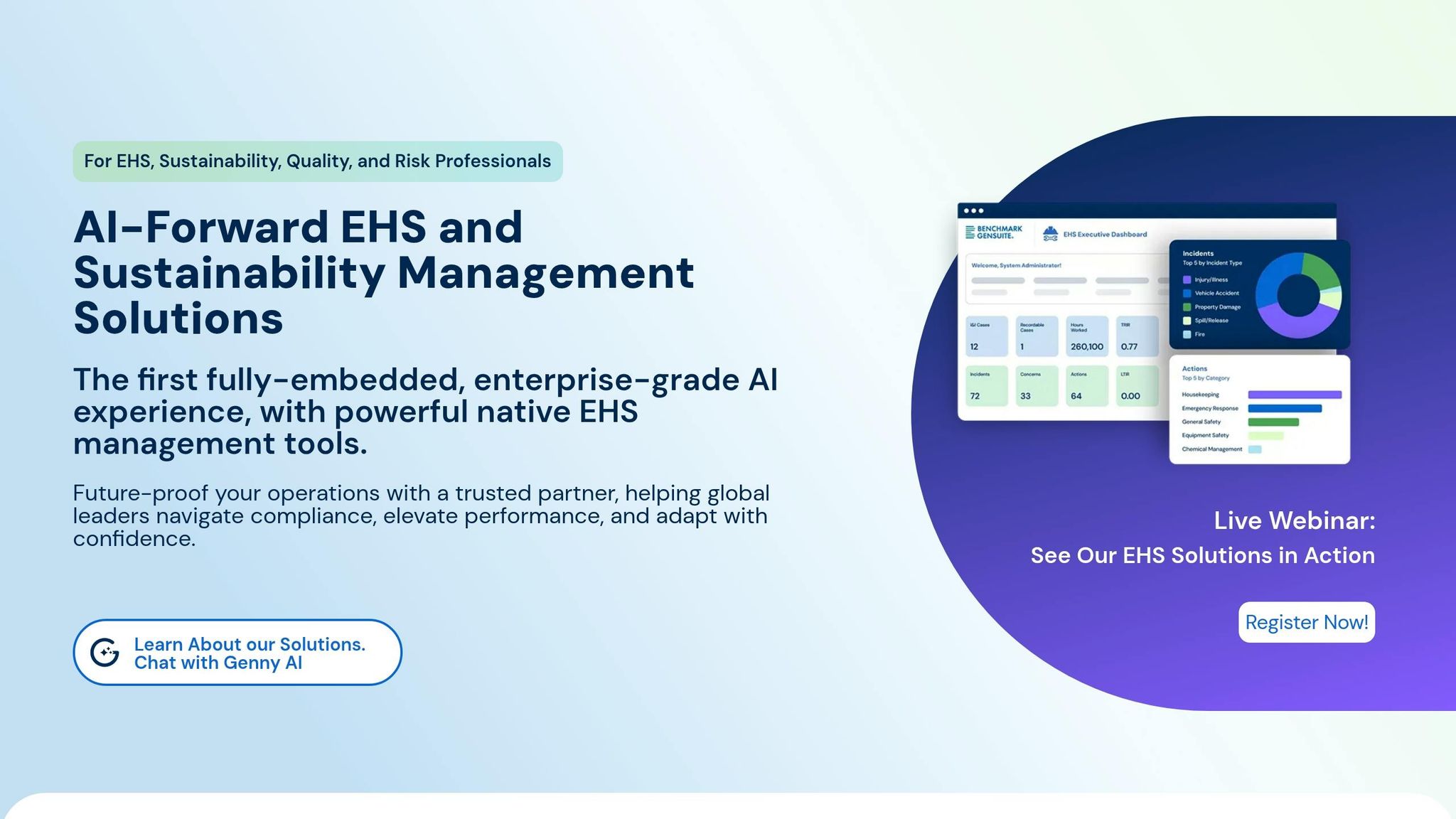
Benchmark Gensuite simplifies compliance by consolidating workflows into a single cloud-based platform. One standout feature is its ability to automatically track employee certifications and credentials. By sending phone alerts, it ensures continuous monitoring, reducing the risk of compliance gaps that could lead to OSHA violations or workplace incidents.
Mobile Access for On-the-Go Management
The platform’s mobile apps, available for both iOS and Android, make it easy for safety managers and field supervisors to check and verify certification records directly on-site. For those working from a desktop, the web-based version provides the same functionality, ensuring seamless access across devices.
Tools for OSHA Compliance and Reporting
Benchmark Gensuite offers more than just tracking – it integrates features like digital inspections, incident management, and CAPA workflows. If an audit uncovers expired certifications or training gaps, the system automatically assigns corrective actions. This built-in accountability ensures organizations stay aligned with OSHA standards and maintain proper documentation for regulatory inspections.
Designed for Complex, Multi-Site Operations
For larger organizations with complex operations, Benchmark Gensuite is built to handle the challenge. It supports multi-site operations, ensuring consistent certification tracking and compliance across various locations and divisions. Beyond safety, it also addresses quality assurance and supply chain risk management. Interested users can explore the platform through a free trial, with pricing details available upon request.
Top 7 Safety Management Software in 2024: Recommended by Safety Experts!
5. VelocityEHS
VelocityEHS simplifies certification management by using its Accelerate Platform to bring training, learning, and compliance tasks into one integrated system.
Automated Certification Tracking and Reminders
With VelocityAI, contractor paperwork and OSHA logs are reviewed automatically, identifying missing or incorrect details up to seven times faster than manual methods. This automation reduces the burden on safety managers, allowing them to focus on addressing actual risks. The system also highlights compliance issues before audits or inspections and generates corrective actions with clear ownership and deadlines when gaps are detected.
Mobile Accessibility for On-the-Go Use
The platform offers intuitive mobile dashboards, connecting workers at all levels. It even incorporates 3D motion capture technology to evaluate ergonomic risks in real time – an invaluable asset for field supervisors conducting safety checks on-site. Beyond improving on-site operations, VelocityEHS ensures OSHA compliance through its detailed reporting tools.
OSHA Compliance and Reporting Features
VelocityEHS streamlines regulatory reporting, tracks permit deadlines, and manages OSHA injury and illness records, including OSHA 300 logs. It provides dedicated modules for incident management, audits, and inspections, ensuring a systematic approach to compliance. For more specific needs, the platform includes tools for chemical management (like SDS indexing), industrial hygiene (such as respirator fit testing), and medical surveillance. With over 10 million users across 140+ countries and a 97% customer retention rate, VelocityEHS has established itself as a dependable choice for businesses worldwide.
Feature Comparison
This section breaks down the strengths of each OSHA certification tracking tool, helping you match the right solution to your operational needs, budget, and industry demands. Each platform is designed to simplify compliance tracking in its own way, ensuring a smoother path to meeting OSHA requirements.
ABLEMKR shines with its mobile-friendly design and integrated compliance tracking, offering real-time updates on worker statuses. This feature is particularly useful for quick crew mobilization, making it a strong choice for fast-paced industries.
Expiration Reminder leverages AI-powered document scanning to pull certification expiration dates automatically. This automation reduces manual tracking and ensures timely renewals.
SafetyCulture and Benchmark Gensuite cater to specific operational needs. SafetyCulture is ideal for field operations, while Benchmark Gensuite excels in managing compliance across multiple sites.
VelocityEHS takes the lead in reducing administrative burdens. By using advanced technology to streamline contractor paperwork reviews, it saves safety managers from spending 10–20 hours weekly on tedious tasks. Plus, smart safety investments like these can deliver impressive returns of $4–$6 for every dollar spent, while also minimizing fines and workplace injuries.
Conclusion
Manually tracking OSHA certifications can put your business at risk. Errors in manual processes can lead to compliance issues, which could result in hefty fines or penalties. The five tools discussed in this article tackle these challenges by automating reminders, organizing certification records, and generating audit-ready reports to keep you prepared for inspections.
Consider this: a single serious OSHA violation can cost your business up to $16,550. In contrast, investing $2,000–$5,000 annually in compliance software for a mid-sized organization can save you money – and headaches – in the long run. Businesses that implement structured safety management systems often see workplace injuries drop by 30% to 50%. These numbers highlight why staying ahead on compliance isn’t just smart – it’s necessary.
Real-world stories back this up. Jakes Construction saved over $100,000 in the first year by cutting down on administrative tasks, paperwork, and staffing costs. Similarly, Clyde Companies used analytics dashboards to spot injury trends, reducing their most common workplace injury by 22.5%. These examples show how businesses are moving away from outdated spreadsheet tracking and embracing proactive compliance solutions.
Each tool offers something different to meet your needs. ABLEMKR supports fast crew mobilization for industries with high turnover. Expiration Reminder uses AI to automate document management. SafetyCulture and Benchmark Gensuite simplify operations across multiple sites, while VelocityEHS helps reduce time spent on administrative tasks.
For every dollar spent on safety and compliance, businesses can see a return of $4–$6. But beyond the financial savings, these tools help protect your workforce, prevent costly project delays, and create a system where certifications are always up-to-date.
FAQs
Which OSHA certifications should we track?
The specific OSHA certifications you need to monitor will vary based on your industry and job roles. However, some common ones include:
- OSHA 10- and 30-hour cards: These are essential for general and construction industry safety training.
- Crane operator licenses: Required for those operating cranes on job sites.
- Forklift certifications: Mandatory for employees handling forklifts.
- Heavy equipment credentials: Necessary for operating machinery like bulldozers or excavators.
Additional certifications often include training in rigging and signaling, hazard communication, respiratory protection, and vehicle inspections.
Keeping track of these certifications ensures your team is qualified and all documentation stays up to date. Automated alerts can simplify this process by notifying you of renewal deadlines, helping you stay compliant and avoid lapses.
How far in advance should renewal reminders be sent?
Renewal reminders are best sent at 90, 60, 30, and 7 days before a certification’s expiration. Sticking to this timeline increases the chances of timely renewals and helps maintain compliance effectively.
What should an OSHA-ready compliance report include?
An OSHA compliance report must include precise and current OSHA 300 logs, 300A summaries, and 301 incident reports. These records are essential for proper documentation and play a key role in avoiding penalties or violations. Keeping these reports accurate and up to date shows that your business is meeting OSHA’s requirements.


