
Workforce budgeting in construction is essential for managing labor costs, which can make up 40% of project expenses. Traditional methods like spreadsheets often lead to inefficiencies, but modern tools now provide real-time tracking, payroll integration, and compliance automation to reduce cost overruns by up to 15%. Here’s a quick look at the top tools transforming workforce budgeting:
- ABLEMKR: Mobile-first platform with real-time tracking, payroll integration, and compliance management. Ideal for high-risk or emergency projects.
- Procore: Comprehensive construction management with real-time labor cost tracking, payroll integration, and forecasting tools. Best for large-scale projects.
- Bridgit Bench: Focuses on workforce planning and resource allocation, offering scenario modeling and real-time labor tracking.
- Workday Adaptive Planning: Cloud-based tool for financial planning and scenario modeling, suited for large firms managing complex budgets.
- ExakTime: Time tracking with GPS verification and compliance reporting, designed for field-heavy operations.
- Timecamp: Affordable time tracking and cost monitoring, great for smaller contractors.
- Quinyx: AI-driven scheduling and labor forecasting, with strong mobile features for on-site teams.
These tools streamline workforce management, improve compliance, and help keep projects on budget. Below is a quick comparison of their key features and pricing.
Quick Comparison
| Tool | Key Features | Best For | Pricing |
|---|---|---|---|
| ABLEMKR | Real-time tracking, payroll, compliance | High-risk/emergency projects | Custom pricing |
| Procore | Budget tracking, forecasting, integrations | Large-scale projects | Custom pricing |
| Bridgit Bench | Workforce planning, scenario modeling | Multi-project environments | Starting at $1,000/mo |
| Workday Adaptive | Financial modeling, scenario planning | Large enterprises | $15,000–$35,000/yr |
| ExakTime | GPS time tracking, compliance reporting | Field-heavy operations | $8–$10/user/month |
| Timecamp | Time tracking, cost monitoring | Small contractors | $7–$10/user/month |
| Quinyx | AI scheduling, labor forecasting | Shift-based teams | $4–$8/user/month |
Each tool offers unique strengths, so selecting the right one depends on your project’s size, complexity, and specific needs.
Construction Budgeting Software For Efficient Project Planning
What to Look for in Workforce Budgeting Tools
When selecting a workforce budgeting tool for construction projects, it’s essential to focus on features that address industry-specific challenges, like managing multiple job sites and adhering to strict labor and safety standards. Here’s what to keep in mind:
Real-time cost tracking is indispensable. This feature gives instant visibility into labor costs, production data, and other expenses, allowing you to catch issues as they arise rather than weeks later. Construction projects using real-time tools often experience up to 15% fewer cost overruns compared to those relying on manual methods. For instance, platforms such as Procore update financial records immediately, helping teams stay on top of their budgets.
Equally important is payroll integration. Automated wage calculations streamline tax deductions and ensure compliance with regulations like Davis-Bacon wage requirements and multi-state tax laws. These tools also reduce manual errors, with companies reporting up to a 30% decrease in administrative time and a 40% drop in payroll errors. The result? Faster project timelines and improved profitability.
Given the nature of construction work, mobile accessibility is a game-changer. Budgeting tools with mobile features allow field teams to log hours, update project statuses, and input data directly from the job site. For example, ABLEMKR’s mobile app includes "Easy Time Cards" and real-time location tracking, enabling workers to submit hours on the go while managers gain immediate insights into workforce deployment.
Compliance automation is another critical feature. Tools that automatically verify certifications, safety training, and geo-location data ensure your workforce remains compliant with regulations while maintaining audit-ready records.
Integration with accounting software is essential for seamless operations. When your budgeting tool syncs with systems like QuickBooks, Sage, or Xero, it keeps financial, payroll, and workforce data aligned. This eliminates duplicate data entry and reduces the risk of errors.
Automated forecasting can significantly improve project outcomes. By analyzing historical data and trends, these tools support proactive budget adjustments and better resource allocation. For instance, one mid-sized contractor reported a 10% increase in project profitability after adopting features like real-time cost tracking, forecasting, and payroll integration.
Customizable reporting and dashboards are also invaluable. These features allow managers to access detailed cost breakdowns while providing executives with high-level summaries. Tailored insights like these help teams make informed decisions and enhance overall transparency.
Lastly, don’t overlook user-friendliness, scalability, and data security. The ideal tool should be intuitive enough for on-site teams to adopt quickly while robust enough to handle complex, multi-project setups. Strong data encryption, strict user access controls, and compliance with U.S. data privacy laws are essential for protecting sensitive financial and workforce information. Together, these features ensure accurate budgeting and operational reliability across all your projects.
1. ABLEMKR

ABLEMKR is a mobile-first workforce deployment platform tailored for construction and high-risk industries. Unlike traditional tools that mainly focus on financial tracking, ABLEMKR goes a step further by combining real-time labor cost monitoring with workforce deployment and compliance management, all in one platform.
The platform connects skilled workers to critical projects across the U.S., using data like certifications, safety records, and location to match workers with the right jobs. This ensures construction companies can quickly assemble crews for urgent tasks like last-minute shutdowns, remote pipeline repairs, or scheduled mine developments. Let’s dive into its standout features.
Real-time Labor Cost Tracking
One of ABLEMKR’s strengths is its ability to provide real-time tracking that helps keep budgets on track. The platform monitors worker status, hours, and job site assignments as they happen, giving project managers the tools to make immediate financial adjustments. Managers can track labor costs, overtime, and crew deployment in real time, enabling smarter budget decisions throughout the project.
The Easy Time Cards feature allows workers to log their hours directly from their smartphones while on-site. Managers can then access dashboards that break down costs by project, phase, or crew, making it easier to manage expenses.
Additionally, ABLEMKR’s GPS-based location tracking shows exactly where workers are on the job site. This feature ensures accurate time reporting, reduces unnecessary travel between tasks, and optimizes labor deployment.
Integration with Payroll and Compliance Systems
ABLEMKR simplifies payroll and compliance by integrating these processes directly into its platform. It handles wage calculations, certified payroll reporting, and union compliance while also automating the tracking of certifications, safety training, and regulatory requirements. The platform even generates audit-ready reports for certified payroll and safety compliance, making documentation for inspections or contracts much easier.
For companies, this reduces administrative workloads and lowers compliance risks, which is especially important for government or union projects that require detailed documentation. Workers also benefit, as they receive on-time payments, improving job satisfaction and helping retain talent in a competitive labor market.
Mobile Accessibility and Field-Level Usability
As a mobile-first solution, ABLEMKR ensures both managers and workers can access the platform from their smartphones or tablets, whether they’re on-site or in the office. This seamless access ensures consistent data collection no matter where the work happens .
Key mobile features include digital onboarding, GPS-based check-ins, and instant compliance verification. Workers can also use the app to schedule appointments, communicate with project managers, and view job profiles and ratings. These tools help improve efficiency and minimize project delays.
For larger construction firms operating across multiple sites, ABLEMKR provides a centralized dashboard that gives an overview of all active projects, while still allowing mobile access for field-level updates. Its ability to handle large workforces and complex compliance needs makes it an ideal solution for national contractors or projects with fluctuating labor demands. This versatility positions ABLEMKR as a valuable tool for modern workforce management.
2. Lumber
When it comes to workforce budgeting in construction, Lumber’s capabilities remain somewhat unclear. While it’s marketed as a tool to help manage labor costs, there’s little verified information about key features such as real-time tracking, payroll integration, scenario modeling, or mobile accessibility. This lack of clarity makes it harder to evaluate its effectiveness when compared to tools with well-documented and proven functionalities. In contrast to ABLEMKR’s established strengths, Lumber shows potential but still needs further validation to stand out.
3. Procore
Procore brings powerful workforce budgeting tools to the table as part of its all-in-one construction management platform. Here’s a closer look at the features that make Procore a go-to solution for managing construction budgets.
Real-time Labor Cost Tracking
Procore’s real-time labor cost tracking feature combines timekeeping, payroll, and project data into a single, easy-to-navigate dashboard. Supervisors can track labor expenses on the fly using tools like time cards, crew management, and job cost reporting. This allows users to see daily labor costs broken down by project, crew, or task – and make quick adjustments if costs start creeping past budget limits.
The platform automatically updates financial records as costs come in, giving users up-to-date insights into labor, materials, and subcontractor expenses. Procore claims companies using its system see an average 75% reduction in time spent managing budgets and a 30% drop in budget overruns thanks to real-time tracking and forecasting tools.
Integration with Payroll and Compliance Systems
Procore works seamlessly with popular payroll providers like ADP, Paychex, and Gusto, as well as accounting software such as QuickBooks, Sage, and Xero. When workers log their hours in Procore, the data is sent directly to the payroll system, cutting down on errors and speeding up payments. The platform also tracks and stores compliance documents, simplifying audits and regulatory checks. It even integrates with OSHA compliance systems, background check services, and drug screening platforms to keep everything in one place.
Scenario Modeling and Forecasting
Procore doesn’t stop at tracking costs – it also helps managers plan ahead. Its budgeting and forecasting tools let users test out different scenarios to prepare for uncertainties. For example, users can explore how wage increases, additional crew members, or extended timelines might affect overall labor costs. These tools make it easier to fine-tune budgets and address potential cost overruns before they happen.
Mobile Accessibility and Field-Level Usability
Procore’s mobile app ensures that supervisors and crew members can stay connected to budget data no matter where they are. With features like time card entry, crew management, and real-time reporting, the app keeps field teams and office staff on the same page. Supervisors can approve time cards, monitor daily labor costs, and adjust budgets directly from the job site, improving both communication and decision-making.
Procore’s impact is clear in real-world results. For instance, a contractor in Texas reduced labor overruns by 15% using Procore’s real-time tracking tools. The platform has earned a 4.5/5 rating on G2 from over 2,000 user reviews, with customers frequently praising its extensive features and responsive support team. That said, some users mention a steep learning curve and higher pricing compared to simpler options. Pricing starts at $375 per month for small teams, with custom quotes required for larger enterprises.
4. Bridgit Bench
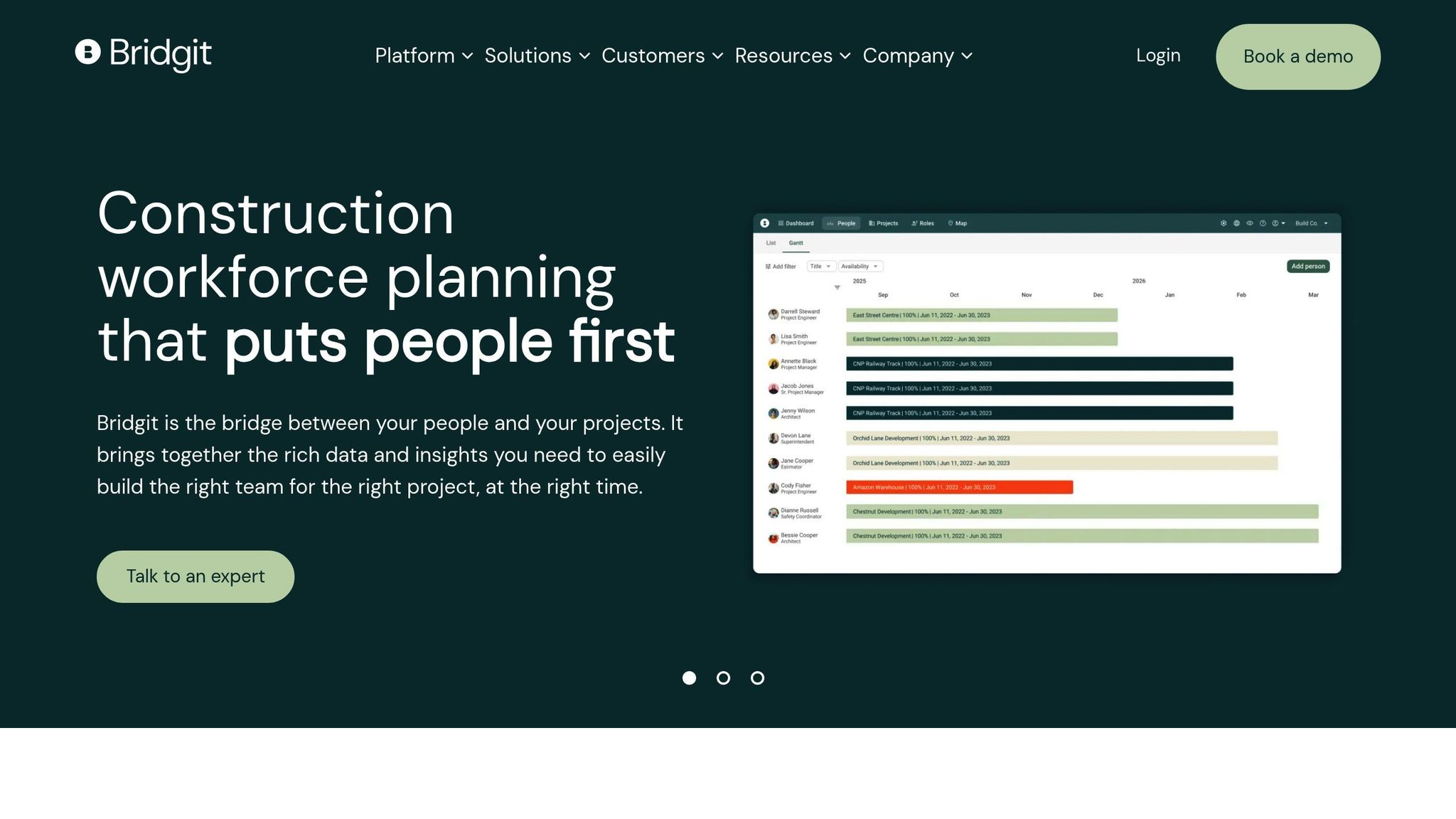
Bridgit Bench is designed to tackle the tough challenges of workforce planning and resource allocation in construction. It helps contractors stay on top of labor costs across multiple job sites, offering tools that simplify budgeting and improve efficiency. Let’s break down some of its standout features.
Real-time Labor Cost Tracking
Bridgit Bench offers real-time insights into workforce allocation and labor expenses by syncing with existing time-tracking and payroll systems. When workers log their hours or project assignments shift, the platform automatically updates labor cost data. This gives managers a clear view of how their budgets are performing.
With this real-time tracking, managers can quickly spot potential budget issues. For instance, if overtime hours start piling up or unexpected absences occur, the platform highlights the impact on costs. This allows for quick decisions – such as reallocating workers or adjusting schedules – before expenses get out of hand. Visual tools make it easy to see labor spending trends across projects.
Integration with Payroll and Compliance Systems
Bridgit Bench integrates seamlessly with major payroll providers like ADP, Paychex, and Sage, ensuring that labor records are always accurate and up-to-date. When workers log their hours, this data flows directly into payroll systems, cutting down on administrative tasks and speeding up payments.
The platform also simplifies compliance tracking, which is a huge plus for contractors dealing with union rules or certified payroll reporting. For those working on government projects or under strict regulations, Bridgit Bench generates audit-ready reports, making it easier to meet documentation requirements.
Scenario Modeling and Forecasting
The "what-if" scenario modeling feature allows project managers to test different staffing strategies without committing resources. Want to know if hiring temporary workers is cheaper than paying overtime? Bridgit Bench can simulate both scenarios, helping you decide what’s best for your budget.
Its forecasting tools take things a step further by analyzing historical data and current project needs to predict future labor demands and costs. This proactive approach helps contractors plan smarter, avoid budget surprises, and adjust workforce strategies before problems arise.
Mobile Accessibility and Field-Level Usability
Bridgit Bench is mobile-friendly, meaning you can access it from anywhere using its web interface. It sends real-time notifications about schedule changes and updates workforce assignments on the fly, ensuring labor cost tracking stays accurate even when managers are moving between job sites.
Field teams can also use the system to input time and attendance data directly, thanks to its intuitive design. Supervisors can make quick adjustments to workforce assignments, and these updates are instantly reflected in budget calculations. This mobile access ensures tighter control over labor costs throughout the project.
Specialty contractors have reported 15% reductions in labor cost overruns after adopting Bridgit Bench’s real-time tracking and scenario modeling tools. Its focus on construction-specific challenges, combined with its seamless integrations, makes it a powerful solution for mid-sized construction firms juggling complex, multi-site projects with varying labor demands.
sbb-itb-aa28329
5. Workday Adaptive Planning
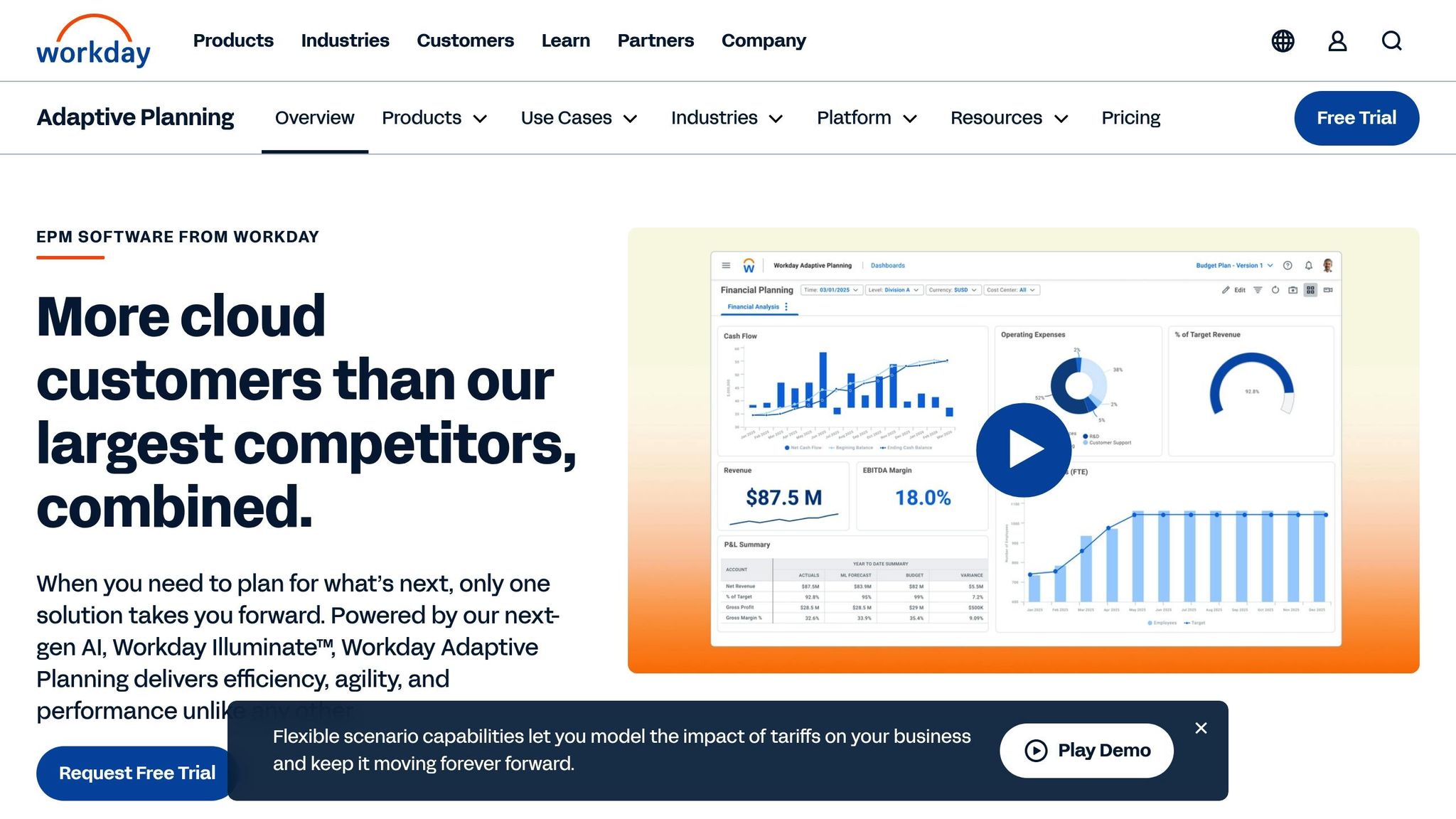
Workday Adaptive Planning is a cloud-based tool designed to simplify financial planning for construction workforce budgeting. It’s built to handle the complexities of managing multiple projects, making it an excellent choice for larger construction firms juggling diverse portfolios with varying labor demands. By integrating strategic financial planning with on-the-ground management, it aligns perfectly with the need for streamlined workforce budgeting.
Real-time Labor Cost Tracking
Workday Adaptive Planning provides real-time visibility into labor costs by integrating time and expense data directly into its platform. This feature is especially useful for construction managers overseeing multiple projects, offering dashboards that break down costs by project, phase, or location.
One of its standout features is the ability to detect cost overruns early. If costs start to exceed the budget, managers can quickly pinpoint the root causes – whether it’s overtime, resource allocation, or crew inefficiencies – and make adjustments. For example, they can reallocate resources or manage overtime more effectively based on the insights provided.
According to Workday, companies using Adaptive Planning have seen up to 50% faster budgeting cycles and a 30% reduction in manual data entry. By automating data collection, the tool eliminates delays caused by outdated or incomplete reports, ensuring managers always work with the most current information.
Integration with Payroll and Compliance Systems
One of the platform’s strongest features is its ability to integrate with payroll and compliance systems. This ensures accurate labor cost allocation while meeting certified payroll requirements and adhering to union rules and prevailing wage laws.
For construction firms navigating intricate compliance obligations, the platform automates certified payroll records, prevailing wage calculations, and union compliance tracking. This reduces the administrative burden and ensures that workforce budgets reflect actual payroll obligations.
Additionally, the seamless link between budgeting and payroll systems enhances cost forecasting accuracy. As wage rates or compliance requirements evolve, these changes are automatically reflected in budget calculations, keeping projections up-to-date and reliable.
Scenario Modeling and Forecasting
Workday Adaptive Planning also excels in proactive planning. Its tools allow managers to simulate different scenarios, such as changes in labor rates, overtime policies, or project delays. These "what-if" scenarios help construction firms assess various strategies and their potential impacts.
For example, a contractor might compare the costs of hiring additional crews versus increasing overtime during peak periods. The platform doesn’t just calculate direct labor costs; it also factors in related expenses like benefits, insurance, and compliance costs. This comprehensive approach enables better decision-making and risk management.
By using predictive analytics based on historical data and market trends, the platform helps construction firms forecast labor needs more accurately. Whether it’s seasonal workforce shifts or equipment delays, managers can plan contingencies with confidence.
Mobile Accessibility and Field-Level Usability
Workday Adaptive Planning offers mobile access, allowing field managers to update labor costs and approve timesheets while on the move. This ensures that budget information remains current and actionable, even as managers travel between job sites.
Field teams can input real-time updates – such as crew changes, overtime hours, or project delays – directly into the system. The mobile interface includes role-specific dashboards tailored to different users, from field supervisors tracking daily crew costs to project managers monitoring overall budgets.
In a 2024 Gartner survey, Workday Adaptive Planning ranked among the top three workforce planning tools for enterprises with over 1,000 employees, particularly in industries with complex labor requirements like construction. Its combination of advanced financial planning and mobile accessibility makes it a strong choice for companies needing both high-level strategy and field-level budget management.
With annual contracts typically ranging from $15,000–$35,000 for mid-sized organizations, Workday Adaptive Planning is a significant investment. However, its robust features and seamless integration make it a valuable tool for firms managing large-scale projects with complex labor and compliance demands.
6. ExakTime
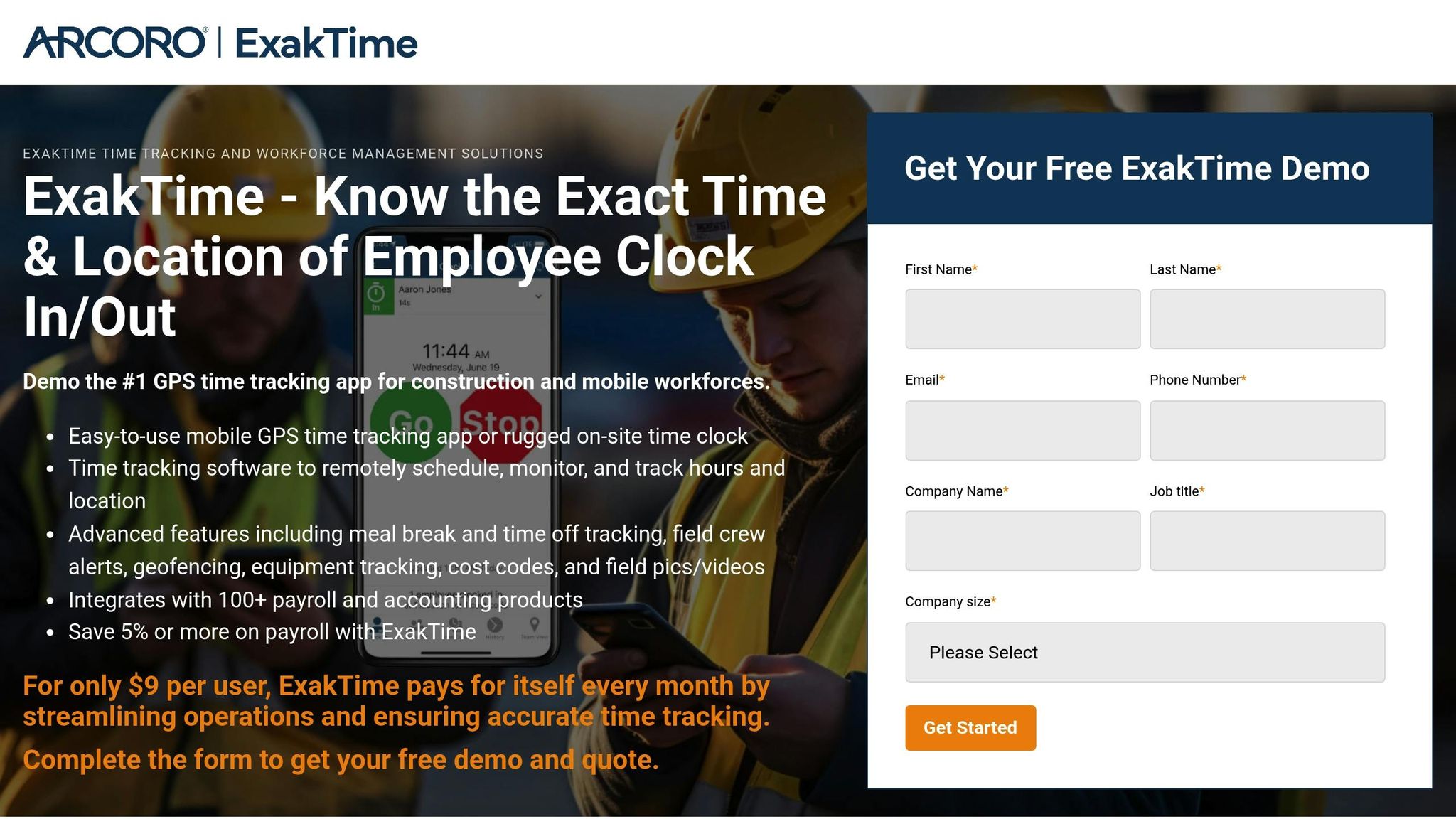
ExakTime is a workforce management and time tracking tool tailored specifically for the construction industry. It’s built to handle the unique challenges of construction sites, offering precise labor cost tracking, smooth payroll integration, and mobile functionality designed to endure tough working conditions. With over 100,000 downloads of its mobile app, ExakTime has become a trusted choice for contractors aiming to simplify field data collection and cut down on payroll mistakes.
Real-time Labor Cost Tracking
ExakTime allows workers to clock in using mobile devices or durable onsite clocks, instantly gathering labor data for real-time comparisons of actual versus budgeted hours. Managers can generate detailed reports by project, phase, or cost code, all while receiving alerts about potential overtime or inefficiencies that need immediate attention.
One of its standout features is its ability to help prevent budget overruns before they spiral out of control. If labor costs start creeping beyond budget, managers can quickly identify the underlying issues – be it unplanned overtime, inefficient crews, or misallocated resources. This real-time visibility empowers managers to make swift adjustments, such as reallocating workers or tightening overtime management.
Users have reported impressive results, including up to an 80% reduction in payroll processing time and payroll cost savings of 5-10%. These capabilities make ExakTime a strong foundation for seamless payroll and compliance management.
Integration with Payroll and Compliance Systems
ExakTime integrates effortlessly with popular systems like QuickBooks, Sage, and Viewpoint, automating data transfer to reduce errors and ensure workers are paid on time. By eliminating manual data entry, it not only saves time but also ensures accuracy in payroll processing.
For construction firms navigating complex compliance challenges, ExakTime provides detailed audit trails and documentation to meet wage and hour regulations. The platform automatically calculates overtime, maintains digital records for Department of Labor audits, and supports certified payroll requirements. This level of compliance tracking helps companies avoid fines and simplifies audits.
For example, in 2022, Hensel Phelps Construction adopted ExakTime across several job sites. Within six months, they achieved a 7% reduction in labor costs and cut payroll processing time by 60%. Their HR Director highlighted improved compliance and real-time labor tracking as major benefits of the switch.
Mobile Accessibility and Field-Level Usability
ExakTime’s mobile app allows workers to clock in using smartphones or tablets, incorporating tools like GPS, photo ID, and geofencing to ensure accurate records and prevent time theft. Field supervisors can use the app to review attendance, approve time cards, and communicate directly with crews, simplifying daily operations and reducing administrative burdens.
The app is designed to handle the unpredictable conditions of construction sites. Even in areas with poor cellular connectivity, it stores data offline and syncs once a connection is available, ensuring no time data is lost. This makes ExakTime especially useful for remote job sites or locations with spotty network coverage.
Workers can easily switch between projects or cost codes throughout their shifts, providing precise job costing data that integrates directly into budget tracking systems. With its user-friendly design, the app requires minimal training, making it easy for teams to adopt quickly.
ExakTime offers custom pricing, with basic plans typically starting at $8 to $10 per user per month, making it an affordable option for construction companies looking to improve workforce budgeting. Its strong reputation is reflected in its 4.5/5 rating on Capterra from over 200 reviews, with users frequently praising its reliability, ease of use, and effective payroll integration.
7. Timecamp
Timecamp is a cloud-based platform trusted by over 18,000 teams around the globe to track time and manage labor costs for construction projects automatically. With pricing starting at just $7 per user per month, it’s an affordable tool for accurate time tracking and budgeting. Let’s break down what makes Timecamp stand out: real-time tracking, seamless payroll integration, and mobile-friendly features.
Real-time Labor Cost Tracking
Timecamp provides project managers with instant visibility into labor costs by automatically tracking work hours for specific projects. This real-time data helps teams keep budgets in check and avoid overspending. According to user surveys, businesses using Timecamp report up to 30% faster payroll processing, a 15% boost in budget forecasting accuracy, and, in one case, a mid-sized contractor cut labor cost overruns by 20%. These results highlight how Timecamp’s real-time tracking can make a big difference in managing costs effectively.
Integration with Payroll and Compliance Systems
Timecamp’s payroll integration ensures your records are always accurate and up to date. By connecting with popular platforms like QuickBooks and Xero, it simplifies payroll processing and ensures compliance with labor regulations. The system automatically updates payroll data and generates detailed reports, making it easier to stay on top of regulatory requirements. Plus, Timecamp’s settings align with U.S. industry standards, displaying costs in dollars, using MM/DD/YYYY date formats, and supporting imperial measurement units.
Mobile Accessibility and On-Site Usability
Timecamp’s mobile apps for iOS and Android let workers clock in and submit timesheets right from the job site. Features like GPS tracking, geofencing, and offline functionality ensure accurate data collection, even in areas with limited connectivity. Automatic reminders help employees submit timesheets on time, keeping payroll and budget reports running smoothly.
For pricing, Timecamp offers flexibility. There’s a free plan with basic time tracking features, while paid plans start at $7 per user per month. The Pro plan, at $10 per user per month, includes advanced tools like invoicing, timesheet approvals, and custom user roles – making it a scalable option for businesses of all sizes.
8. Quinyx
Quinyx focuses on streamlining labor scheduling, cost allocation, and budget management for construction projects. With pricing between $4–$8 per user per month, it bridges workforce planning with financial operations to cut inefficiencies and align labor costs with project budgets.
Real-time Labor Cost Tracking
Quinyx provides instant labor cost tracking by syncing time and attendance data with project cost systems. Workers clock in using mobile devices or field terminals, and their hours are immediately assigned to specific projects, phases, or cost centers. This real-time visibility allows project managers and financial teams to monitor labor expenses as they happen – no need to wait for manual timesheets or end-of-period reports.
The platform also updates project budgets instantly, helping teams catch potential cost overruns early. For example, in June 2023, Skanska USA rolled out Quinyx across its Texas construction sites. Over six months, they achieved a 22% reduction in overtime costs and a 25% improvement in schedule adherence. Michael Torres, Skanska’s Workforce Operations Manager, highlighted the mobile app and real-time tracking as major contributors to these results.
Integration with Payroll and Compliance Systems
Quinyx integrates effortlessly with payroll and HR systems, streamlining scheduling, time tracking, and payroll processing into one unified workflow. This eliminates the need for manual data entry, significantly reducing errors that often occur when moving information between disconnected systems.
For construction companies dealing with union labor or prevailing wage requirements, Quinyx connects with certified payroll reporting systems to ensure compliance with regulations like the Davis-Bacon Act, union agreements, and government contracts. The platform calculates prevailing wage rates based on project location and worker classification, automating compliance documentation and tax calculations. This reduces administrative workload and lowers the risk of penalties for non-compliance.
Scenario Modeling and Forecasting
Quinyx enables managers to test staffing scenarios and forecast labor costs by tweaking variables like crew size, shift patterns, and project timelines. These forecasting tools empower construction firms to make informed decisions about resource allocation before finalizing staffing plans.
Companies using Quinyx report up to 20% reductions in labor costs thanks to better scheduling and real-time cost tracking. A 2023 survey revealed that organizations using the platform experienced a 15% boost in workforce productivity and a 30% drop in scheduling errors. By experimenting with different scenarios, firms can pinpoint the most cost-effective strategies for completing projects without compromising quality or safety.
Mobile Accessibility and Field-Level Usability
Quinyx takes a mobile-first approach to scheduling, time tracking, and task management, allowing field teams to manage everything directly from job sites. Workers can view schedules, clock in and out, report task progress, and access project details through the mobile app. This ease of use reduces administrative tasks for field staff and ensures accurate labor data collection in real-time.
Supervisors can also use mobile devices to adjust crew assignments, handle schedule changes, and track labor productivity on the go. The app, which has an average rating of 4.4/5 on G2 from over 300 reviews, is praised for its user-friendly design and scheduling capabilities. With offline functionality, the app ensures data collection continues even in areas with poor connectivity. This mobile integration enhances Quinyx’s overall usability, making it a go-to tool for construction teams seeking efficiency and precision.
Tool Comparison Chart
Choosing the right workforce budgeting tool depends on your project requirements, company size, and operational goals. The chart below highlights each platform’s key features, ideal applications, and integration options to guide your decision-making process.
| Tool | Key Features | Best Applications | Integration Options | Pricing |
|---|---|---|---|---|
| ABLEMKR | Mobile-first worker deployment, real-time status tracking, compliance tools, pre-vetted worker matching | High-risk projects, emergency repairs, energy sector operations | Payroll systems, HR platforms, compliance tools | Custom enterprise pricing |
| Lumber | AI-based scheduling, drag-and-drop interface, real-time coordination | General contractors, skill-based worker allocation | Lumber Payroll, Lumber Time Tracking, workforce management tools | Quote-based pricing |
| Procore | Real-time budget tracking, automated forecasting, strong support | Large commercial projects, infrastructure builds, financial control | QuickBooks, Sage, Xero, NetSuite, ERP systems | Custom pricing based on company size |
| Bridgit Bench | Workforce planning, labor optimization, project pipeline management | Multi-project environments, crew scheduling | Procore, HRIS platforms, ERP systems | Starting at $1,000/month |
| Workday Adaptive Planning | Financial modeling, scenario planning, real-time analytics | Large enterprises, complex budgeting, strategic planning | Workday HR, payroll systems, ERP platforms | Enterprise quote-based |
| ExakTime | Mobile time tracking, GPS verification, compliance reporting | Mobile workforces, dispersed job sites, compliance-heavy tasks | Payroll and accounting systems | Starting at $8/user/month |
| Timecamp | Automated time tracking, cost allocation, productivity reporting | Small to mid-sized firms, subcontractors, cost monitoring | Project management tools, accounting software | Starting at $7/user/month |
| Quinyx | AI scheduling, labor forecasting, mobile management | Shift-based teams, variable labor demand, union compliance | Payroll systems, HR platforms, ERP tools | $4-$8/user/month |
Key Highlights
ABLEMKR stands out for high-risk projects requiring quick mobilization, especially in emergency or energy sector scenarios. Its focus on compliance tracking and pre-vetted worker matching makes it a strong contender for industries with strict regulatory demands.
For large-scale construction projects, Procore is a go-to choice. Its ability to integrate with multiple financial and ERP systems ensures smooth operations for firms managing complex budgets and extensive third-party connections.
Bridgit Bench is tailored for multi-project environments, offering tools that streamline resource allocation and optimize labor usage. This helps reduce overtime and improve overall efficiency.
For field-heavy operations, ExakTime provides GPS-based time tracking and compliance reporting, making it ideal for dispersed teams. Meanwhile, Timecamp offers an affordable solution for smaller contractors focused on simple time tracking and cost monitoring.
When it comes to integrations, Procore leads with the broadest third-party compatibility. On the other hand, ABLEMKR specializes in compliance and payroll integrations, catering to industries with unique workforce requirements. Choosing a tool that integrates seamlessly with your existing systems – whether for accounting, HR, or project management – can save time and reduce manual data entry errors.
Pricing Insights
The pricing reflects each tool’s target audience. Enterprise-level platforms like Workday Adaptive Planning and ABLEMKR use custom pricing models to cater to large organizations with complex needs. Tools like Quinyx, ExakTime, and Timecamp, with rates starting as low as $4-$8 per user per month, are more accessible for growing companies or smaller firms.
This comparison provides a clear roadmap for selecting the right tool to manage workforce budgets effectively in the construction industry.
Conclusion
Choosing the right workforce budgeting tool can reshape how you manage labor costs and improve project profitability. Each tool discussed here offers specific strengths tailored to different operational needs and project demands.
One of the primary factors driving this improvement is real-time data visibility. With tools leveraging real-time data and predictive analytics, you can optimize crew scheduling, cut down on idle time, and better control labor expenses.
But the advantages go far beyond simple cost tracking. Platforms like Procore and Bridgit Bench provide real-time budget dashboards and predictive insights, which can help reduce budget overruns by as much as 20%.
Integration features also play a big role in maximizing value. For example, ABLEMKR automates payroll workflows and incorporates compliance tracking, ensuring that workers meet safety and regulatory standards while safeguarding businesses from costly fines.
For high-risk projects, rapid worker redeployment becomes essential. Tools like ABLEMKR and ExakTime make it easy to redeploy pre-vetted workers quickly, while also providing instant payroll updates. This minimizes downtime when unexpected changes arise.
The financial benefits of these tools are substantial. Advanced workforce budgeting platforms can save between 10% and 20% on labor costs while significantly reducing project overruns. Faster project completion, lower administrative burdens, and improved compliance all contribute to greater profitability.
Whether you go for a robust solution like Procore, a specialized tool like ABLEMKR for high-risk projects, or a more focused option like Timecamp for smaller operations, the key is to match the tool to your project’s size, complexity, and integration needs. By investing in the right platform – whether it’s Procore, ABLEMKR, or Timecamp – you gain better financial control and set the stage for more profitable outcomes.
FAQs
How does real-time tracking in workforce budgeting tools help prevent cost overruns in construction projects?
Real-time tracking in workforce budgeting tools gives construction managers the ability to keep a close eye on labor costs and resource use as they unfold. This means they can spot issues like unplanned overtime or workers being underutilized right away, allowing for quick adjustments to avoid overspending and inefficiencies.
On top of that, tools with features like automated compliance tracking and payroll integration help cut down on administrative errors and save time. With these capabilities, every dollar is accounted for, unexpected expenses are minimized, and projects stay on track without unnecessary hiccups.
What are the advantages of using payroll-integrated workforce budgeting tools in construction?
Integrating payroll systems with workforce budgeting tools makes managing finances easier and more accurate. Automation allows data to flow seamlessly between payroll and budgeting, cutting down on manual errors, saving time, and ensuring costs are tracked accurately.
This setup also offers real-time insights into labor expenses, enabling construction companies to stay on budget and make smarter decisions. On top of that, it helps with compliance by merging payroll data with workforce records, ensuring companies meet industry regulations and standards.
Why is mobile access essential for workforce budgeting tools in construction?
Mobile accessibility is a game-changer for workforce budgeting tools in construction. It empowers project managers and teams to make quick, informed decisions while on-site or on the move. In the fast-paced and ever-changing world of construction, the ability to adjust budgets, staffing, or resource allocation in real time is essential.
With tools designed for mobile use, teams can effortlessly track costs, manage schedules, and ensure compliance – all from their smartphones or tablets. This convenience not only streamlines operations but also minimizes delays and keeps crucial updates within reach, no matter where the job takes them.


