
Managing construction schedules is no easy task. With labor costs making up 30–50% of project expenses and 91% of projects running over schedule or budget, finding the right scheduling tool can save time, reduce errors, and improve team coordination. Here are seven tools tailored for construction teams:
- ABLEMKR: A workforce management platform with verified worker profiles, real-time time tracking, and automated payroll. Best for staffing flexibility.
- Connecteam: A mobile-first tool with auto-scheduling, GPS tracking, and task management. Free for teams of up to 10; paid plans start at $29/month.
- Workyard: Known for precise GPS time tracking and job costing. Starts at $6/user/month plus a $50 base fee.
- Fieldwire: Offers project coordination with Gantt charts and task management but lacks built-in time tracking.
- Deputy: Budget-friendly at $4.50/user/month with AI-powered scheduling and compliance tools.
- Procore: A comprehensive construction management platform with customizable scheduling and workforce planning features. Pricing is custom.
- Planera: A visual scheduling tool with a collaborative "whiteboard" interface designed for easy team use. Contact for pricing.
Quick Comparison:
| Tool | Starting Price | Key Features | Best For | User Rating |
|---|---|---|---|---|
| ABLEMKR | Free plan available | Verified worker profiles, payroll | Staffing & flexibility | N/A |
| Connecteam | $29/month (30 users) | Auto-scheduling, GPS tracking | Small to medium teams | 4.8/5 |
| Workyard | $6/user + $50 base | GPS time tracking, job costing | Precise time tracking | 4.9/5 |
| Fieldwire | Contact vendor | Gantt charts, task coordination | Large project coordination | 4.6/5 |
| Deputy | $4.50/user/month | AI scheduling, compliance tools | Budget-conscious teams | 4.6/5 |
| Procore | Custom quote | Workforce planning, collaboration | Large construction companies | 4.5/5 |
| Planera | Contact vendor | Visual scheduling, resource management | Teams seeking scheduling ease | N/A |
Each tool has its strengths. ABLEMKR is great for staffing, Connecteam simplifies team coordination, and Procore suits large-scale projects. For budget-conscious teams, Deputy offers affordable AI scheduling, while Planera provides a modern, visual approach. Choose based on your project size, complexity, and team needs.
The 9 Best Construction Employee Scheduling Software
1. ABLEMKR

ABLEMKR is a workforce management platform designed specifically for construction teams. It operates as a two-sided marketplace, giving contractors full control to set their rates while simplifying the process of finding and managing skilled workers.
The platform’s core scheduling system works seamlessly across both mobile and desktop devices. Contractors can post shift requirements, and the system automatically matches these shifts with verified workers who have the right skills. This streamlined feature is just the beginning of what ABLEMKR offers.
One standout tool is its real-time time tracking. With transparent timesheets, contractors can avoid errors in recording hours worked. This not only helps monitor employee performance but also improves cost management and simplifies payroll.
To ensure access to a reliable pool of skilled labor, ABLEMKR uses a strict worker verification process. Workers are carefully vetted and certified before joining the marketplace. Interviews are conducted based on customer specifications, ensuring they meet the unique demands of each project.
For operations spanning multiple job sites, ABLEMKR keeps everything in sync. Office and site data are updated in real time, allowing project managers to track worker locations, completed shifts, and daily activities. This level of visibility makes it easier to adjust schedules or reassign resources when needed.
The platform also features an automated payroll system that handles payments, deducts a 35% fee, and manages HR tasks. This ensures workers are paid promptly and accurately, with minimal administrative hassle for contractors.
ABLEMKR supports various work arrangements, including flexible workers, flex-to-hire options, and direct placements. Workers are covered by both compensation and general liability insurance, so contractors can meet short- and long-term staffing needs without worrying about compliance risks.
Another useful feature is the built-in rating system, which provides feedback on worker performance from previous jobs. This helps contractors make smarter decisions when assigning shifts or delegating specialized tasks.
2. Connecteam
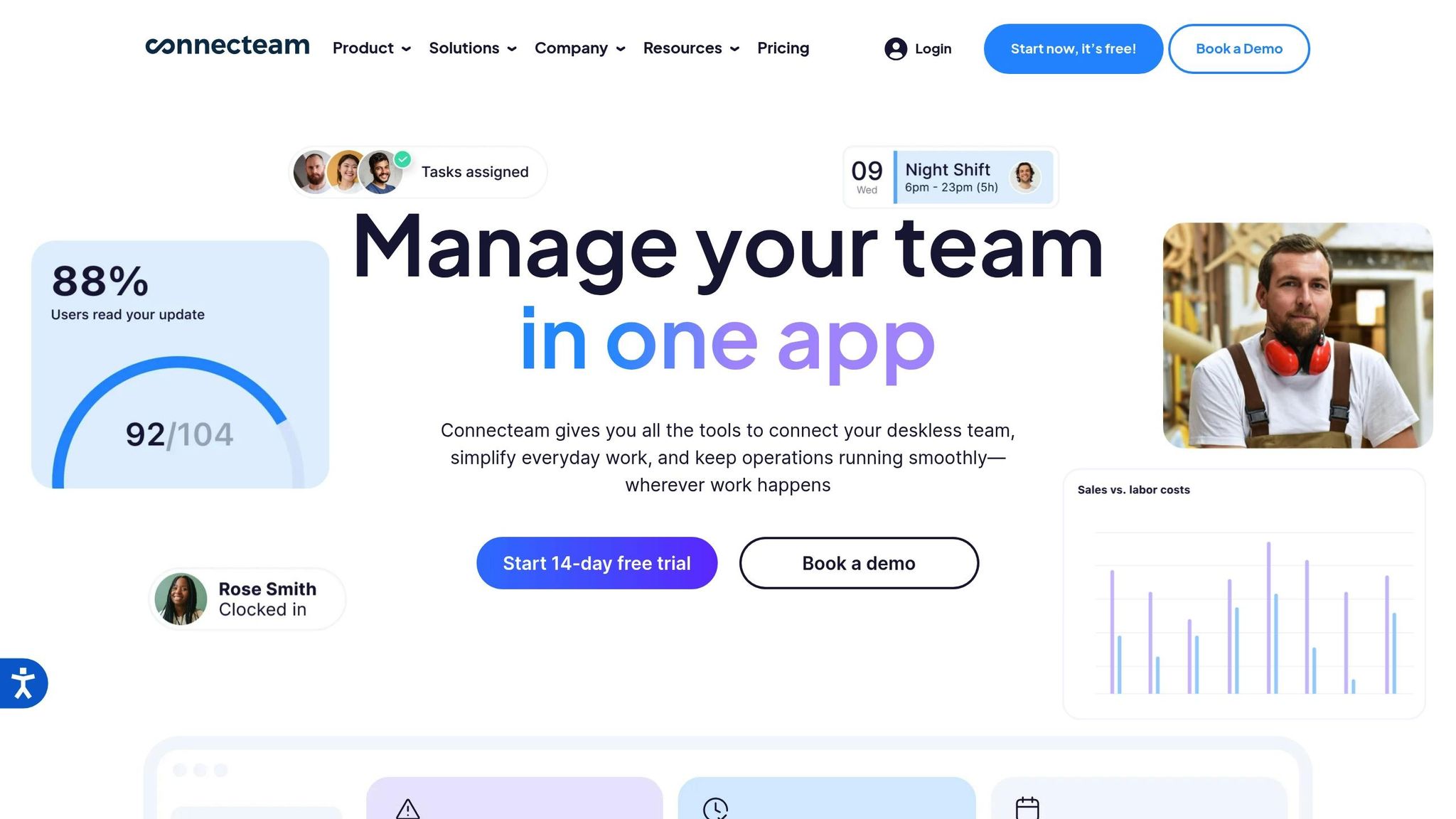
Connecteam focuses on a mobile-first approach to construction scheduling, making it easy for field workers to access schedules and updates while on the move. This accessibility is critical for today’s workforce. Similar to ABLEMKR, Connecteam improves real-time communication and ensures scheduling accuracy for teams in the field.
The platform’s auto-scheduling feature simplifies workforce planning by automatically matching worker roles, skills, availability, and preferences. It also breaks projects into smaller jobs with specific rates, locations, and qualifications, creating a streamlined scheduling process that supports efficient on-site management.
With its drag-and-drop interface, managers can view schedules by shift or employee, assign multiple shifts simultaneously, and create recurring templates. The system flags potential issues – like overlapping shifts or mismatched availability – before schedules are finalized, reducing errors.
For teams spread across multiple sites, Connecteam offers geofencing and real-time GPS tracking to confirm clock-ins at the correct locations. Automated break tracking and overtime options help ensure compliance with labor laws while minimizing mistakes. The platform also includes a shift swap feature, allowing employees to find replacements directly through the app. Workers can set their availability, request time off, and claim open shifts, giving them more control over their schedules.
Managers can further enhance productivity by attaching tasks, checklists, forms, and images directly to shifts using Connecteam’s task management tools. For instance, a home renovation company uses the platform to create open shifts with detailed job descriptions and locations, allowing qualified workers to claim jobs that fit their schedules.
The platform also offers flexible overtime calculations – covering daily, weekly, holiday, and pay period tracking – and lets managers set rules to avoid double-booking or early clock-ins.
"Everything runs more streamlined now that we have one solution to handle all our daily processes." – Ricky McCormack, Laboratory Manager at Mattest Materials Testing
Connecteam integrates seamlessly with Google Calendar, enabling employees to import their work shifts into personal calendars. It also connects with payroll and accounting tools, ensuring a smooth workflow from scheduling to payment processing.
Pricing: Connecteam has a free plan for up to 10 team members, while paid plans start at $29 per month for 30 employees. With a 4.8-star review score and over 60,000 companies relying on it, the platform is a popular choice for construction teams needing flexible scheduling solutions.
Construction companies using Connecteam have reported impressive results, including 13% fewer work-related accidents, a 19% boost in profitability, and 16% less rework. One company even saved approximately $42,000 annually by reducing timesheet-related salary costs.
3. Workyard
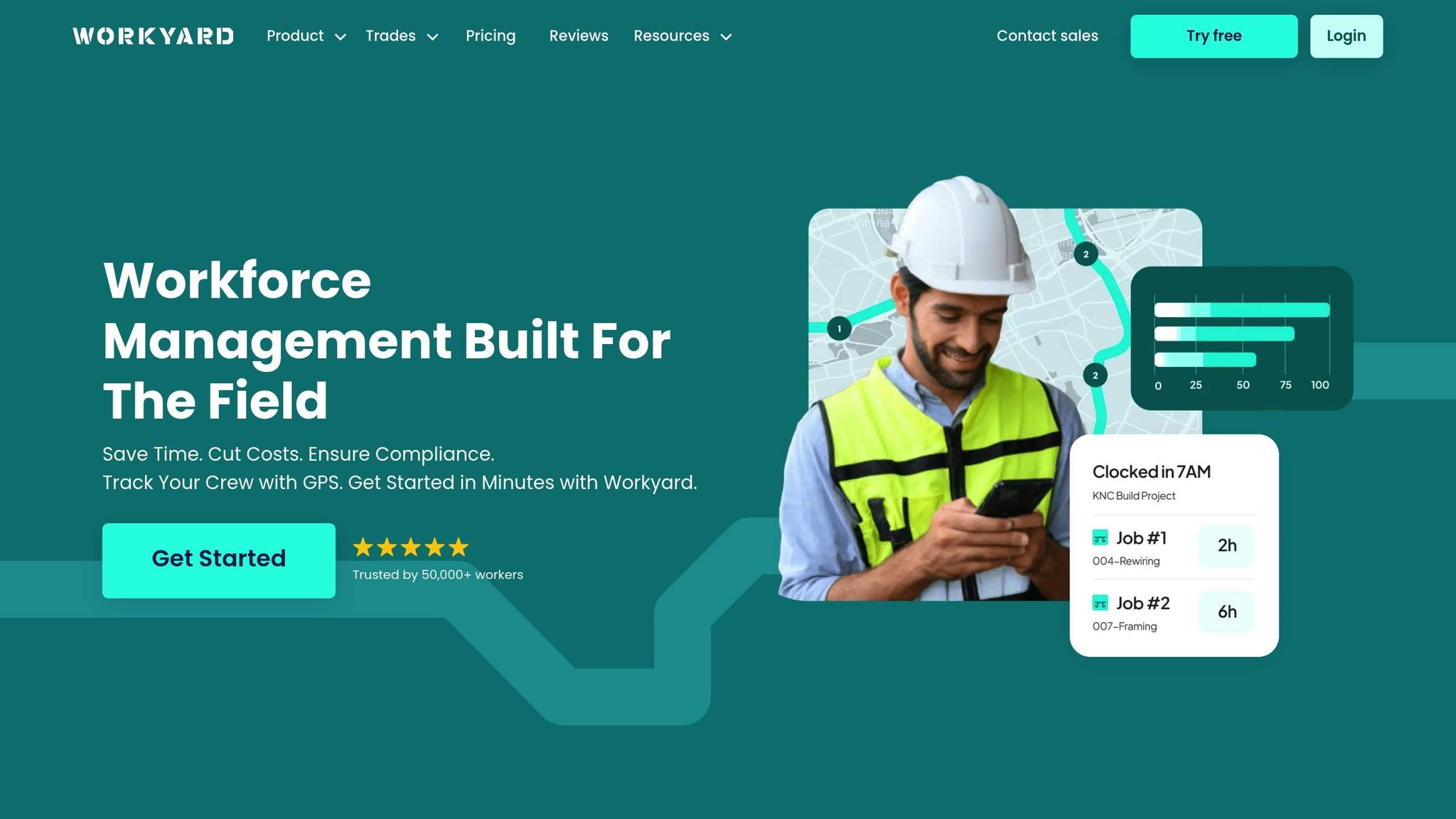
Workyard is a powerful scheduling tool designed specifically for construction, field services, and property management teams. With over 10,000 contractors and 50,000 workers across the U.S. relying on it, the platform aims to streamline workforce coordination and field management.
Its visual calendar makes it easy for managers to assign jobs – whether recurring or one-time – to team members efficiently.
One standout feature is its real-time visibility. Using an interactive map, managers can track crew locations live, assign the nearest available workers to urgent tasks, and adapt schedules on the fly. This level of flexibility helps teams stay responsive, even when priorities shift.
Workyard combines GPS time tracking with job costing, creating a seamless workflow from planning to payroll. Managers can attach checklists, monitor job progress, and use bulk editing to handle multiple assignments quickly. To ensure accuracy, the platform employs geofencing and facial recognition for clock-ins, eliminating issues like "buddy punching".
"Workyard will save me $2,500 in inflated payroll costs from 1 guy alone. Guys would round to a 7 am arrival time. Now I can see 7:18, 7:14 actual arrival times on site."
– Dan Hausmann, Owner, American Craftsman Contracting
Workyard also helps companies maintain compliance. Built-in tools remind employees to take required breaks and automatically create audit trails for time records, simplifying adherence to FLSA recordkeeping standards.
For teams juggling multiple projects, Workyard’s reporting capabilities provide both big-picture summaries and detailed insights. Managers can track attendance, hours, and labor costs, while customizable reports allow contractors to refine project estimates based on actual data.
"Weekly time spent on payroll and job allocation went from four hours weekly to less than one hour."
– Kathi Smith, Vice President, D&S Electric
Integration is another strong point for Workyard. It connects with over 15 popular accounting and payroll systems – including QuickBooks, ADP, Sage, and NetSuite – and offers a developer API for custom setups. This ensures data moves smoothly between systems, eliminating duplicate entry and saving time.
The platform has earned a stellar 4.9 out of 5 stars on Capterra, highlighting its effectiveness in solving scheduling challenges. Users also praise the reliable mobile app, which works well even in areas with limited cell service – an essential feature for teams operating in remote locations.
Pricing: Workyard offers flexible plans to suit the needs of both small contractors and large companies managing multiple crews and projects.
Up next, we’ll take a closer look at Fieldwire, another top-tier scheduling solution for construction teams.
4. Fieldwire
Fieldwire is a construction management platform trusted by over 2,000,000 jobsites worldwide. While it’s widely recognized for its project management tools, its scheduling features are tailored to handle the daily demands of construction teams.
The platform offers flexibility with multiple view options, including Kanban boards, Gantt charts, and calendar layouts, catering to various team roles. Its lean field management tools also support pull planning and three-week look-ahead sessions, helping teams stay ahead of potential issues. Tasks can be sorted by due date, trade, or priority, making it easier to coordinate multiple crews on complex projects. The related tasks feature minimizes conflicts between trades, ensuring smooth workflows on the jobsite.
For instance, TekWorks managed an impressive 400 projects in a single year using Fieldwire.
"Every single job that we take has to be input into Fieldwire for tracking purposes. We’ll upload all of the relevant documents, floor plans, schedules, and the proposal for the entire project."
– Wayne VanDell, Director of Projects at TekWorks
Fieldwire also excels in communication and updates. Every task comment, photo, and update is timestamped and sent as a notification, ensuring the team stays informed in real time. Facebook Event Operations highlighted this feature as critical for their large-scale operations.
"We can see if we’re on-time or late very easily throughout the day, so whoever is running the operation can check and see where everyone is four hours in."
– Joshua Harsono, Service Delivery Manager at Facebook Event Operations
The platform simplifies workforce management with automated production reports. These reports can be scheduled to track progress without manual effort, offering both high-level overviews and detailed breakdowns. This integration of scheduling and reporting tools helps streamline operations on active jobsites.
Fieldwire has earned a 4.6 out of 5 stars rating on Software Advice, scoring particularly well for ease of use (4.5) and customer support (4.6). However, it’s worth noting that the platform does not currently include built-in time tracking features.
Additionally, Fieldwire integrates seamlessly with other construction management tools, covering tasks like inspections and document management. Pricing options are available for teams of all sizes, from small contractors to large enterprises.
Fieldwire’s combination of scheduling and reporting tools provides a strong framework for efficient field management. Up next, we’ll take a closer look at Deputy and how it tackles workforce management in construction.
sbb-itb-aa28329
5. Deputy
Deputy is a workforce management platform used by over 385,000 workplaces in more than 100 countries [48, 49].
One of its standout features is multi-location rostering, which allows construction companies to assign employees to various jobsites based on their skills and availability. This is especially helpful for contractors handling several projects at once. Workers can clock in using a mobile app with GPS tracking, ensuring accurate location verification and payroll processing.
For instance, Kingdom Projects improved their labor cost tracking with Deputy. Owner Sean O’Connor shared, "We can now instantly view and analyze labor costings against jobs". Similarly, DallasAir enhanced on-site communication. Founder Rodney Jackson noted, "The site guys can communicate where and when they have arrived and left the site, without occupying valuable administration time".
Deputy also simplifies compliance management, an essential aspect of workforce operations. Its tools help construction companies stay aligned with labor laws by tracking hours, enforcing break policies, and addressing federal, state, and local regulations. The platform’s Compliance Hub provides labor law updates for all U.S. states, assisting with overtime alerts, child labor law adherence for apprentices, and OSHA requirements [53, 54].
Another key feature is its seamless integration with other platforms. For example, Mint floors + shutters uses Deputy to streamline payroll by exporting approved timesheets into Xero, enabling detailed cost tracking. Business Owner Jon Holst explained, "After the timesheets are approved, we export them into Xero for paying, and we can track total costs per job". Deputy works with popular accounting tools like QuickBooks and Xero, as well as HR systems like BambooHR [49, 56].
Built with a mobile-first approach, Deputy keeps workers informed through news feeds and task lists for schedule changes and safety updates, cutting down on administrative calls.
With an average rating of 4.6 out of 5 stars across major review platforms and 24/7 support via chat, email, or phone [48, 51], Deputy is designed to manage both full-time and casual employees across multiple sites, meeting the flexible demands of construction workforce management.
Next, we’ll take a closer look at how Procore integrates shift scheduling into its broader construction management system.
6. Procore

Procore combines workforce scheduling with project management, making it a comprehensive tool for the construction industry. With over 1 million projects and more than $1 trillion in construction volume managed on its platform, Procore provides a centralized solution for organizing teams and schedules.
The platform’s Workforce Planning feature simplifies scheduling and communication by offering real-time insights into workforce availability and skill sets. This helps construction managers allocate resources efficiently. Additionally, Procore integrates scheduling with Daily Logs, giving users instant access to resources, tasks, and updates. When employees are scheduled through Resource Planning, their assignments automatically populate timesheets with pre-filled start and stop times, reducing manual data entry.
Procore also excels in real-time collaboration. Schedule updates sync automatically, eliminating version control problems, while digital lookaheads allow field teams and trade partners to coordinate on tasks and milestones as they happen.
The platform offers flexible scheduling views, such as Gantt charts, calendars, and task lists, so teams can tailor workflows to their needs. It also integrates with tools like Microsoft Project and Primavera to keep schedules updated.
For managing crews, Procore makes it easy to add, group, and edit crews via mobile or web interfaces. It tracks labor productivity by crew and allows for quick workforce data entry. Yoslaine Muchuli, Project Controller at Bengoa Construction, highlights the mobile app’s efficiency:
"The use of Procore on the mobile app is fantastic. We get the most accurate information from our field guys and reduce the need to bother them for crew time."
While Procore offers a robust set of features, it does come with a learning curve. Teams may require extensive training to fully utilize the platform. Additionally, the lack of schedule templates and auto-scheduling functionality means more manual setup for project managers.
Procore is highly rated, with scores of 4.2/5 on Google Play and 4.6/5 on G2 and the Apple App Store. These ratings reflect its strength as an all-in-one solution for scheduling, project management, and workforce tracking.
Next, we’ll take a closer look at how Planera approaches construction workforce scheduling.
7. Planera
Planera takes a fresh, visual approach to construction scheduling, steering away from traditional tools like complex spreadsheets or dense Gantt charts. Instead, it introduces an intuitive "whiteboard" interface that uses simple visuals to represent tasks, durations, and relationships. This design makes schedules easy to understand and allows entire teams to contribute without needing extensive software training.
So far, Planera has facilitated over 25 million project days, combining master planning and task execution into a single platform.
The platform has delivered impressive results for its users. Big-D Construction projected an ROI of over $1.5 million in their first year of using Planera. Similarly, Shimmick Construction cut their scheduling time in half and doubled their efficiency after adopting the tool.
Troy S. Thompson, COO at Big-D Construction, highlighted the impact of Planera:
"By making scheduling visual and collaborative, Planera has changed the game. They’ve made scheduling significantly easier without sacrificing powerful capabilities. Planera has helped us to make our schedules more accurate and more efficient."
Collaborative and Secure Scheduling
Planera stands out with its collaborative features, enabling multiple team members to work on schedules at the same time. While users can create schedules, they can only edit their own activities, ensuring clear task ownership while encouraging team participation. Project managers can lock specific project versions to prevent unauthorized changes, but they remain open for comments and feedback.
Advanced Resource Management
Planera also excels in resource management. Interactive graphs and tables provide detailed insights into workforce allocation, making it easier to forecast labor, equipment, and constraints in real time. The platform supports resource-loaded schedules through a user-friendly interface, allowing teams to plan for non-standard hours, holidays, or specific resource availability with custom calendars. These features complement the visual scheduling system, boosting overall efficiency.
Enterprise-Level Capabilities
For companies juggling multiple projects, Planera offers enterprise-level tools designed for large-scale challenges. Users can seamlessly switch between organizations and compare key elements like Gantt charts, dates, resources, and DCMA Quality scores across various project versions. The platform also integrates with popular tools like Procore and Autodesk, while supporting exports to standard industry formats.
Proven Results with Visual Scheduling
A study by California State University, East Bay confirmed the advantages of visual scheduling. It found that tasks are completed 30% faster and easier using visual CPM schedules compared to traditional tabular systems. Additionally, 69% of schedulers expressed greater trust in visual scheduling over leading tabular software.
Pilot Program for Construction Teams
To help teams experience its benefits firsthand, Planera offers a pilot project approach. This lets teams test its visual, collaborative features on a smaller scale before expanding its use across larger operations. For construction teams aiming to streamline their scheduling and resource management, this is a practical way to see how Planera can transform their processes.
With all seven tools now covered, the next section will dive into a feature and pricing comparison to help you determine the best fit for your team.
Feature and Pricing Comparison
Take a closer look at the features and pricing of these tools to find the best fit for improving your construction workforce management.
ABLEMKR offers a mobile-first platform designed for staffing and workforce management. It includes verified worker profiles, flexible scheduling, automated job matching, and real-time invoicing. Its free plan covers basic features, while premium options unlock advanced capabilities. This tool is ideal for connecting skilled workers to construction projects with clear cost structures.
Connecteam is an all-in-one solution with a 4.8/5 user rating. Starting at $29/month for up to 30 users (billed annually), it also charges $0.50 per additional user. A free plan is available for teams of up to 10 members, making it a great choice for smaller crews. It combines scheduling, time tracking, and communication tools in a simple, user-friendly interface.
Workyard focuses on precise time tracking, earning a 4.9/5 rating. Pricing starts at $6 per user per month, plus a $50 base fee. Workforce management features cost $13 per user per month with the same base fee. While its advanced tracking features are appealing, costs can add up quickly for larger teams, making it better suited for companies prioritizing accuracy in time tracking.
Fieldwire specializes in project tracking for complex construction needs, with a 4.6/5 rating. While it offers a free plan, users must contact the vendor for pricing details. However, it lacks integrated time tracking, which means additional tools may be necessary for full workforce management. Its strength lies in project coordination rather than basic scheduling.
Deputy stands out for its AI-powered auto-scheduling, offering a competitive starting price of $4.50 per user per month for scheduling or time and attendance features. With a 4.6/5 rating, it’s one of the most affordable options, especially for teams looking for intelligent scheduling on a budget.
Procore is a robust construction management platform with a 4.5/5 rating. Pricing is available only by custom quote, and its extensive features may feel overwhelming or costly for smaller teams. It’s best suited for larger companies managing complex projects.
Planera takes an innovative approach to scheduling with a visual interface that moves away from traditional spreadsheets or Gantt charts. Pricing details require contacting the vendor, making it an option for teams seeking a fresh take on scheduling.
| Tool | Starting Price | Key Strength | Best For | User Rating |
|---|---|---|---|---|
| ABLEMKR | Free plan available | Verified worker profiles | Staffing & flexible scheduling | N/A |
| Connecteam | $29/month (30 users) | All-in-one simplicity | Small to medium teams | 4.8/5 |
| Workyard | $6/user/month + $50 base fee | Automatic time tracking | Teams needing precise tracking | 4.9/5 |
| Fieldwire | Contact vendor | Complex project tracking | Large project coordination | 4.6/5 |
| Deputy | $4.50/user/month | AI-powered scheduling | Budget-conscious teams | 4.6/5 |
| Procore | Custom quote | Comprehensive project management | Large construction companies | 4.5/5 |
| Planera | Contact vendor | Visual scheduling interface | Teams seeking scheduling innovation | N/A |
Key Takeaways
Pricing varies widely across these platforms. Deputy offers the lowest per-user cost, making it an appealing choice for budget-conscious teams. Connecteam’s free plan for small teams and affordable scaling make it a strong contender for smaller crews. Workyard’s higher costs reflect its advanced tracking features, which are ideal for teams prioritizing accuracy but may strain larger budgets.
When comparing tools, it’s important to consider the total cost of ownership. Some platforms include essential features in their base plans, while others charge additional fees. All tools, however, offer mobile apps to support on-the-go management.
For staffing and worker verification, ABLEMKR stands out with its transparent approach. Connecteam simplifies operations by reducing the need for multiple tools, while Planera provides a modern, visual alternative to traditional scheduling. Safety and compliance features also vary, so teams should ensure their chosen platform supports certification tracking, safety meeting management, and compliance with rest period regulations. Weather integration is another valuable feature for outdoor projects, helping teams adjust schedules proactively.
Ultimately, no single tool dominates every category. Teams focused on staffing will appreciate ABLEMKR, while cost-conscious users might lean toward Connecteam or Deputy. For advanced project management, Procore’s features may justify its premium pricing, and those looking for a fresh scheduling approach might explore Planera. The right choice depends on your team’s size, project complexity, and operational needs.
Conclusion
Choosing the right scheduling tool is crucial, especially when you consider that 91% of construction projects run over schedule or budget, and 80% of employee timesheets contain errors due to poor scheduling practices. The right tool can make all the difference in keeping projects on track and within budget.
When evaluating tools, focus on your team’s specific needs. For smaller residential projects, a basic scheduling and time-tracking solution might suffice. On the other hand, larger commercial builds often demand more advanced tools that handle complex project coordination. Don’t forget to account for the total cost of ownership, including expenses for training, integration, and the potential productivity improvements. Research shows that adopting the right mobile technology can reduce scheduling delays by up to 25% for construction firms. Matching your tool’s capabilities to your project’s demands ensures smoother operations and fewer headaches.
For field workers, real-time mobile access and on-site updates are non-negotiable. Seamless integration with your existing systems – whether for project management, payroll, or accounting – saves time and reduces costly errors. A tool that connects effortlessly with these systems is key to streamlining your workflow.
It’s also important to focus on what you truly need rather than being tempted by flashy features that might go unused. As Mark Ballance, Resource Management Specialist at Schedule it, emphasizes:
"Efficient scheduling is crucial for project success."
Before making your choice, define clear goals. Are you trying to cut labor costs, shorten timelines, or improve communication? Involving your team early in the selection process ensures the tool aligns with their daily workflows, making adoption smoother and reducing resistance to change.
Keep in mind that employee turnover is expensive – replacing an employee can cost anywhere from 50% to 250% of their annual salary. A scheduling tool that improves satisfaction and reduces turnover delivers long-term value, going beyond just operational efficiency.
Finally, test your top contenders with both field and office staff before committing. The best tool is the one your team will consistently use, helping you achieve project success.
FAQs
How do I choose the right shift scheduling tool for my construction team and project needs?
Choosing the best shift scheduling tool for your construction team starts with understanding your unique needs. Consider the size of your team, how complex your projects are, and the must-have features – like conflict resolution, resource management, or the ability to handle larger, more intricate projects.
It’s also important to pick a tool that’s easy to use and comes with reliable customer support. This ensures it can be smoothly integrated into your daily operations. Pay attention to features that match your project demands, such as mobile access, real-time updates, and workforce management tools. With these priorities in mind, you can choose a solution that streamlines scheduling and boosts your team’s productivity.
What features should a construction scheduling tool have to ensure labor law compliance and improve team coordination?
To stay on the right side of labor laws and improve how teams work together, a construction scheduling tool should include features like automated work hour tracking, overtime calculations, and payroll reporting. These tools make it easier to keep precise records and meet legal obligations without added hassle.
On top of that, tools with compliance management features – such as tracking safety certifications, scheduling required rest breaks, and sending automatic reminders for downtime – can be game-changers. Add in integrated safety checks and automated rule enforcement, and you’ve got a system that not only keeps teams coordinated but also ensures labor regulations are followed effortlessly.
How do shift scheduling tools work with payroll and accounting systems to improve efficiency?
Most shift scheduling tools designed for construction teams work effortlessly with payroll and accounting systems, making day-to-day operations smoother. They typically offer features like real-time data syncing, automated data transfer, and API connections, which help cut down on manual data entry and reduce the risk of mistakes.
These integrations make it possible to link scheduling tools directly with widely used accounting software like QuickBooks. This connection simplifies managing payroll, tracking expenses, and creating precise financial reports. By automating these tasks, construction teams can save time, ensure compliance, and maintain financial accuracy – allowing them to focus more on completing projects successfully.


