
If you need to pick a utility field platform fast, here’s the short answer: these 7 tools solve different problems, not the same one. Some are best for maps and tracing, some for work orders and asset history, some for dispatch and routing, and one is built for getting certified crews into place fast.
I’d break the list down like this:
- ABLEMKR: best for storm staffing, contractor deployment, compliance checks, payroll, and crew status
- Esri ArcGIS Field Maps: best for mobile GIS, utility network tracing, offline maps, and field inspections
- IBM Maximo Mobile: best for asset records, maintenance work, inspection history, and audit logs
- Salesforce Field Service: best for customer-linked work orders, appointments, and skill-based dispatch
- Oracle Field Service: best for route planning, travel time control, and schedule updates
- ServiceNow FSM: best for work order flow, dispatcher control, safety forms, and asset-linked service jobs
- IFS Field Service Management: best for asset lifecycle work, multi-person crews, permit gating, and utility system links
Across all 7, the same 4 buying points show up again and again:
- Crew tracking
- Scheduling and dispatch
- Compliance records
- System integration
And there’s one more issue that utilities can’t ignore: offline use. Crews often work in storm zones, rural areas, basements, and rights-of-way where signal drops. If the app fails there, the rest of the feature list matters a lot less.
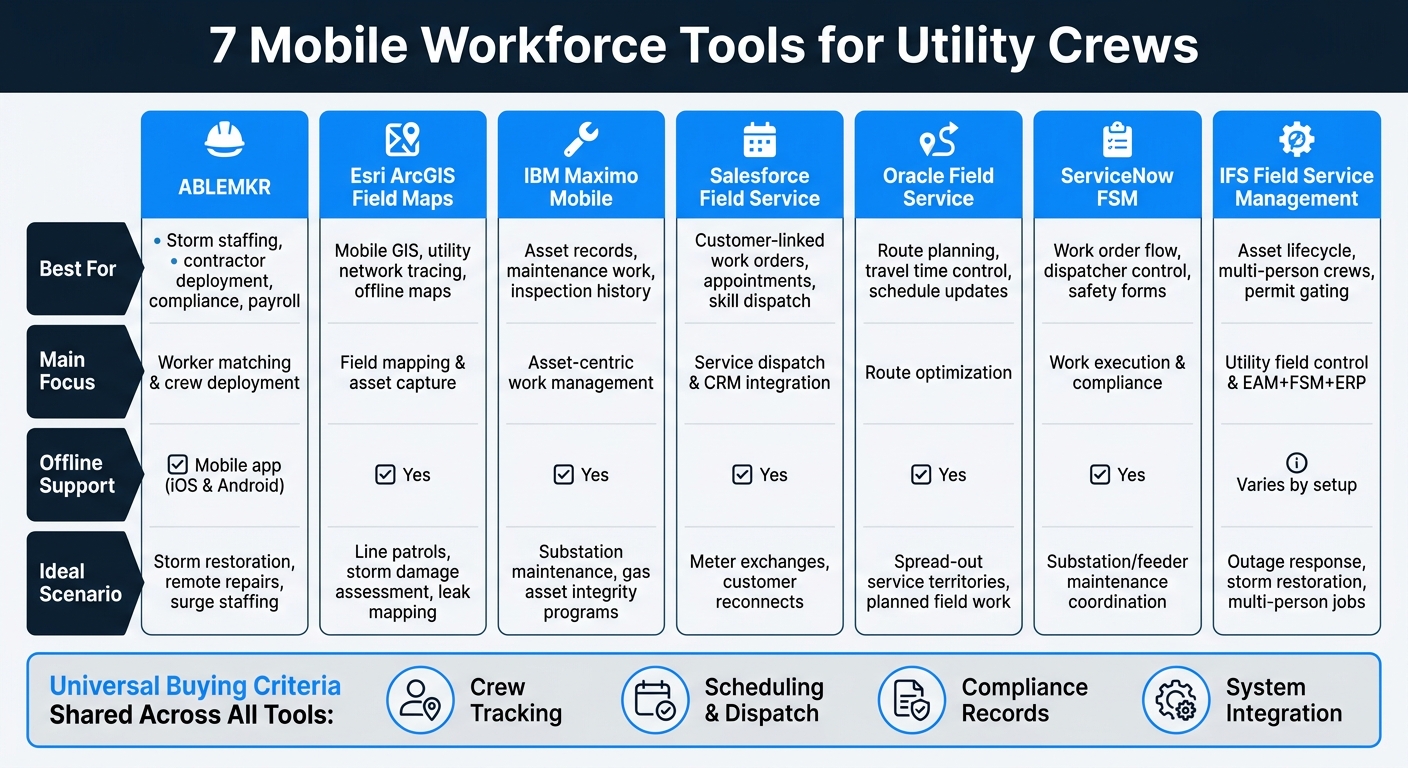
7 Mobile Workforce Tools for Utility Crews: Side-by-Side Comparison
Implementation of Oracle Utilities C2M, WAM, Mobile Workforce, SOA for a Government Organization
Quick Comparison
| Tool | Best For | Main Focus | Offline Support | Good Fit For |
|---|---|---|---|---|
| ABLEMKR | Crew deployment | Worker matching, compliance, payroll | Mobile app support | Storm response, shutdowns, remote repair crews |
| Esri ArcGIS Field Maps | Field mapping | GIS layers, tracing, inspections | Yes | Damage review, patrols, leak mapping |
| IBM Maximo Mobile | Asset work | Work orders, asset history, inspection logs | Yes | Substations, preventive maintenance, asset programs |
| Salesforce Field Service | Service dispatch | Scheduling, work orders, customer flow | Yes | Meter work, reconnects, follow-up visits |
| Oracle Field Service | Route control | Travel time, routing, appointment flow | Yes | Spread-out service territories, planned field work |
| ServiceNow FSM | Work execution | Work order flow, dispatch, compliance forms | Yes | Maintenance coordination, outage-linked service work |
| IFS Field Service Management | Utility field control | Asset lifecycle, crew scheduling, permits | Varies by setup | Outage work, network maintenance, multi-person jobs |
My read: if your bottleneck is finding and placing qualified people, look at ABLEMKR first. If your issue is seeing assets on a map, look at Esri. If the pain is maintenance history and field records, Maximo fits better. And if your team lives inside dispatch boards and service windows, the FSM tools make more sense.
That’s the frame I’d use before getting into product-by-product detail.
1. ABLEMKR
ABLEMKR is a mobile-first workforce deployment platform built for utility storm recovery, shutdowns, and remote repairs. The big draw is speed. It helps teams match vetted workers to urgent jobs fast, while giving operations staff a clear view of who’s available, qualified, and already deployed. That’s a big deal when crews need to move fast across outage zones or far-off repair sites.
The platform matches workers based on certification, safety training, availability, and location. For dispatchers, that means a much faster way to place qualified labor close to the job site. Compliance tracking is built right into the deployment flow, so teams can check documents and onboarding status before sending a crew out instead of starting from zero each time. ABLEMKR is available as a mobile app for iOS and Android, which lets field coordinators and workers update status, accept assignments, and handle timecards right from their phones.
Live worker status also gives dispatchers a better read on the field. During storm response, feeder repairs, or multi-site restoration, they can shift crews as needs change. In emergency feeder repairs or outage sequencing, that kind of visibility helps teams avoid coverage gaps across job sites.
Once crews are in place, the same system helps with the back-office side too. Integrated payroll workflows, real-time invoicing, and workers’ compensation coverage cut down on the admin work that usually piles up after a large deployment. CVE Tech reported improved worker quality along with real-time invoicing and cost transparency.
ABLEMKR works well for utility teams that need fast labor deployment, compliance control, and payment visibility in one place.
| Capability | Utility Use Case |
|---|---|
| Location-based matching | Deploy crews near outage zones or remote repair sites |
| Credential verification | Confirm linework credentials before dispatch |
| Live worker status | Track crews during storm response or multi-site restoration |
| Payroll and invoicing | Reconcile hours and payments after shutdowns or emergency jobs |
| Workers’ compensation coverage | Reduce risk exposure on hazardous utility worksites |
2. Esri ArcGIS Field Maps
Once a crew is out the door, they need more than an address and a work order. They need to see what’s in front of them, what it connects to, and what could be affected if something goes wrong.
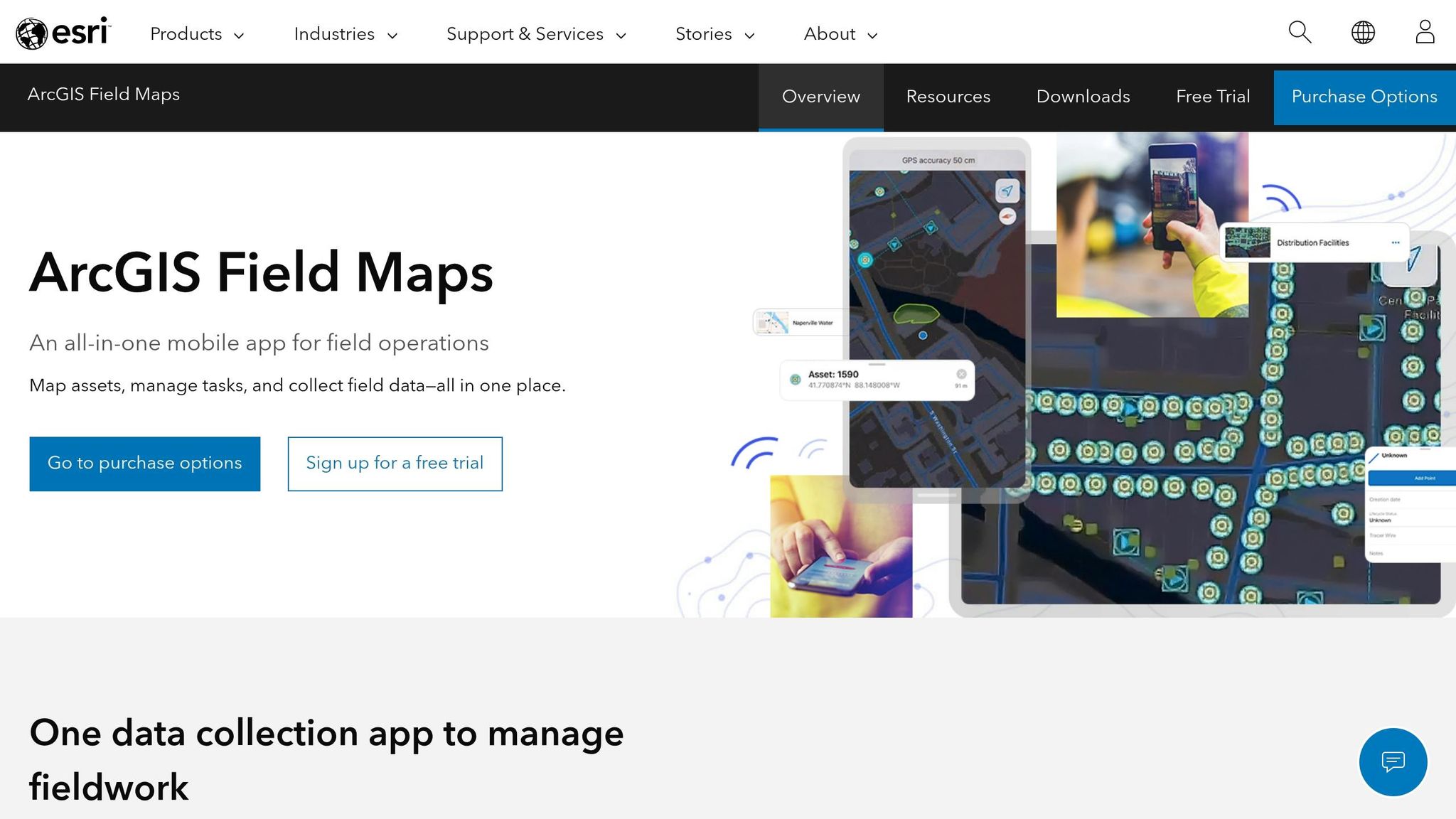
ArcGIS Field Maps is a mobile GIS app for field asset work. It lets lineworkers and inspectors view infrastructure layers like poles, transformers, valves, and pipelines, update asset details, attach photos, and log inspections at the asset from one mobile app.
Where it stands out for utilities is its ArcGIS Utility Network connection. Crews can run upstream, downstream, isolation, and connected traces that were set up in ArcGIS Pro. In a fault or outage, a power distribution crew can run a downstream trace to see every meter and transformer fed by a failed device. A gas technician can trace upstream to find the correct shut-off valve. Because those traces use the same network model as the engineering team, both sides are working from the same map and the same logic.
Field Maps also gives supervisors a live view of where crews are and how they’re moving. That includes live location, direction, and speed, all tied to the assets crews are working around during outage response and inspections. Utilities can set geofences around high-voltage areas or restricted rights-of-way, then trigger location sharing when workers enter those zones. That helps with safety and audit records.
Owatonna Public Utilities (OPU) uses Field Maps to capture safety briefing data that syncs to enterprise dashboards in near real time. That gives managers a direct view into every active worksite without waiting for paperwork to catch up.
For rural routes and no-service areas, Field Maps supports offline work. Teams can download maps, asset layers, and task lists before heading out. Inspections, edits, and completed tasks sync back after service returns, so field data doesn’t slip through the cracks. In plain terms, Field Maps is strongest when crews need map-based work in the field, not just dispatch visibility.
| Capability | How It Works for Utility Crews |
|---|---|
| Utility network tracing | Run upstream, downstream, isolation, or connected traces in the field to identify affected assets or customers |
| Real-time crew tracking | View live location, direction, and speed for each field worker tied to asset context |
| Smart forms & compliance | Digitize safety briefings and inspection checklists; data syncs to enterprise dashboards in near real time |
| Offline operations | Download maps and asset layers in advance; sync edits when back in coverage |
| Geofencing | Trigger location sharing when crews enter defined zones like high-voltage areas or rights-of-way |
3. IBM Maximo Mobile
IBM Maximo Mobile is built around asset history and work orders for utility field crews. It works as the mobile app for IBM’s Maximo Application Suite (MAS), giving technicians one place to check equipment history, inspection records, parts inventory, and assigned work. Unlike tools built first for crew coordination, Maximo Mobile puts the asset record at the center. That makes it a strong fit for inspections, maintenance, and repair work tied to critical equipment.
For utility crews, the big draw is asset-centric work management. Technicians can look up an asset’s service history, scan a barcode or RFID tag to confirm they’re working on the right piece of equipment, and log readings, photos, and labor time right from the field. If they spot a problem, they can create unscheduled work orders on the spot. Those field updates flow back into planning right away, which helps keep records current and cuts the delay between field activity and planning decisions.
Scheduling and dispatch connect closely with MAS. Technicians can see their schedule on the device, review assigned work, and get updates in near real time. Planners can assign jobs based on location, skills, and asset criticality, which helps send the right crew to the right equipment. Day to day, field users can work from a prioritized task list with built-in checklists for needed materials and tools, so they show up ready to work.
Compliance tracking is part of the workflow too. Maximo Mobile supports electronic signatures, barcode and RFID scans, calibration records for protection devices and meters, and inspection templates. For utilities working in regulated settings, that creates an audit-ready record.
Licensing runs through MAS AppPoints, so Maximo Mobile usually makes more sense for mid-sized to large utilities than for smaller crews.
| Capability | Utility Use Case |
|---|---|
| Asset history and work orders | Equipment records and maintenance logs in one mobile view |
| Asset-priority dispatch | Assign crews based on skills, location, and asset criticality |
| Compliance documentation | Electronic signatures, barcode/RFID scans, and inspection templates |
| Offline work execution | Complete inspections and work orders without connectivity |
| GIS integration | View assets and work orders on maps via Maximo Spatial or ArcGIS |
The next platform shifts the focus from asset work to customer-facing scheduling and service appointments.
4. Salesforce Field Service
Salesforce Field Service puts the work order and customer service flow at the center of utility operations. Because it’s built natively on Salesforce and tied to Service Cloud, the path from customer request to dispatch to field assignment stays inside one system.
That setup makes sense when a utility is moving beyond asset maintenance and dealing with more customer-led field visits. Instead of bouncing between tools, teams can manage the handoff in one place.
Its biggest draw is the scheduling and dispatch engine. It matches technicians by skill set, location, availability, priority, and SLA requirements. For utilities, that matters. Planned maintenance, meter visits, inspections, and post-outage follow-up all depend on getting the right crew to the right place without wasting time.
The mobile app gives technicians the basics they need in the field:
- Job details
- Navigation
- Work orders
- Asset history
- Offline access for remote utility work
At the same time, dispatchers can watch status updates as work moves forward. Compliance records also run through the same workflow, with required closeout steps, forms, photos, and signatures. That means regulated work leaves a searchable audit trail tied to the work order.
There is one clear drawback. Salesforce Field Service tends to work best for utilities that already use Salesforce CRM and Service Cloud. If they don’t, setup can take a lot of integration work, and costs can climb fast. So in practice, this is more of an enterprise pick.
| Capability | Utility Use Case |
|---|---|
| AI-driven scheduling | Dispatches crews based on skills, location, priority, and SLA windows |
| Work order orchestration | Coordinates multi-step jobs across dispatch, field, and customer service |
| Offline mobile access | Supports crews in remote utility field environments |
| Compliance documentation | Enforces required closeout steps and captures digital signatures |
| CRM integration | Connects customer history, asset records, and dispatch in one system |
The next platform moves away from workflow control and leans more into route optimization and appointment sequencing.
sbb-itb-aa28329
5. Oracle Field Service
While the previous tool leans harder into work-order execution, Oracle puts more weight on route efficiency and travel-time control. Oracle Field Service is built to help field crews spend less time on the road and more time getting work done. Its self-learning routing engine updates schedules using real-time conditions, technician skills and availability, and job progress data.
For utility crews handling meter work, inspections, planned maintenance, and outage response across spread-out service areas, that can cut drive time and reduce missed service windows.
Technicians also get turn-by-turn directions based on current road conditions. That helps crews move between remote sites and time-sensitive jobs without wasting time on bad routes.
Oracle doesn’t stop at routing. It also gives supervisors a clearer view of how field movement lines up with the plan. For recordkeeping, Time View with Smart Location tracks actual travel time, job start times, activity duration, and route adherence against what was scheduled. In plain terms, it creates an audit trail for safety checks, maintenance verification, and service records.
Oracle Field Service also supports multi-day route planning for longer utility projects, such as network upgrades and extended maintenance. That matters most when crews are covering a lot of ground and still need to hit tight schedules.
| Capability | Utility Application |
|---|---|
| AI-driven routing | Reassigns work based on location, skills, service windows, and changing field conditions |
| Street-level directions | Provides turn-by-turn navigation for remote field sites |
| Time View compliance | Tracks actual vs. planned travel and job timing for recordkeeping and service verification |
| Multi-day route planning | Plans and optimizes crews across longer utility projects |
| Contingent worker support | Keeps contractor activity visible alongside internal crews |
6. ServiceNow Field Service Management
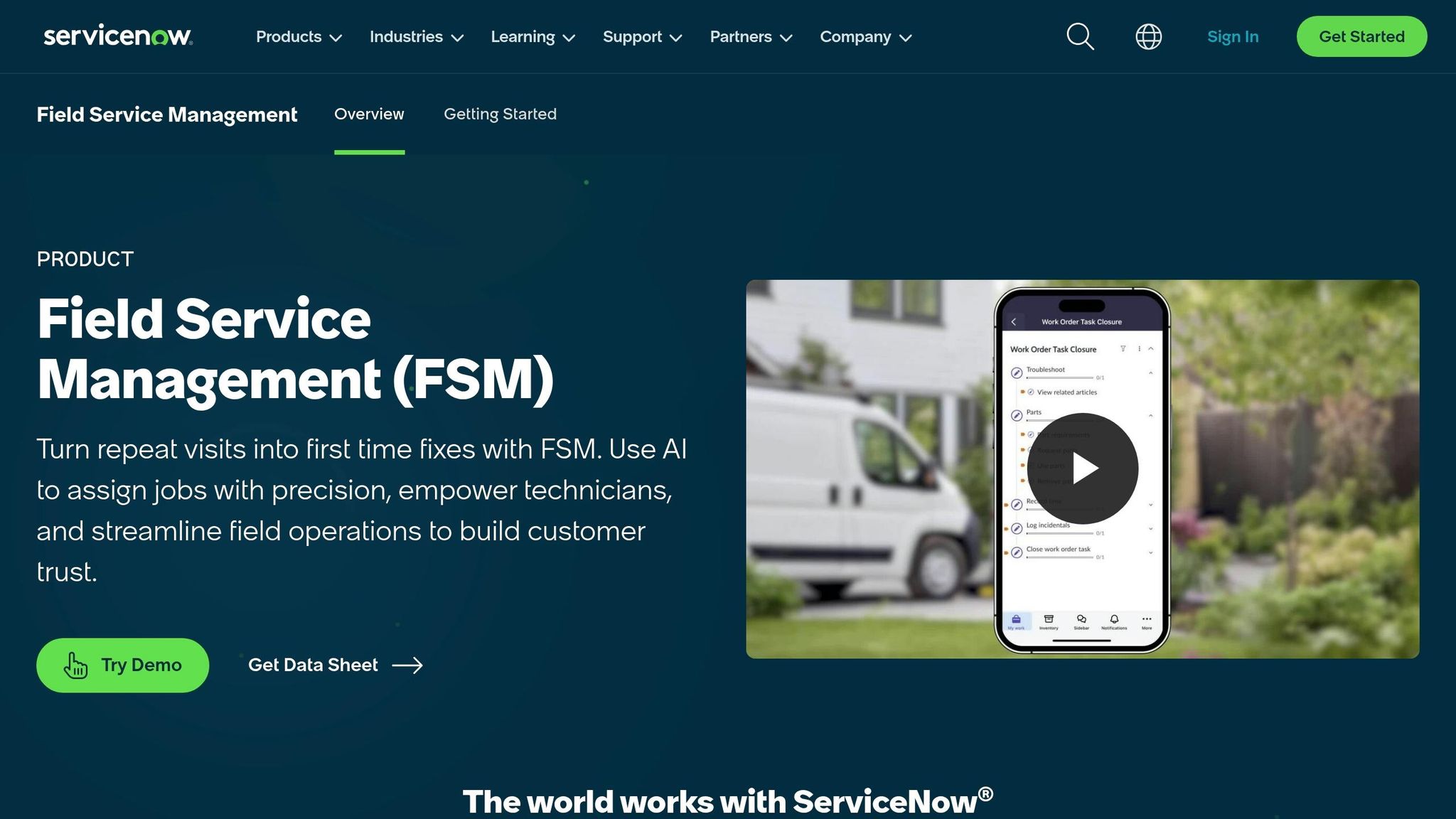
Where route optimization stops, ServiceNow picks up the rest of the job. ServiceNow FSM brings utility work orders, asset data, and field activity into one cloud platform. It turns outage tickets and service requests into work orders, then follows each step from planning and dispatch to execution and closeout. Each job stays linked to utility assets like transformers, substations, meters, and poles. That asset-based setup gives operations teams one place to check service history and plan maintenance.
Scheduling and dispatch rely on rules and predictive scheduling to match work with technicians based on skills, territory, availability, and travel time. The Dispatcher Workspace gives supervisors a drag-and-drop view of tasks, maps, and SLA clocks. Dynamic Scheduling can assign new work on its own or be run manually. During storm response or planned maintenance windows, dispatchers can see technician locations and job progress in real time, which makes it easier to reroute crews as conditions shift.
That same line of sight extends to safety checks and field records. FSM builds safety questionnaires and lockout/tagout checklists into mobile workflows before crews begin work. Every step is logged by person, time, location, and asset, with photos and digital signatures added to the record. The mobile app also works offline and syncs once crews reconnect. For utilities working under NERC, OSHA, and state rules, that audit trail helps support inspection and reporting records.
| Capability | Utility Application |
|---|---|
| Work order lifecycle management | Tracks utility requests from creation to closure and ties them to specific assets. |
| Dynamic Scheduling | Matches work to technicians by skills, territory, availability, and travel time; can auto-assign or run manually. |
| Dispatcher Workspace | Provides a drag-and-drop view of tasks, maps, and SLA clocks for scheduling adjustments. |
| Embedded compliance workflows | Supports safety questionnaires, lockout/tagout checklists, audit trails, and digital signatures. |
| Enterprise integrations | Connects with GIS and asset management systems, including ArcGIS integrations. |
ServiceNow FSM also supports contractor management, so contractor crew activity appears alongside internal technicians on the same platform.
For teams that want tighter control over service execution, the next platform takes an even narrower focus.
7. IFS Field Service Management
IFS puts less emphasis on route efficiency alone and more on asset lifecycle control. It links work orders to the full life of an asset, from installation through decommissioning. For utilities dealing with aging infrastructure across large service territories, that connection matters. IFS Cloud brings together field service, EAM, and ERP in one system, which cuts down on handoffs that can slow outage response and reporting.
IFS also got a utility-focused lift from its 2020 acquisition of Clevest. That added mobile workforce support built for electric, gas, and water crews. The platform supports outage response, meter work, and network maintenance.
On the scheduling side, IFS uses rules-based and AI-assisted logic to assign work based on things like union rules, shift patterns, and travel time. It also supports multi-person crews, which is a big deal for jobs like substation work, pole replacements, and high-voltage switching. If the day goes sideways, dispatchers can re-optimize schedules in real time.
IFS goes past scheduling, too. It supports inspections and checklists, and it builds permit tracking and certification gating into scheduling logic. That means only technicians with the right license or training can be assigned to work such as gas leak response or high-voltage jobs. For regulated work, that creates an audit trail teams can point back to later.
The system also connects with Esri ArcGIS, SCADA, historian systems, and OMS to help coordinate restoration workflows. When a fault is detected, IFS can create a work order and trigger dispatch, tying field response straight to the asset event. Of course, that only works well if GIS and asset records stay in sync.
| Capability | Utility Application |
|---|---|
| Integrated EAM + FSM + ERP | Connects asset lifecycle, field work, and enterprise processes in one platform. |
| Mobile Workforce Management (Clevest) | Designed for electric, gas, and water utility field crews. |
| AI-assisted scheduling | Assigns work based on union rules, shift patterns, and travel time. |
| Compliance and audit trails | Supports inspections, permit tracking, and certification gating. |
| GIS, SCADA, and OMS integration | Links spatial data, sensor events, and outage systems to field dispatch workflows. |
Pros and Cons by Tool Type for Utility Operations
These tools fit into four buckets, and each one helps with a different choke point in utility operations: mapping, work execution, dispatch, or labor deployment. For utility leaders, the choice comes down to one plain question: what matters most right now – seeing the asset, finishing the work, scheduling the job, or getting the crew in place?
GIS-driven mobile apps like Esri ArcGIS Field Maps shine when location is the main issue. They give crews a clear picture of where things are during storm patrols, leak response, and damage assessment. But they don’t handle work order lifecycles, scheduling, or customer appointments. So if the field team needs location truth, they fit. If the team needs full work coordination, they don’t.
Field service management platforms like Salesforce Field Service, Oracle Field Service, ServiceNow FSM, and IFS FSM do a good job coordinating large field teams. Where they tend to fall short is asset modeling and labor deployment. They can also struggle with utility-heavy workflows such as switching, outage integration, crew staging, and multi-day restoration. Before using one for emergency operations, utilities should make sure it can handle storm-scale volume.
Enterprise asset and work management mobility tools like IBM Maximo Mobile are built for asset-heavy settings. They bring work procedures and equipment records into the field, which makes them useful for substation rounds, pole programs, and gas integrity documentation. The tradeoff is that they aren’t built for real-time dispatch or high-volume appointments. Their complexity can also slow uptake, especially with temporary or mutual aid crews.
Workforce deployment platforms like ABLEMKR solve a different problem. Here, the bottleneck isn’t the map or the work order. It’s finding certified crews with the right safety training who are available and close enough to move. ABLEMKR is built for fast certified crew deployment, real-time status, and compliance control during surge work.
The table below pulls those tradeoffs into one view.
| Tool / Platform | Primary Strengths | Primary Limitations | Ideal Utility Scenario |
|---|---|---|---|
| Esri ArcGIS Field Maps | Network tracing, offline mapping, asset capture, damage visualization | No work order lifecycle, scheduling, or customer management | Line patrols, pole inspections, storm damage assessment, gas leak mapping |
| IBM Maximo Mobile | Asset-centric work management, compliance documentation, structured procedures | Not optimized for dispatch or high-volume appointments | Substation maintenance, breaker inspections, gas asset integrity programs |
| Salesforce Field Service | AI scheduling, customer integration, crew visibility, job packages | Heavy configuration needed for utility workflows | Meter exchanges, customer reconnects, storm restoration ticketing |
| Oracle Field Service | Offline-capable app, rules-based routing, utility workflows | Integration complexity with OMS and GIS | Gas leak dispatch, outage response, planned line maintenance |
| ServiceNow FSM | Automated scheduling, AI-guided workflows, proactive maintenance triggers | Less utility-native; spatial visualization requires GIS integration | Substation and feeder maintenance coordination, predictive maintenance |
| IFS Field Service Management | AI-driven scheduling, field access to critical information, utility workflows | Complex implementation; GIS sync must be maintained carefully | Outage response, planned maintenance, storm restoration support |
| ABLEMKR | Certified worker matching by geo-location, embedded compliance, payroll visibility | Focused on labor deployment, not work order or asset management | Storm restoration surge staffing, remote pipeline repairs, infrastructure buildouts |
Conclusion
Each tool addresses a different utility bottleneck: location, dispatch, work execution, or crew deployment. There isn’t a one-size-fits-all platform for every utility workflow. The best pick comes down to the main problem you need to fix first.
| Priority | Best-Fit Tool Type |
|---|---|
| Faster outage response | FSM + GIS mobile |
| Stronger compliance documentation | Workforce deployment/compliance + EAM/FSM |
| Better maintenance coordination | EAM integrated with mobile FSM + GIS |
| Scalable storm staffing | Workforce deployment platform |
The practical move is straightforward: match the tool to the bottleneck first. For storm staffing and remote deployments, ABLEMKR is built to mobilize qualified crews fast while keeping compliance and worker status visible.
FAQs
How do I choose the right tool for my utility crew?
Start with your crew’s needs: team size, where people work, and the kind of projects you run. Then pick a mobile-first platform with offline access, so field teams can keep working when signal drops or internet access is spotty.
It also helps to look for tools that handle compliance tasks automatically, track certifications and safety training, show real-time geo-location and GPS data, and support automated payroll workflows so pay stays accurate and on time.
Why is offline access so important for field crews?
Offline access matters because utility crews don’t work at desks with strong Wi-Fi. They’re often out in remote areas where the signal is weak – or gone entirely. Without offline access, simple tasks can turn into a mess.
With it, crews can keep working. They can:
- log hours
- complete safety checklists
- access job details
- update task status
That means less downtime and fewer safety risks when crews are in the field.
Then, when service comes back, the system syncs data to the back office on its own. That helps prevent data loss, cuts out manual reentry, and keeps records accurate for compliance and payroll.
When does ABLEMKR make the most sense?
ABLEMKR makes the most sense for utility and energy companies that need to mobilize skilled, compliant crews fast for high-stakes, time-sensitive work.
It’s a strong fit for emergency repairs, unexpected shutdowns, and fast workforce scaling. That’s even more true for remote teams that need automated certification tracking, onboarding, payroll, and real-time geo-location matching.


