
On-site invoicing can save you hours and get you paid faster. If you’re a skilled trades professional – like a plumber, electrician, or HVAC technician – mobile invoicing tools are essential to streamline billing and maintain steady cash flow. These apps help you create invoices in seconds, accept payments on the spot, and avoid the delays of traditional office-based systems.
Here are the top 7 mobile invoicing tools tailored for skilled trades:
- Workiz: Perfect for service teams, with offline invoicing, ACH payments, and branded templates.
- Tofu: Ideal for independent contractors, offering quick invoice creation and offline functionality.
- FieldEdge: Combines invoicing with scheduling and service management for multi-truck businesses.
- FreshBooks: A versatile platform for freelancers and small teams, with time tracking and ACH options.
- Invoice2go: Great for solo contractors, featuring simple templates and multiple payment methods.
- Invoicely: A straightforward solution for small businesses with flexible pricing plans.
- ABLEMKR: Designed for managing temporary labor, with GPS timecards and automated billing.
Quick Comparison
| Tool | Best For | Payment Options | Mobile Features | Starting Price |
|---|---|---|---|---|
| Workiz | Small to mid-sized service contractors | Credit cards, ACH | Offline mode, branded templates | $35/month |
| Tofu | Independent contractors | Credit cards | Offline mode, quick invoicing | $9/month |
| FieldEdge | Multi-truck businesses | Credit cards, ACH, checks | Job history, scheduling | Custom pricing |
| FreshBooks | Freelancers, small teams | Credit cards, ACH, Google/Apple Pay | Time tracking, GPS mileage | $21/month |
| Invoice2go | Solo contractors | Credit cards, PayPal | Organized job tracking | $5.99/month |
| Invoicely | Small businesses | Credit cards, PayPal, bank transfers | Simple templates | Free/$9.99/month |
| ABLEMKR | General contractors, temp labor | ACH, credit cards | GPS timecards, automated billing | Custom pricing |
Key takeaway: The right invoicing tool depends on your business size and needs. For solo tradespeople, simplicity and speed are crucial. For larger teams, integration with scheduling and labor management adds value. Test these tools to find the one that best fits your workflow.
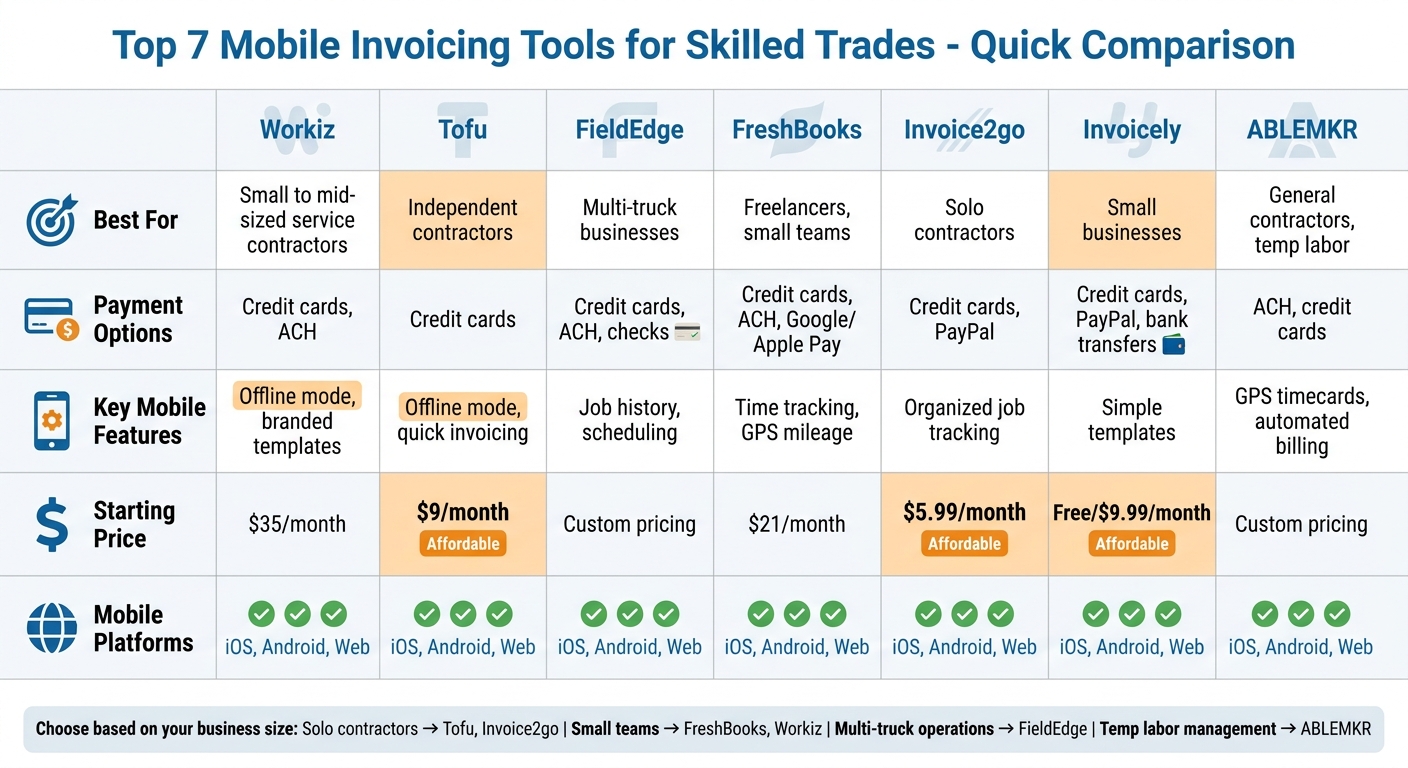
Mobile Invoicing Tools Comparison for Skilled Trades
6 Of the Best Time Saving Apps For Tradesmen
sbb-itb-aa28329
1. Workiz
Workiz is a game-changer for field service professionals, allowing them to invoice directly from their trucks. Designed for trades like HVAC, plumbing, electrical work, locksmithing, appliance repair, and junk removal, it prioritizes speed and professionalism to improve cash flow. Let’s dive into its standout features.
Mobile Accessibility (iOS, Android, Web)
The Workiz mobile app is available for both iOS and Android, seamlessly syncing with its web platform. This keeps dispatchers and technicians in sync, no matter where they are. Even better, the app includes an offline mode, so you can create invoices even when connectivity is spotty. Once back online, all data updates automatically, ensuring your team stays on the same page.
Payment Processing Options (Credit Card, ACH)
Workiz simplifies on-site payment collection by supporting credit card and ACH payments. To tackle late payments, the platform sends automated email and SMS reminders at 3, 7, and 14 days past due, helping reduce delays by 30–50%. Plus, each invoice includes an online payment link, cutting out the need for checks and speeding up the process.
Template Customization (Branding, Personalization)
With Workiz, you can customize invoices to match your brand. Add your logo, choose brand colors, tweak fonts, and adjust layouts to create a professional look. These templates go beyond aesthetics, offering features like e-signatures and tiered estimate options. You can present clients with various service levels and quickly turn approved estimates into invoices.
Best Suited For (Industry Specialization, Business Size)
Whether you’re a solo operator or managing a growing team, Workiz has you covered. The Lite Plan is perfect for individuals starting out, while the Pro Plan offers advanced workflow automation for larger teams. Users have reported doubling their bookings and sales in trades like junk removal and HVAC by using real-time reporting to identify more profitable jobs. By streamlining invoicing and enabling faster payment collection, Workiz helps businesses get paid 1.5–2 times faster than traditional methods – boosting cash flow efficiency.
2. Tofu
Tofu is designed specifically for contractors who need to invoice clients right on the job site. It’s built with independent tradespeople in mind – think plumbers, electricians, and HVAC technicians – offering a straightforward, fast solution for invoicing.
Mobile Accessibility (iOS, Android, Web)
Tofu works across multiple devices, including smartphones, tablets, and desktops, making it easy to access wherever you are. Its interface is optimized for one-handed use and remains clear even under direct sunlight – perfect for outdoor work. Plus, it features an offline mode, so you can draft invoices even without a strong signal. Once you’re back online, your drafts sync automatically, ensuring no downtime for your billing. This mobile-first approach keeps invoicing hassle-free, no matter the conditions.
Payment Processing Options (Credit Card)
With Stripe integration, Tofu supports credit card payments and contactless tap-to-pay options, making it easy for customers to settle invoices instantly. The real-time invoicing feature ensures quick payment processing, which could help improve cash flow. However, while Stripe supports a variety of payment methods, Tofu doesn’t specifically mention ACH or PayPal as available options.
Template Customization (Branding, Personalization)
Tofu lets you create professional invoices tailored to your business by adding your logo and company details, helping to establish credibility with clients. Premium users can access more advanced templates for greater customization. A standout feature is the estimate-to-invoice conversion, which allows you to turn approved quotes into invoices with a single tap. Tofu claims you can generate and send an invoice in under 60 seconds, and for repeat clients, duplicating invoices takes just 12 seconds.
Best Suited For (Industry Specialization, Business Size)
Tofu’s pricing and features are tailored to independent contractors and small service teams who need a simple invoicing tool without the complexity of full accounting software. The Plus Plan starts at $9 per month, offering basic templates and a limited number of invoices. For $13 to $19 per month, the Premium Plan includes unlimited invoicing and all available features. A 7-day free trial lets you explore the platform before subscribing. For contractors who want a no-frills, efficient way to handle billing, Tofu provides a streamlined solution that works wherever your job takes you.
3. FieldEdge
FieldEdge combines field service management with invoicing tools, making it a solid choice for multi-truck HVAC, plumbing, and electrical businesses.
Mobile Accessibility (iOS, Android, Web)
FieldEdge provides native apps for iOS and Android, ensuring technicians can access job details, dispatch schedules, and customer histories – including past invoices – right from the job site. For office teams, a centralized web dashboard keeps everyone in sync. This real-time connectivity simplifies payment processing, keeping it secure and efficient.
Payment Processing Options
FieldEdge Payments, powered by Clearent (Xplor Pay), allows technicians to process credit card payments in the field using EMV-compliant card readers. It also integrates with ECS for ACH and bank account payments, supports check payments, and offers customers the option to pay online via secure links. For businesses with recurring service agreements, FieldEdge automates billing cycles, saving time for maintenance-heavy operations. All payment data syncs seamlessly with QuickBooks, reducing manual data entry.
Template Customization
FieldEdge includes MarketingEdge, which provides customizable templates and forms to maintain consistent branding and professional communication. While the platform’s invoice template customization options aren’t extensively detailed, it allows technicians to link invoice line items to job history and customer data when creating invoices on-site. As Sue Stewart from A1 Air Conditioning & Heating shared:
With the mechanics invoicing using mobile we can upload the invoice, take payment and book return calls before he has even pulled out of the driveway.
Best Suited For
FieldEdge is ideal for small to mid-sized service companies in HVAC, plumbing, and electrical trades. It’s especially beneficial for businesses managing multiple trucks and needing tight coordination between field crews and office staff. Users have reported a 138% return on investment in their first year and a 60% reduction in time spent managing service agreements. Pricing details are available upon request through a demo.
4. FreshBooks
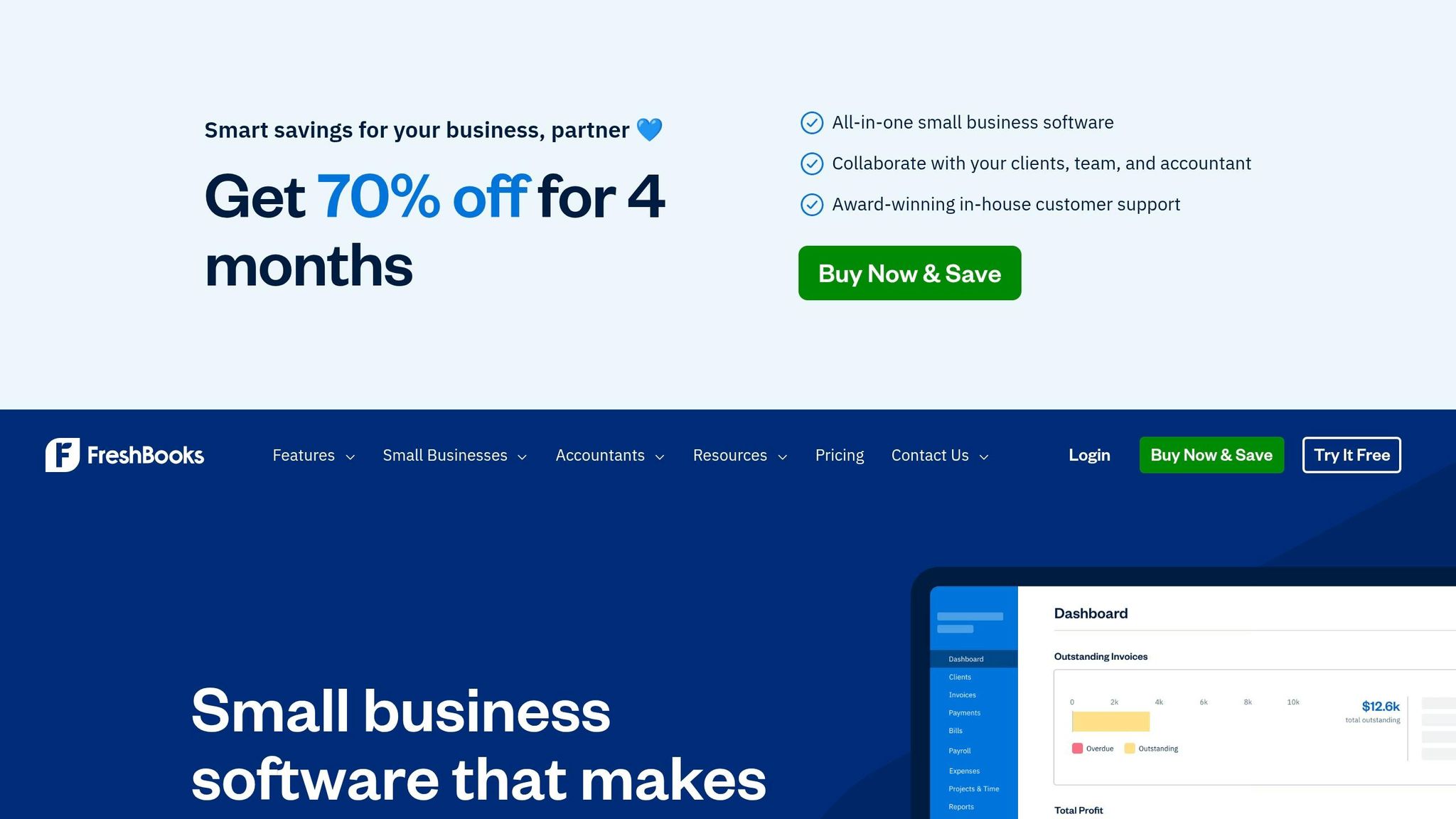
FreshBooks stands out as a cloud-based platform designed for freelancers and small trade businesses. With over 30 million small businesses having used it and a stellar 4.8/5 star rating from more than 120,000 reviews, it’s clear that FreshBooks has made its mark in the world of invoicing and business management.
Mobile Accessibility (iOS, Android, Web)
FreshBooks makes life easier for tradespeople on the go with its native apps for iOS and Android, which sync seamlessly with its web dashboard. You can create and send invoices directly from a job site, track mileage using GPS, and even manage receipts using OCR (optical character recognition). Plus, the app sends push notifications to keep you updated when invoices are viewed or payments are overdue.
Payment Processing Options
With FreshBooks Payments, powered by Stripe, you can accept a variety of payment methods, including major credit cards, Apple Pay, Google Pay, and ACH bank transfers – all with competitive transaction fees. The Advanced Payments add-on extends functionality, allowing for in-person or phone payments and recurring payment setups. For larger jobs, options like Buy Now, Pay Later (via Affirm and Afterpay) give clients the flexibility to pay over time while you get the full amount upfront. Need quick access to funds? Instant Payouts let you retrieve earnings within minutes, 24/7, for a 1.5% fee.
Template Customization
FreshBooks offers customizable templates for invoices, proposals, and estimates, ensuring your documents align with your brand. It also simplifies tax calculations. Time tracking and expense data collected on-site can be turned into invoice line items before you even leave the job location.
Best Suited For
FreshBooks is ideal for freelancers, solopreneurs, and small businesses with employees or contractors. It’s particularly useful for trades professionals who need mobile-friendly, automated invoicing solutions. Users report saving up to 553 hours annually through automation and recovering up to $7,000 in billable hours. Damona Hoffman from Dear Mrs D, Inc. shared her experience:
FreshBooks has really helped me to be more efficient throughout the year so that tax time…it’s less stressful.
FreshBooks pricing starts at $21/month for the Lite plan, with a promotional discount of 70% off for the first 4 months. With its mobile-first approach and automation features, FreshBooks showcases how modern tools can simplify invoicing and billing for skilled tradespeople.
5. Invoice2go
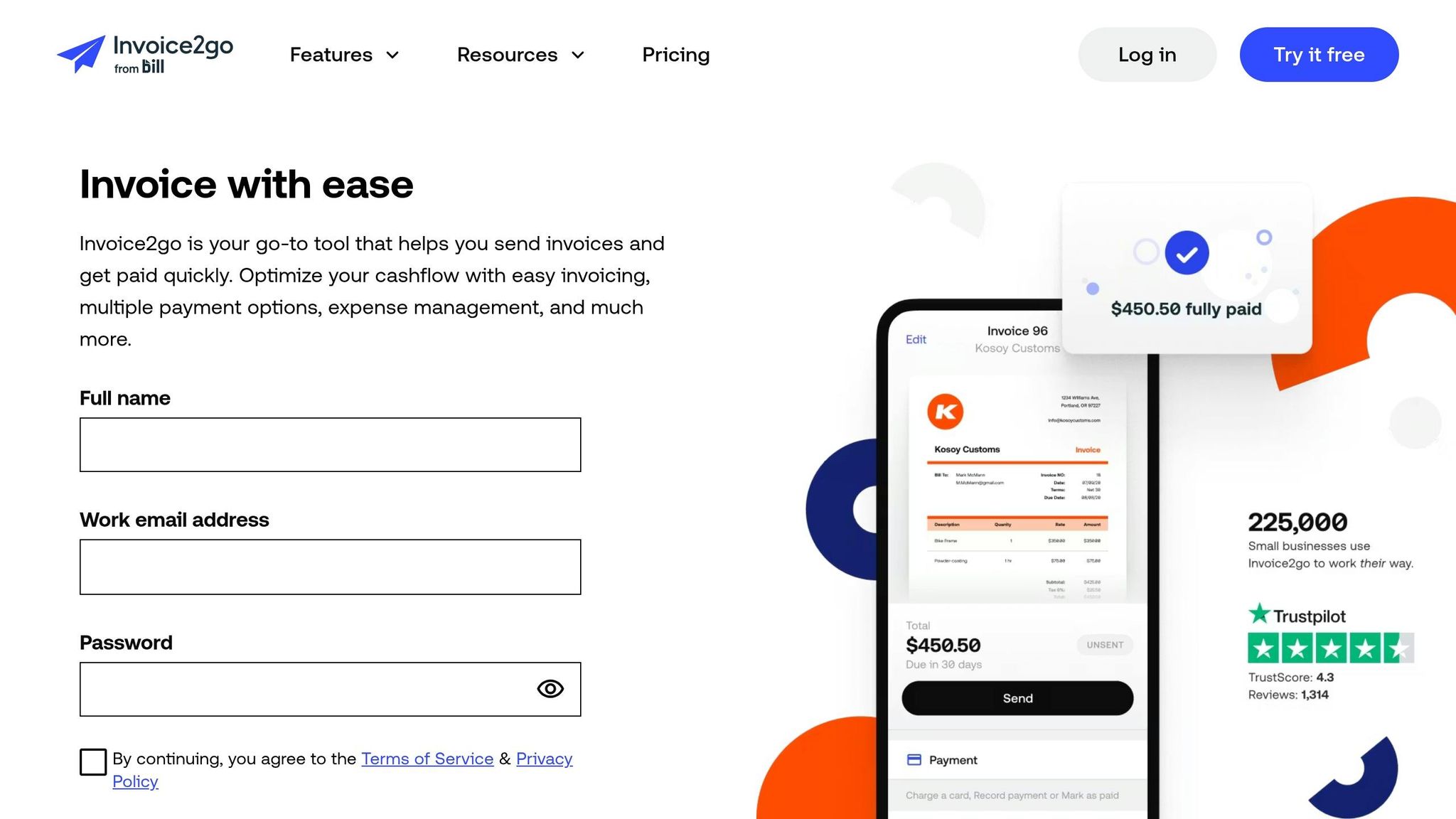
Invoice2go is tailored for tradespeople looking to manage their businesses on the go – helping speed up payments and cut down on admin work. With over 5 million downloads on the Google Play Store and an impressive 4.6/5 star rating from 31,400 reviews, it’s a go-to tool for handymen, contractors, HVAC technicians, auto mechanics, and builders in more than 160 countries.
Mobile Accessibility (iOS, Android, Web)
Invoice2go works seamlessly across Android, iOS, and Chromebooks. With its mobile-friendly design, users can quickly create invoices, estimates, receipts, and bills right from the job site. The Projects feature serves as a one-stop hub for each job, letting you keep estimates, invoices, photos, files, notes, and contact details neatly organized in one spot. This setup also simplifies on-site payment processing, making it easier to get paid faster.
Payment Processing Options
Invoice2go makes receiving payments hassle-free by supporting credit cards, debit cards, PayPal, and Google Pay. The platform’s Invoice2go Money feature ensures payments can be received within 24 hours, while automated invoice tracking sends reminders for overdue bills. For expense management, users can snap photos of receipts to log and claim business expenses. Automated reports save users about three hours weekly when it comes to tracking cash flow and preparing for taxes.
Template Customization
The template builder offers plenty of options to personalize invoices. Users can upload logos, add watermarks and banners, and even create color schemes that match their branding. It also allows for separating labor and material costs, adding signature lines, and customizing terms. As Peter Oh, Product Manager at Invoice2go, puts it:
If you work in the trades, you can separate the cost of labor versus the cost of materials.
Language settings can also be adjusted directly within the document, making it versatile for different clients.
Best Suited For
Invoice2go is a great fit for small trade businesses that need a mobile-first invoicing solution. It offers a 30-day free trial, but lower-tier plans come with limits – allowing only 2–5 invoices per month, priced at $5.99 or $9.99/month. It also integrates with popular platforms like QuickBooks, Xero, Gusto, MYOB, and Zapier, making it a flexible choice for businesses looking to streamline operations.
6. Invoicely
Invoicely provides a straightforward invoicing solution designed for professionals who need simple and efficient billing tools. This platform is all about keeping things clean and organized, making it a practical choice for busy individuals who want to streamline their invoicing process. It allows users to manage multiple invoices, track expenses, and handle payments with ease.
Mobile Accessibility
Invoicely offers apps for both Android and iOS, giving skilled trades professionals the ability to manage invoicing directly from their mobile devices. Whether you’re finishing up an HVAC repair or completing electrical work, you can create and send invoices right from the job site. This feature ensures that even when you’re out in the field, your billing process stays as seamless as your work.
Payment Processing Options
The platform supports payments through credit cards, PayPal, and bank transfers, offering your clients flexible payment methods. It also keeps track of all payment activity, helping you stay on top of collections without any hassle.
Template Customization
With Invoicely, you can personalize invoice templates to match your business’s branding. Add your logo, tweak the colors, and adjust the layout to create a professional look. However, keep in mind that the platform doesn’t include automated tax calculation, so you’ll need to manually input tax amounts.
Best Suited For
Invoicely works best for freelancers and small business owners who want a simple yet effective invoicing tool. The Basic Plan is priced at $9.99 per month and offers unlimited invoices and estimates for up to 10 clients. For larger needs, the Professional Plan costs $19.99 monthly and increases the client limit to 50. There’s also a free version available, though it comes with fewer features.
7. ABLEMKR
ABLEMKR takes invoicing to the next level by embedding it directly into the labor management process. Tailored for industries like construction, oil & gas, and mining, this platform handles everything from dispatching workers to processing final payments – all through a mobile-first system. By using GPS-verified timecards and on-site supervisor approvals, ABLEMKR automates billing from start to finish.
Mobile Accessibility
With its mobile app available for both iOS and Android, ABLEMKR empowers site supervisors to approve worker hours daily or weekly right from the job site. GPS-verified timecards ensure accurate location tracking, removing the need for paper timesheets and cutting down on admin errors. This real-time approval process ensures a smooth transition from completed work to invoicing.
Payment Processing Options
ABLEMKR simplifies payments by supporting direct ACH transfers and credit card transactions. Its transparent cost structure includes payroll taxes, workers’ compensation, and general liability insurance. Contractors receive a single, detailed invoice that breaks down costs by worker and date. The system accommodates weekly or bi-weekly billing cycles, and workers are guaranteed on-time payments – an essential feature in an industry where 70% of contractors face payment delays. By automating billing, ABLEMKR helps contractors manage diverse teams with ease.
Best Suited For
ABLEMKR is an ideal solution for general contractors, specialty contractors (like electrical, HVAC, and plumbing), and project managers who need to scale their workforce quickly. Its W-2 employment model reduces the risks of worker misclassification. With over 8.3 million construction workers projected in 2024 and average hourly earnings of $38.30, ABLEMKR’s automated invoicing makes managing temporary labor at scale far more efficient. Its mobile-first design ensures contractors can handle workforce management with minimal hassle, aligning with the streamlined approach seen in other top invoicing tools.
Feature Comparison Table
Mobile invoicing tools provide tailored solutions for various skilled trades, whether you’re a solo electrician or managing a team of contractors. The table below highlights key features to help you evaluate which tool aligns with your needs.
| Tool | Mobile Platforms | Payment Methods | Customization | Best For |
|---|---|---|---|---|
| Workiz | iOS, Android | Credit cards, ACH transfers | Custom fields, branded templates | Small to mid-sized service contractors (HVAC, plumbing, electrical) |
| Tofu | iOS, Android (offline available) | Credit cards, instant mobile payments | High customization with logos, contractor-specific templates, job-to-invoice sync | Field workers needing offline access in remote areas |
| FieldEdge | iOS, Android | Credit cards, ACH transfers | Templates for HVAC, plumbing, and electrical | Service-based businesses with recurring maintenance contracts |
| FreshBooks | iOS, Android | Credit cards via Stripe, instant pay | Highly customizable invoices and reports with time-tracking integration | Small businesses and independent contractors managing multiple projects |
| Invoice2go | iOS, Android | Credit cards, PayPal | Pre-built templates, logo upload | Solo contractors and freelancers |
| Invoicely | iOS, Android | Credit cards, PayPal, bank transfers | Minimalistic setup with basic branding | Startups and small teams on tight budgets |
| ABLEMKR | iOS, Android | ACH transfers, credit cards | Automated billing with GPS timecards | General contractors, specialty trades, and project managers scaling temporary labor |
Each tool offers a mix of mobile access, payment flexibility, and customization options to suit different workflows. For example, ABLEMKR stands out by combining invoicing with workforce management through GPS-verified timecards, making it a strong choice for contractors juggling temporary labor. These tools are designed to simplify on-site billing, improve cash flow, and let you focus more on your trade work.
Conclusion
Finding the right mobile invoicing tool is all about aligning it with your workflow. For solo electricians or plumbers, the priority is speed – apps that let you create invoices in under two minutes are ideal, without the unnecessary extras. On the other hand, if you’re managing a growing team across multiple sites, tools that integrate invoicing with labor tracking and project costs can streamline operations and save you headaches.
Payment delays are a recurring issue in the industry, but the right invoicing software can do more than just speed up billing. It can improve cash flow and free up hours you’d otherwise spend chasing payments or doing paperwork after hours.
To make the best choice, try these practical tips. If you’re often in areas with poor connectivity, test the app’s offline capabilities. Look for features like ACH transfers or tap-to-pay options to get paid faster after completing a job. For contractors handling temporary staff, ABLEMKR offers geo-location and integrated payroll workflows, enabling real-time invoicing while reducing manual errors and disputes.
Consider running a 14-day trial with actual jobs to see how quickly invoices can be created and how easily your team adapts. Measure your time savings – for example, cutting invoice creation from nine minutes to just 30 seconds can easily justify the subscription cost. These steps will help ensure the tool provides reliable results for every job.
FAQs
Which invoicing app is best for my trade business size?
The best invoicing app for you will depend on the size of your business and what you need it to do. If you’re a solo tradesperson or part of a small team, straightforward and budget-friendly options like TradeTab or Joist are great choices. On the other hand, larger businesses with more complex operations might find apps like Housecall Pro or Jobber more suitable, as they offer additional features like scheduling and job management. The key is to pick a tool that’s easy to use while meeting your business’s specific needs.
What should I look for in offline mobile invoicing?
When selecting a mobile invoicing tool for use in offline settings, it’s crucial to focus on offline functionality. This allows you to create and save invoices even in areas without internet access – perfect for remote job sites. Key features to watch for include fast data entry, photo and signature capture, and on-site payment options to streamline collections. Also, ensure the app syncs effortlessly once you’re back online, so all your work updates seamlessly. The ideal tools balance dependability, ease of use, and practical features to keep your workflow efficient, no matter where you are.
How can mobile invoicing help me get paid faster?
Mobile invoicing lets you speed up payments by enabling you to create and send invoices right after completing a job – directly from the job site. This cuts out the waiting time usually spent processing paperwork or heading back to the office. Plus, many mobile invoicing tools come with built-in payment features, making it simpler for clients to pay on the spot and helping you maintain a steady cash flow.


